Unlock a world of possibilities! Login now and discover the exclusive benefits awaiting you.

- Qlik Community
- :
- All Forums
- :
- QlikView
- :
- Re: [QlikView] How to select a date between two da...
- Subscribe to RSS Feed
- Mark Topic as New
- Mark Topic as Read
- Float this Topic for Current User
- Bookmark
- Subscribe
- Mute
- Printer Friendly Page

- Mark as New
- Bookmark
- Subscribe
- Mute
- Subscribe to RSS Feed
- Permalink
- Report Inappropriate Content
[QlikView] How to select a date between two dates
Hello,
I would like to select from a list of selection a date. This selected date would then allow me to display the start date of the contract and the date of end of contract. So, we have a date interval in which our selected date must be included. I use "set analysis" but it does not work ".
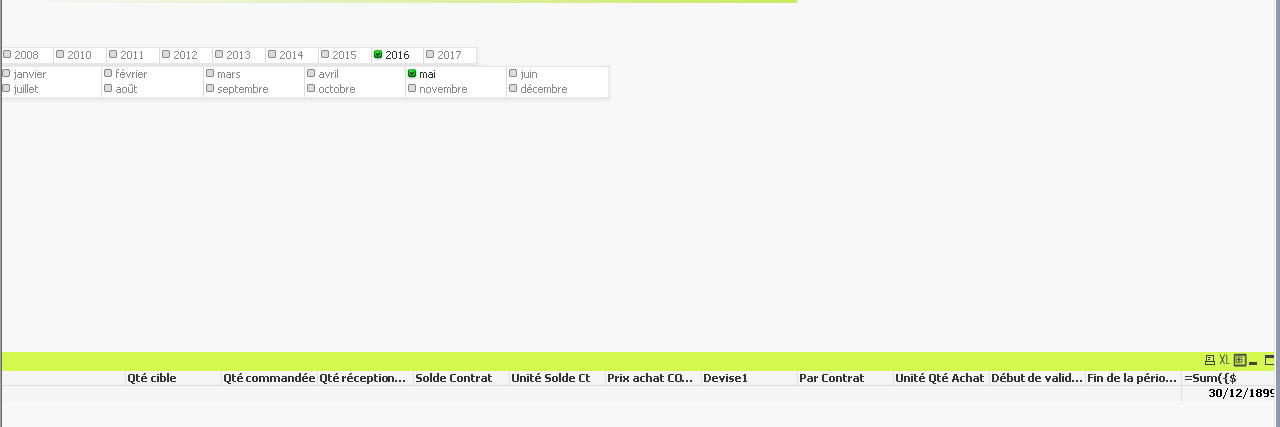
=Sum({$
<[Année début de validité] = {">=$(=Année1)"}>*
<[Année fin de la période de validité] = {"<=$(=Année1)"}>*
<[Mois début de validité] = {">=$(=Mois1)"}>
*<Mois1 = {"<=$(=[Mois fin de la période de validité])"}>
} [Début de validité])
- « Previous Replies
-
- 1
- 2
- Next Replies »
- Mark as New
- Bookmark
- Subscribe
- Mute
- Subscribe to RSS Feed
- Permalink
- Report Inappropriate Content
I try with the calendar, with one date but i only have dates who are =([Début de validité] & '<=' & Date), i want, from this script, get all the values who are !=null and where Date is <= [Fin période de validité].
Thanks
- Mark as New
- Bookmark
- Subscribe
- Mute
- Subscribe to RSS Feed
- Permalink
- Report Inappropriate Content
Ok, i have a correct answer. I have used some MakeDate function to regroup my field Year and Month together and compare them to my date with this setAnalysis :
=Sum({$ <YMD = {"<=$(=YM)"}> * <YMF = {">=$(=YM)"}>} [Début de validité])
Lexique : YMD : Year,Month,Début; YMF: Year,Month,Fin and YM: Year,Month
Have a nice day,
Alex
- « Previous Replies
-
- 1
- 2
- Next Replies »