Unlock a world of possibilities! Login now and discover the exclusive benefits awaiting you.

- Qlik Community
- :
- All Forums
- :
- QlikView
- :
- Qlikview data interaction with Text box.......
Options
- Subscribe to RSS Feed
- Mark Topic as New
- Mark Topic as Read
- Float this Topic for Current User
- Bookmark
- Subscribe
- Mute
- Printer Friendly Page
Turn on suggestions
Auto-suggest helps you quickly narrow down your search results by suggesting possible matches as you type.
Showing results for

Not applicable
2016-08-07
02:50 AM
- Mark as New
- Bookmark
- Subscribe
- Mute
- Subscribe to RSS Feed
- Permalink
- Report Inappropriate Content
Qlikview data interaction with Text box.......
Hi All,
I have the following data.
| Year | Region | Sales |
| 2014 | Ind | 100 |
| 2014 | Uk | 200 |
| 2015 | Uk | 80 |
| 2015 | Ind | 120 |
| 2016 | Ind | 180 |
| 2016 | Uk | 160 |
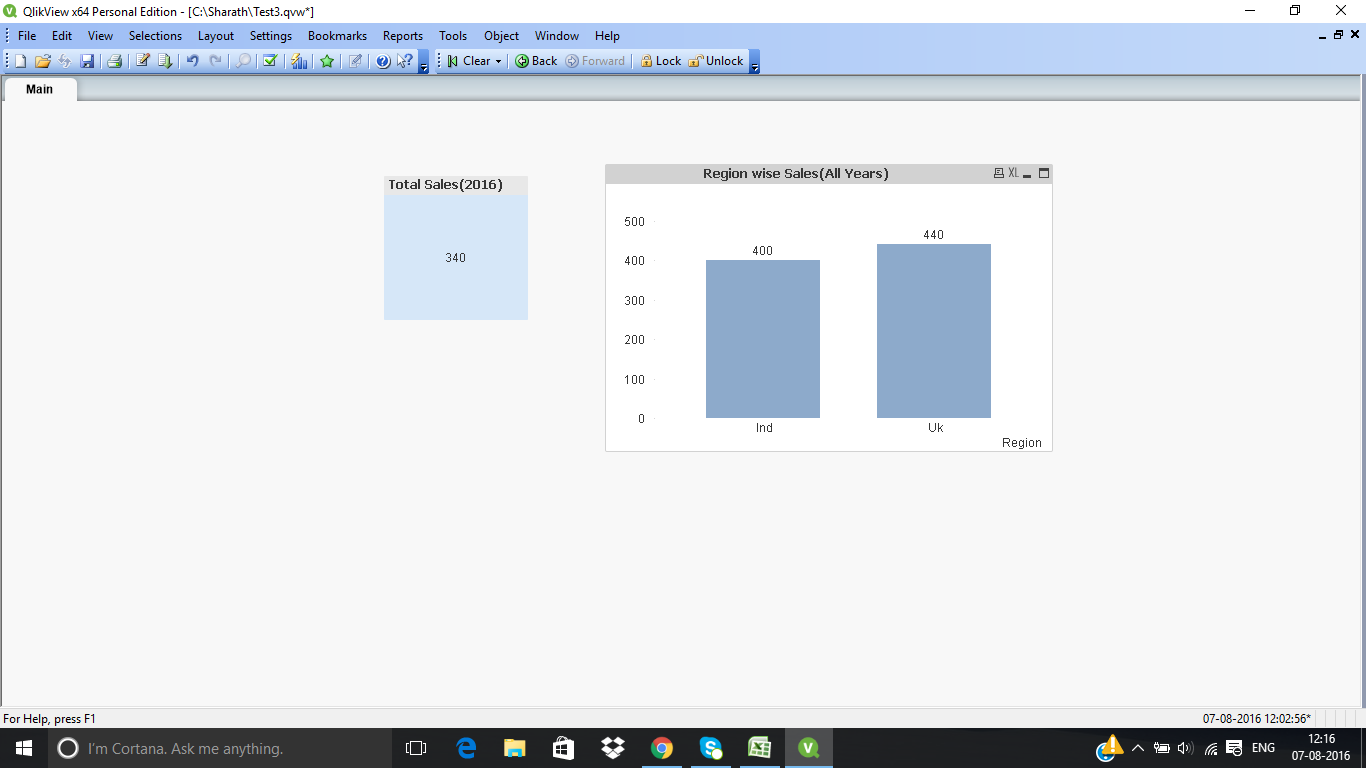
Question: When i click on text box want to display 2016 Sales in Bar chart.How to link Text Object to Bar Chart.
835 Views
3 Replies

 phaneendra_kunc
Partner - Specialist III
2016-08-07
03:04 AM
- Mark as New
- Bookmark
- Subscribe
- Mute
- Subscribe to RSS Feed
- Permalink
- Report Inappropriate Content
You can add action to text object.
Properties --> actions --> select in field
Fieldname give "Year"
Value/Search string "2016"
after this click on text object.
725 Views

 karthikoffi27se
Creator III
2016-08-07
05:00 AM
- Mark as New
- Bookmark
- Subscribe
- Mute
- Subscribe to RSS Feed
- Permalink
- Report Inappropriate Content
Hi Sharath
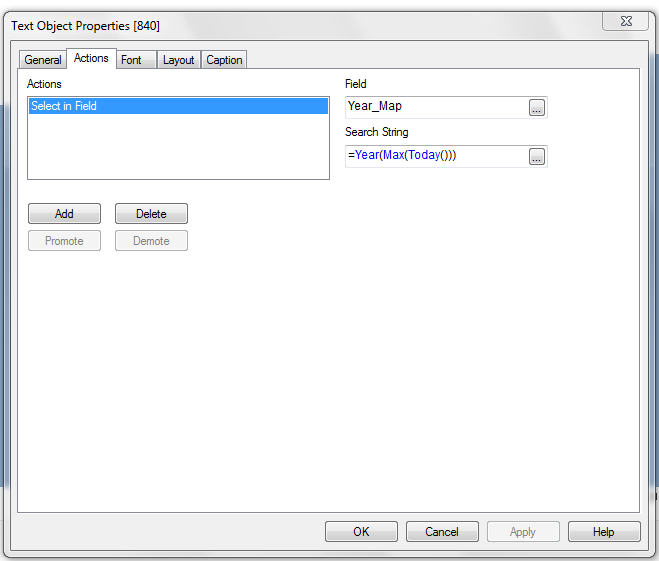
Use the expression as shown in the field, Trying using the Actions_Select in the Field
Field: Year_Map
Search String: =Year(Max(Today())
Many Thanks
Karthik

 marcus_sommer
MVP
2016-08-07
06:19 AM
- Mark as New
- Bookmark
- Subscribe
- Mute
- Subscribe to RSS Feed
- Permalink
- Report Inappropriate Content
Is there a special reason for the textbox-trigger then a normal selection within a listbox would work very well?
- Marcus
725 Views