Unlock a world of possibilities! Login now and discover the exclusive benefits awaiting you.

- Qlik Community
- :
- All Forums
- :
- QlikView
- :
- REST Connenction to Linkedin
- Subscribe to RSS Feed
- Mark Topic as New
- Mark Topic as Read
- Float this Topic for Current User
- Bookmark
- Subscribe
- Mute
- Printer Friendly Page

 robert_mika
- Mark as New
- Bookmark
- Subscribe
- Mute
- Subscribe to RSS Feed
- Permalink
- Report Inappropriate Content
REST Connenction to Linkedin
I'm following this document to create connection to LinkedIn
http://da3hntz84uekx.cloudfront.net/RESTConnector/1.0/12/QlikRESTConnector1.0.pdf
(page 11)
After entering all details I'm still getting this message:
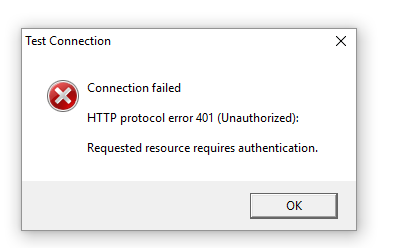
My userName and password are as for the apigee website but maybe there is another authentication step which I'm missing.
Did anyone succeed to connect to Li?

 ashfaq_haseeb
- Mark as New
- Bookmark
- Subscribe
- Mute
- Subscribe to RSS Feed
- Permalink
- Report Inappropriate Content
Hi Robert,
Did you find solution for this?
Regards
ASHFAQ
robert_mika
- Mark as New
- Bookmark
- Subscribe
- Mute
- Subscribe to RSS Feed
- Permalink
- Report Inappropriate Content
No not yet..
Have you been playing with connector?
I believe there is solution as 3 party are using "Log in with LinkedIn".

 Emmanuelle__Bus
- Mark as New
- Bookmark
- Subscribe
- Mute
- Subscribe to RSS Feed
- Permalink
- Report Inappropriate Content
Hi we have the same issue and still looking for a solution. Did you find anything?

- Mark as New
- Bookmark
- Subscribe
- Mute
- Subscribe to RSS Feed
- Permalink
- Report Inappropriate Content
Hi Robert,
Did you solve it ?
I am in the same situation with the credentials for the REST API for Linkedin.
In the document from your link there is point 11 in (3.5.2 Connecting to LinkedIn)
What shall we put there ?
- Linkedin profile/password ?
- Apigee new created developer profile/password ?
I don't see the link between this Apigee profile and the URL I provide to the REST connector.
Thanks
- Mark as New
- Bookmark
- Subscribe
- Mute
- Subscribe to RSS Feed
- Permalink
- Report Inappropriate Content
Hallo,
in the Query parameters field do not include
"&format=json HTTP/1.1"
in the value field, even if it is described in the manual.
That solves it.
Best