Unlock a world of possibilities! Login now and discover the exclusive benefits awaiting you.

- Qlik Community
- :
- All Forums
- :
- QlikView
- :
- Remove label from chart
- Subscribe to RSS Feed
- Mark Topic as New
- Mark Topic as Read
- Float this Topic for Current User
- Bookmark
- Subscribe
- Mute
- Printer Friendly Page

- Mark as New
- Bookmark
- Subscribe
- Mute
- Subscribe to RSS Feed
- Permalink
- Report Inappropriate Content
Remove label from chart
Hi guys,
I have a grid chart.
Could you help me to fix my aggregation expression for dimension to remove unlabeled tag?
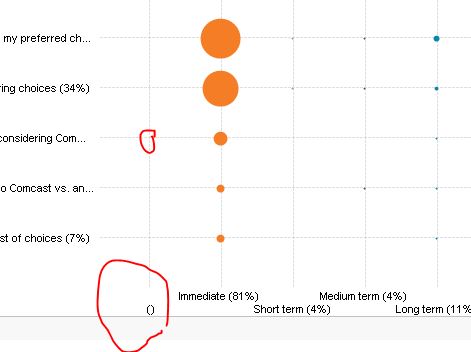
If I remove aggregation from dimension, it works perfect.
Please find my attached file.
Thanks,
- Tags:
- new_to_qlikview
Accepted Solutions

 Clever_Anjos
- Mark as New
- Bookmark
- Subscribe
- Mute
- Subscribe to RSS Feed
- Permalink
- Report Inappropriate Content
Use this as your dimention
=if(aggr(count([Purchase Horizon])/count(TOTAL [Purchase Horizon]), [Purchase Horizon]) >0,
[Purchase Horizon]&'a ('&num((aggr(count([Purchase Horizon])/
count(TOTAL [Purchase Horizon]), [Purchase Horizon])),'#,##0%') &')')
Clever_Anjos
- Mark as New
- Bookmark
- Subscribe
- Mute
- Subscribe to RSS Feed
- Permalink
- Report Inappropriate Content
Use this as your dimention
=if(aggr(count([Purchase Horizon])/count(TOTAL [Purchase Horizon]), [Purchase Horizon]) >0,
[Purchase Horizon]&'a ('&num((aggr(count([Purchase Horizon])/
count(TOTAL [Purchase Horizon]), [Purchase Horizon])),'#,##0%') &')')