Unlock a world of possibilities! Login now and discover the exclusive benefits awaiting you.

- Qlik Community
- :
- All Forums
- :
- QlikView
- :
- Searching Pattern in Data
- Subscribe to RSS Feed
- Mark Topic as New
- Mark Topic as Read
- Float this Topic for Current User
- Bookmark
- Subscribe
- Mute
- Printer Friendly Page

 bdgeddam9
- Mark as New
- Bookmark
- Subscribe
- Mute
- Subscribe to RSS Feed
- Permalink
- Report Inappropriate Content
Searching Pattern in Data
Hi i have data as follows and basically need data before "@" and after "/"
us/us 2013/us@2018/uk
Accepted Solutions

 sunny_talwar
- Mark as New
- Bookmark
- Subscribe
- Mute
- Subscribe to RSS Feed
- Permalink
- Report Inappropriate Content
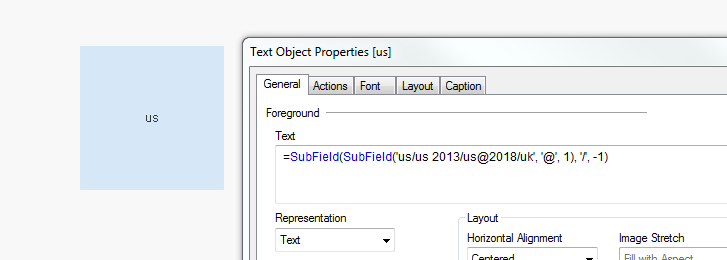
This gives us
=SubField(SubField('us/us 2013/us@2018/uk', '@', 1), '/', -1)
sunny_talwar
- Mark as New
- Bookmark
- Subscribe
- Mute
- Subscribe to RSS Feed
- Permalink
- Report Inappropriate Content
Since '/' repeats multiple times, which one do you want to consider? In essence what is the string that you would like to pull out?
sunny_talwar
- Mark as New
- Bookmark
- Subscribe
- Mute
- Subscribe to RSS Feed
- Permalink
- Report Inappropriate Content
One option can be to try this
=TextBetween('us/us 2013/us@2018/uk', '/', '@')
sunny_talwar
- Mark as New
- Bookmark
- Subscribe
- Mute
- Subscribe to RSS Feed
- Permalink
- Report Inappropriate Content
Or this
=SubField(SubField('us/us 2013/us@2018/uk', '@', 1), '/', -1)
bdgeddam9
- Mark as New
- Bookmark
- Subscribe
- Mute
- Subscribe to RSS Feed
- Permalink
- Report Inappropriate Content
Hi Thanks Sunny.
I am looking for "us" .I think either of functions gives answer
sunny_talwar
- Mark as New
- Bookmark
- Subscribe
- Mute
- Subscribe to RSS Feed
- Permalink
- Report Inappropriate Content
This gives us
=SubField(SubField('us/us 2013/us@2018/uk', '@', 1), '/', -1)
bdgeddam9
- Mark as New
- Bookmark
- Subscribe
- Mute
- Subscribe to RSS Feed
- Permalink
- Report Inappropriate Content
using text function this will give aswer :
=TextBetween('us/us 2013/us@2018/uk', '/', '@',2)
