Unlock a world of possibilities! Login now and discover the exclusive benefits awaiting you.

- Qlik Community
- :
- All Forums
- :
- QlikView
- :
- Re: Re: Section Access
- Subscribe to RSS Feed
- Mark Topic as New
- Mark Topic as Read
- Float this Topic for Current User
- Bookmark
- Subscribe
- Mute
- Printer Friendly Page

 NavinReddy
- Mark as New
- Bookmark
- Subscribe
- Mute
- Subscribe to RSS Feed
- Permalink
- Report Inappropriate Content
Section Access
Hi All,
I am trying to implimenting section Access
im Login with ADMIN access i can see every thing
If i login with USER access i can see only UK data and so on
but this code not working for me
Section Access;
LOAD * INLINE [
ACCESS, USERID, PASSWORD, Country
ADMIN , ADMIN, ADMIN,*
USER, UK, UK, UK
USER, North America, North America, North America
USER, Germany, Germany, Germany
USER,Nordics,Nordics
];
Section Application;
Star is *;
LOAD * INLINE [
Country,Team Name1
UK,UK - South
North America ,NA-North
Germany,Germany - West
Nordics,Nordics - North
];
Thanks In Advance
Niranjan
- Tags:
- qlikview_scripting
- « Previous Replies
-
- 1
- 2
- Next Replies »

 fernando_tonial
- Mark as New
- Bookmark
- Subscribe
- Mute
- Subscribe to RSS Feed
- Permalink
- Report Inappropriate Content
Hi Niru,
Again my example attach.
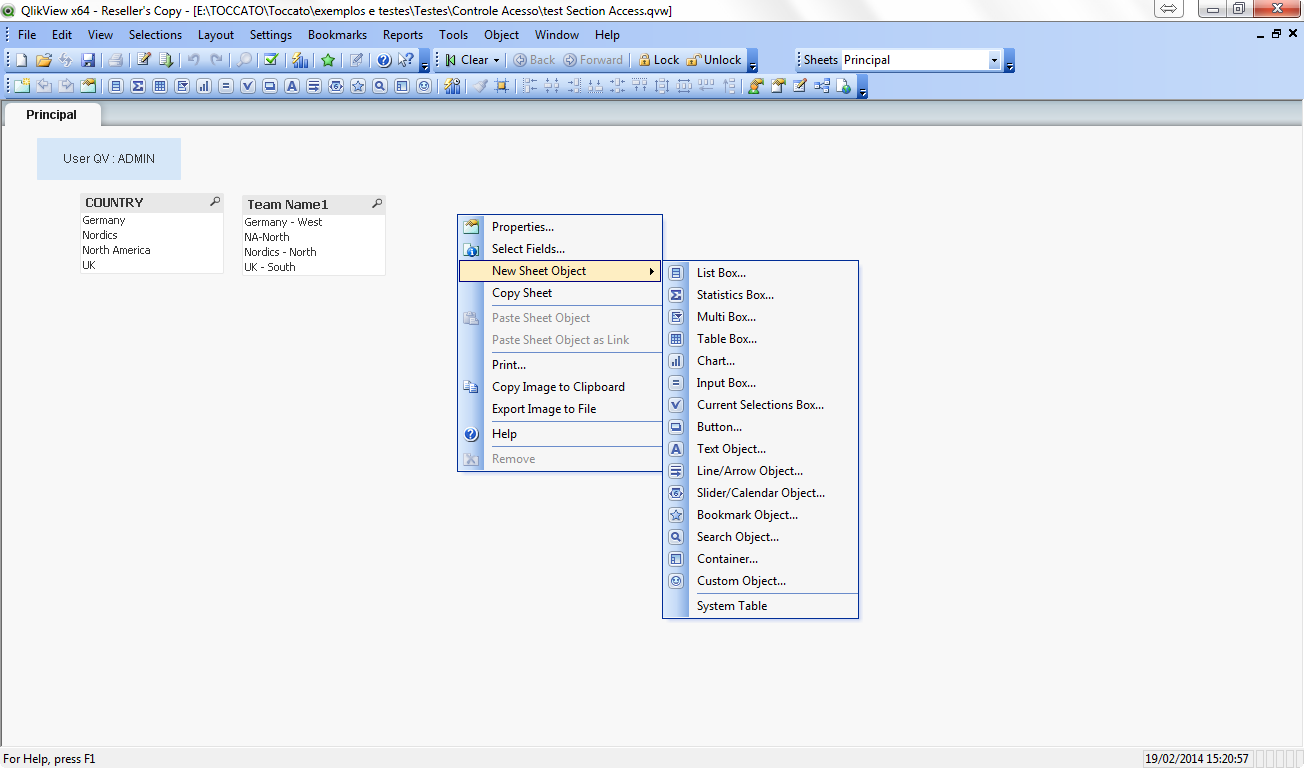
User ADMIN, i can add sheet objects.
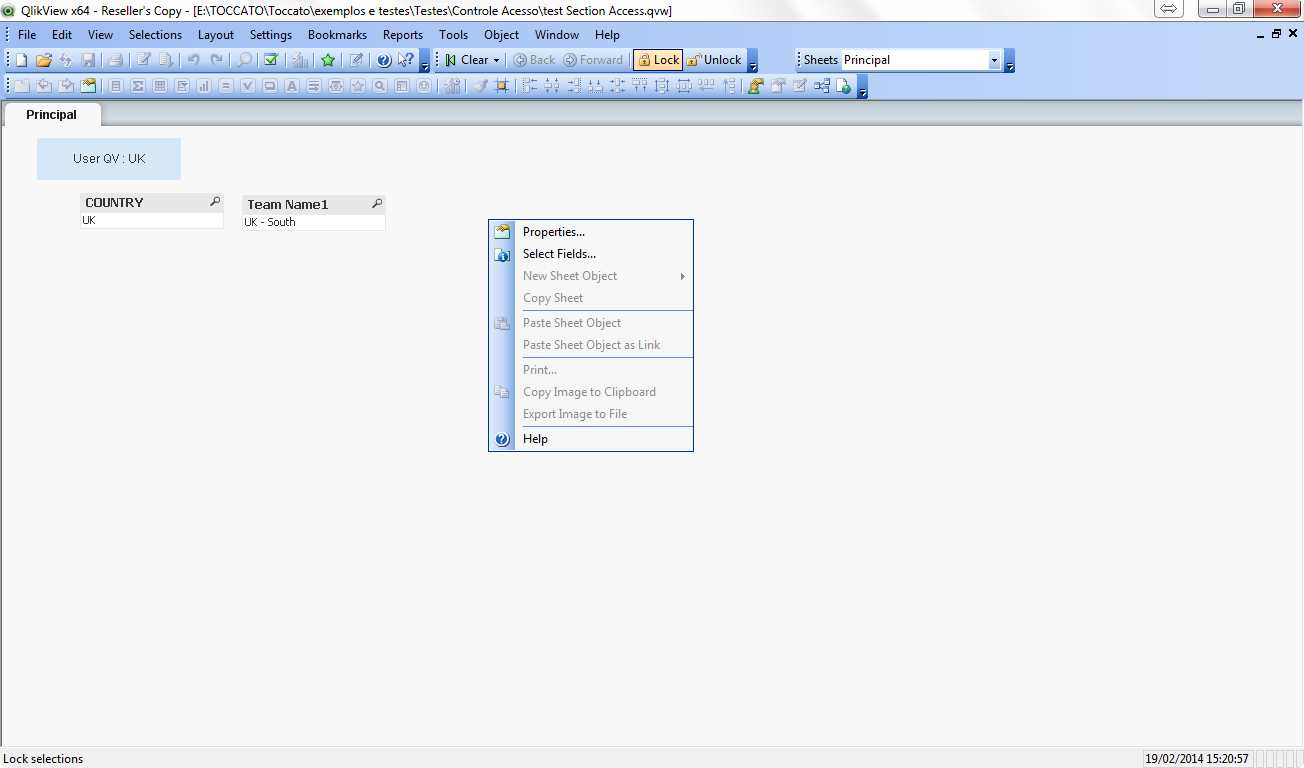
User UK, i can´t add sheet objects. and not edit script, not reload...
You need change the document properties and sheet properties, in both sheet Security.
Best Regards.
Tonial.

- Mark as New
- Bookmark
- Subscribe
- Mute
- Subscribe to RSS Feed
- Permalink
- Report Inappropriate Content
Hi Niru,
Try to change the * character to - character for the ADMIN user.
Best Regards.
- Mark as New
- Bookmark
- Subscribe
- Mute
- Subscribe to RSS Feed
- Permalink
- Report Inappropriate Content
And another thing... I have a project implementation with section access, in this I used the - character and in Document Options -> Opening I have unckecked "Strict Exclusion". You can try with this alternative.
- Mark as New
- Bookmark
- Subscribe
- Mute
- Subscribe to RSS Feed
- Permalink
- Report Inappropriate Content
Hi Niru,
Remove Star is * and try once
NavinReddy
- Mark as New
- Bookmark
- Subscribe
- Mute
- Subscribe to RSS Feed
- Permalink
- Report Inappropriate Content
Thanks you so much Tonial
Best Regards,
Niranjan
- « Previous Replies
-
- 1
- 2
- Next Replies »