Unlock a world of possibilities! Login now and discover the exclusive benefits awaiting you.

- Qlik Community
- :
- All Forums
- :
- QlikView
- :
- Set Analysis Help
- Subscribe to RSS Feed
- Mark Topic as New
- Mark Topic as Read
- Float this Topic for Current User
- Bookmark
- Subscribe
- Mute
- Printer Friendly Page

- Mark as New
- Bookmark
- Subscribe
- Mute
- Subscribe to RSS Feed
- Permalink
- Report Inappropriate Content
Set Analysis Help
Hi All,
I am having following two tables of Master Calendar and Application Table.
But I need to create a chart which should have the date as Dimension from Master Calendar date,that should equal to Application Date Value.
To make clearly I need to have a condition like Where MasterCalendar.Date=ApplicationDate
Kindly let me know
-Jay
- Tags:
- new_to_qlikview
- « Previous Replies
-
- 1
- 2
- Next Replies »
- Mark as New
- Bookmark
- Subscribe
- Mute
- Subscribe to RSS Feed
- Permalink
- Report Inappropriate Content
Hi Giacomo,
Due to my data Model, I cant rename and link with Master Calendar. If I rename, I will get circular reference. That's why I am keeping separately.

 giacomom
- Mark as New
- Bookmark
- Subscribe
- Mute
- Subscribe to RSS Feed
- Permalink
- Report Inappropriate Content
Okay I see,
I tried with a simple example here: the calendar object uses the Master Calendar date field "Ref_Date", and the chart expression is =Sum({$ <Date=Ref_Date>} Amount).
The only thing is that you have to select at least one date to make the chart display a result.
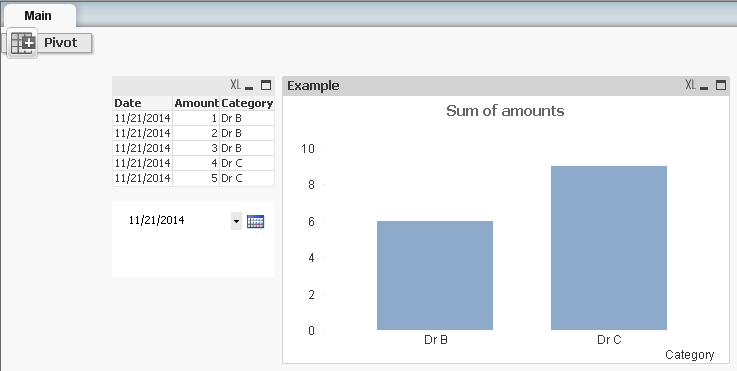
Otherwise you can solve this by modifying the expression like =Sum({$ <Date=P(Ref_Date)>} Amount)
to get the results even when you don't select any date from your Master Calendar.
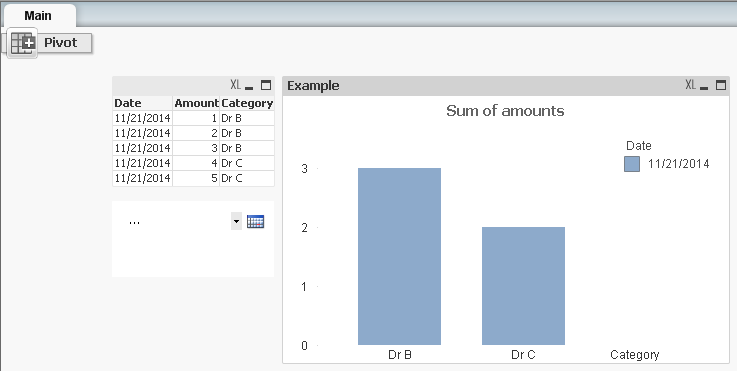
I hope this helps,
Giacomo
- « Previous Replies
-
- 1
- 2
- Next Replies »