Unlock a world of possibilities! Login now and discover the exclusive benefits awaiting you.

- Qlik Community
- :
- All Forums
- :
- QlikView
- :
- Set Analysis
- Subscribe to RSS Feed
- Mark Topic as New
- Mark Topic as Read
- Float this Topic for Current User
- Bookmark
- Subscribe
- Mute
- Printer Friendly Page

 chriys1337
- Mark as New
- Bookmark
- Subscribe
- Mute
- Subscribe to RSS Feed
- Permalink
- Report Inappropriate Content
Set Analysis
Hi all,
I have loaded a index with some dates and the specific index value at this time.
Now I just would like to see the latest index and tried to find a solution with Set Analysis, which looks like this:
=only({$<date={$(=max(date))}>}Index)
Unfortunately it does not work, the textbox says "Error: Error in set modifier ad hoc element list: '.' or ')' expected.
Does anybody find my mistake in building the set analysis expression?
Thank you.
Accepted Solutions

 krishnacbe
- Mark as New
- Bookmark
- Subscribe
- Mute
- Subscribe to RSS Feed
- Permalink
- Report Inappropriate Content
krishnacbe
- Mark as New
- Bookmark
- Subscribe
- Mute
- Subscribe to RSS Feed
- Permalink
- Report Inappropriate Content
Try below expression.
=only({$<date={"=$(=max(date))"}>}Index)

 sunny_talwar
- Mark as New
- Bookmark
- Subscribe
- Mute
- Subscribe to RSS Feed
- Permalink
- Report Inappropriate Content
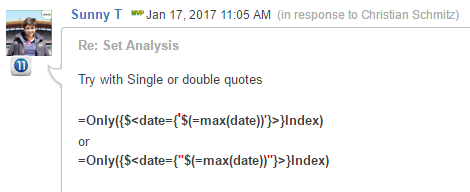
Try with Single or double quotes
=Only({$<date={'$(=max(date))'}>}Index)
or
=Only({$<date={"$(=max(date))"}>}Index)
chriys1337
- Mark as New
- Bookmark
- Subscribe
- Mute
- Subscribe to RSS Feed
- Permalink
- Report Inappropriate Content
That's right, thank you. Whats the reason for this?
sunny_talwar
- Mark as New
- Bookmark
- Subscribe
- Mute
- Subscribe to RSS Feed
- Permalink
- Report Inappropriate Content
Read here:
chriys1337
- Mark as New
- Bookmark
- Subscribe
- Mute
- Subscribe to RSS Feed
- Permalink
- Report Inappropriate Content
I am trying a similar thing today, but unfortunately it does not work anymore? Does somebody see the mistake?
=only({$<Index_YearWeek={"=$(=max(Index_YearWeek))"}>}Index_CFI)
sunny_talwar
- Mark as New
- Bookmark
- Subscribe
- Mute
- Subscribe to RSS Feed
- Permalink
- Report Inappropriate Content
What is Index_YearWeek field's format? also try without the first = sign
=Only({$<Index_YearWeek={"$(=max(Index_YearWeek))"}>}Index_CFI)
chriys1337
- Mark as New
- Bookmark
- Subscribe
- Mute
- Subscribe to RSS Feed
- Permalink
- Report Inappropriate Content
Thanks so much for your quick reply. This worked again, now I am just asking myself why it worked for the first expression with = and the second now just without... 🙂
Thx Sunny!
sunny_talwar
- Mark as New
- Bookmark
- Subscribe
- Mute
- Subscribe to RSS Feed
- Permalink
- Report Inappropriate Content
I am not sure what the difference is, but if you look at my previous response, I did suggest a similar (without the first = sign) in my previous response also.