Unlock a world of possibilities! Login now and discover the exclusive benefits awaiting you.

- Qlik Community
- :
- All Forums
- :
- QlikView
- :
- Set Analysis
- Subscribe to RSS Feed
- Mark Topic as New
- Mark Topic as Read
- Float this Topic for Current User
- Bookmark
- Subscribe
- Mute
- Printer Friendly Page

 kolov007
- Mark as New
- Bookmark
- Subscribe
- Mute
- Subscribe to RSS Feed
- Permalink
- Report Inappropriate Content
Set Analysis
Hello.
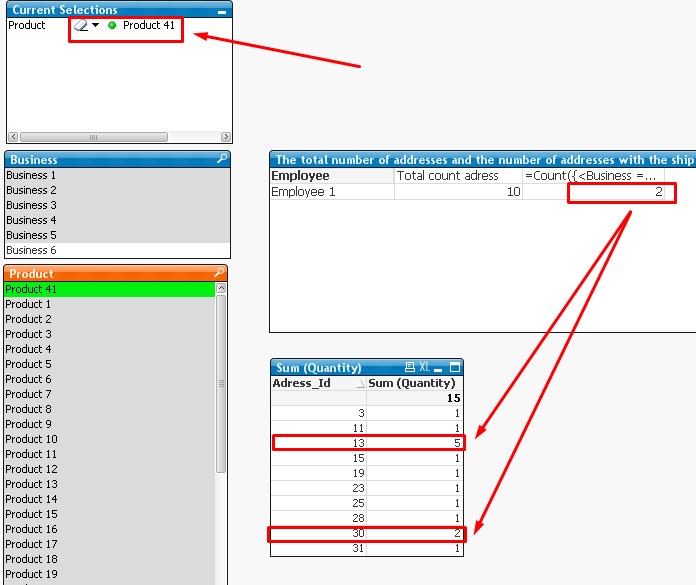
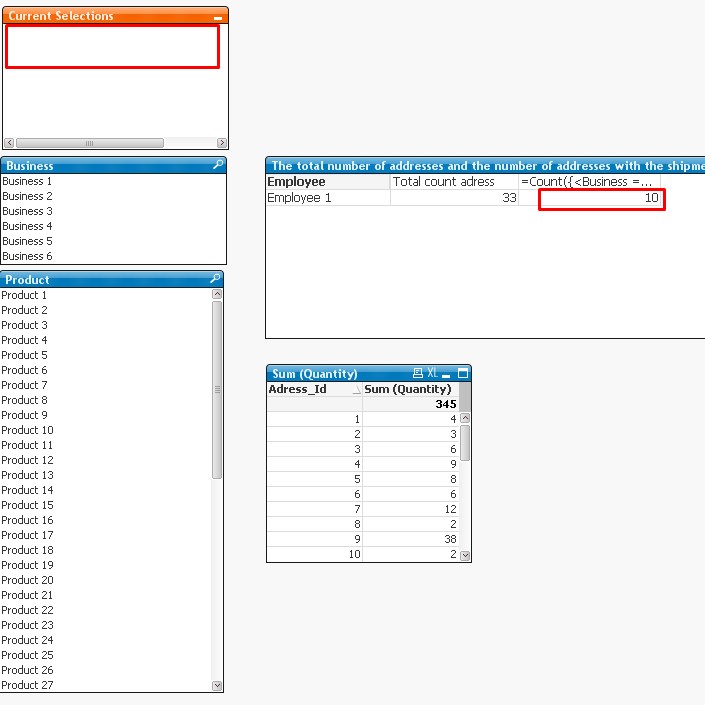
I have a base with sales base. I need to count the number of outlets to sell the product 41 in the amount of > = 2, it is necessary that the sample be in the field of business fields and the product is not made.
Help me please.
- Tags:
- set anlsyis
- « Previous Replies
-
- 1
- 2
- Next Replies »

 MK_QSL
- Mark as New
- Bookmark
- Subscribe
- Mute
- Subscribe to RSS Feed
- Permalink
- Report Inappropriate Content
Not understood... please explain..
kolov007
- Mark as New
- Bookmark
- Subscribe
- Mute
- Subscribe to RSS Feed
- Permalink
- Report Inappropriate Content
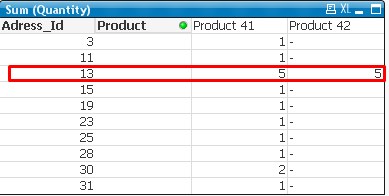
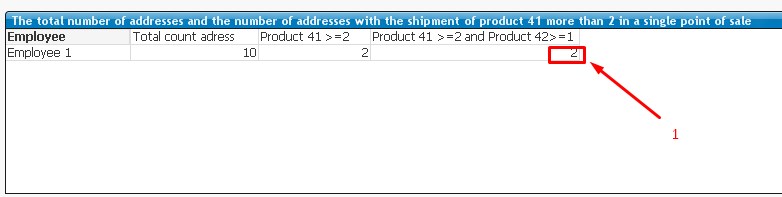
I need the number of outlets that the following conditions product 41> = 2 and product 42> = 1
MK_QSL
- Mark as New
- Bookmark
- Subscribe
- Mute
- Subscribe to RSS Feed
- Permalink
- Report Inappropriate Content
=COUNT(
{
<Product=, Business=, [Product_Id]={'1033'}, Adress_Id = {"=SUM({1<Product=, Business=, [Product_Id]={'1033'}>}Quantity)>=2"}>
*
<Product=, Business=, [Product_Id]={'1031'}, Adress_Id = {"=SUM({1<Product=, Business=, [Product_Id]={'1031'}>}Quantity)>=1"}>
}
Adress_Id)
MK_QSL
- Mark as New
- Bookmark
- Subscribe
- Mute
- Subscribe to RSS Feed
- Permalink
- Report Inappropriate Content
Or try this...
=COUNT(
{
<Product=, Business=, Product_Id = {'1031','1033'}, Adress_Id = {"=SUM({1<Product=, Business=, [Product_Id]={'1031'}>}Quantity)>=1 or SUM({1<Product=, Business=, [Product_Id]={'1033'}>}Quantity)>=2"}>
}
Distinct Adress_Id)
kolov007
- Mark as New
- Bookmark
- Subscribe
- Mute
- Subscribe to RSS Feed
- Permalink
- Report Inappropriate Content
Thank you
MK_QSL
- Mark as New
- Bookmark
- Subscribe
- Mute
- Subscribe to RSS Feed
- Permalink
- Report Inappropriate Content
Is that worked?

- « Previous Replies
-
- 1
- 2
- Next Replies »