Unlock a world of possibilities! Login now and discover the exclusive benefits awaiting you.

- Qlik Community
- :
- All Forums
- :
- QlikView
- :
- Showing a chart when another chart is selected
- Subscribe to RSS Feed
- Mark Topic as New
- Mark Topic as Read
- Float this Topic for Current User
- Bookmark
- Subscribe
- Mute
- Printer Friendly Page

- Mark as New
- Bookmark
- Subscribe
- Mute
- Subscribe to RSS Feed
- Permalink
- Report Inappropriate Content
Showing a chart when another chart is selected
Is there a way to only show a chart when another chart is opened.
I see there is a conditional show option in the 'Layout' tab of the chart properties dialogue box. Could I use this to write a bit of code to show the chart if another chart is selected (not minimised)?
Thanks
Greg
- Tags:
- new_to_qlikview
Accepted Solutions

 maxgro
- Mark as New
- Bookmark
- Subscribe
- Mute
- Subscribe to RSS Feed
- Permalink
- Report Inappropriate Content
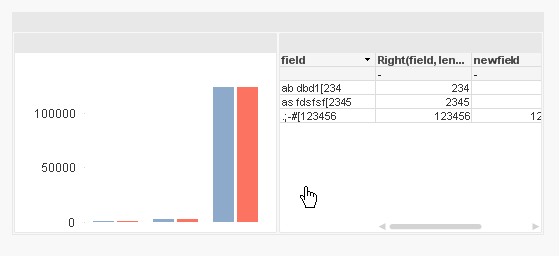
maybe with a grid container (if you want show/hide or minimize/maximize 2 charts together)
- Mark as New
- Bookmark
- Subscribe
- Mute
- Subscribe to RSS Feed
- Permalink
- Report Inappropriate Content
Greg,
Unfortunately there is no event "chart minimized" or "chart maximized". The best I can think of is using a button (or text box) to minimize and restore the chart. Also you need a variable that stores the current chart status. So, create a variable vCH01Minimized. Create a button with actions:
Minimize Object, and the object ID is calculated: =if(vCH01Minimized=0, 'CH01')
Restore Object, object ID: =if(vCH01Minimized=1, 'CH01')
Set Variable, where variable is vCH01Minimized, and value: =if(vCH01Minimized=0,1,0)
Use only this button to minimize and restore CH01, so the variable will change. Use this variable as show condition for the second chart:
vCH01Minimized=0

 sujeetsingh
- Mark as New
- Bookmark
- Subscribe
- Mute
- Subscribe to RSS Feed
- Permalink
- Report Inappropriate Content
You can use conditional display available at layout page of setting of an object.
Set a variable that vDisplay
Now when Chart 1 is selected then set it 1
Now on conditional layout expression write
if(vDisplay=1,1,0)
maxgro
- Mark as New
- Bookmark
- Subscribe
- Mute
- Subscribe to RSS Feed
- Permalink
- Report Inappropriate Content
maybe with a grid container (if you want show/hide or minimize/maximize 2 charts together)
- Mark as New
- Bookmark
- Subscribe
- Mute
- Subscribe to RSS Feed
- Permalink
- Report Inappropriate Content
Thanks everyone for your help. The container option worked well.
Greg