Unlock a world of possibilities! Login now and discover the exclusive benefits awaiting you.

Announcements
Want to see what's currently in public preview? We've pulled it all together in one place. Check it out here
- Qlik Community
- :
- All Forums
- :
- QlikView
- :
- Text in Chart Guages
Options
- Subscribe to RSS Feed
- Mark Topic as New
- Mark Topic as Read
- Float this Topic for Current User
- Bookmark
- Subscribe
- Mute
- Printer Friendly Page
Turn on suggestions
Auto-suggest helps you quickly narrow down your search results by suggesting possible matches as you type.
Showing results for

Anonymous
Not applicable
2016-03-08
12:35 PM
- Mark as New
- Bookmark
- Subscribe
- Mute
- Subscribe to RSS Feed
- Permalink
- Report Inappropriate Content
Text in Chart Guages
Open to suggestions but I need a way to plot current results and Targets on a Chart Guage. I'm utlizing the "Text in Chart feature" but the text is too long to display on the chart.
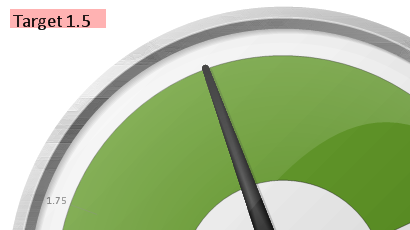
Outcome needed. Target 1.5/Current Results [num(avg(AVG_PHONE),'#.00') ]
Any suggestions to complete this ask?
847 Views
1 Solution
Accepted Solutions

 Clever_Anjos
Support
2016-03-08
12:49 PM
- Mark as New
- Bookmark
- Subscribe
- Mute
- Subscribe to RSS Feed
- Permalink
- Report Inappropriate Content
Ctrl-Shift and resize and move your text
1 Reply
Clever_Anjos
Support
2016-03-08
12:49 PM
- Mark as New
- Bookmark
- Subscribe
- Mute
- Subscribe to RSS Feed
- Permalink
- Report Inappropriate Content
Ctrl-Shift and resize and move your text