Unlock a world of possibilities! Login now and discover the exclusive benefits awaiting you.

- Qlik Community
- :
- All Forums
- :
- QlikView
- :
- Top-n values on 2nd Dimension v11
- Subscribe to RSS Feed
- Mark Topic as New
- Mark Topic as Read
- Float this Topic for Current User
- Bookmark
- Subscribe
- Mute
- Printer Friendly Page

 rbecher
- Mark as New
- Bookmark
- Subscribe
- Mute
- Subscribe to RSS Feed
- Permalink
- Report Inappropriate Content
Top-n values on 2nd Dimension v11
Hi,
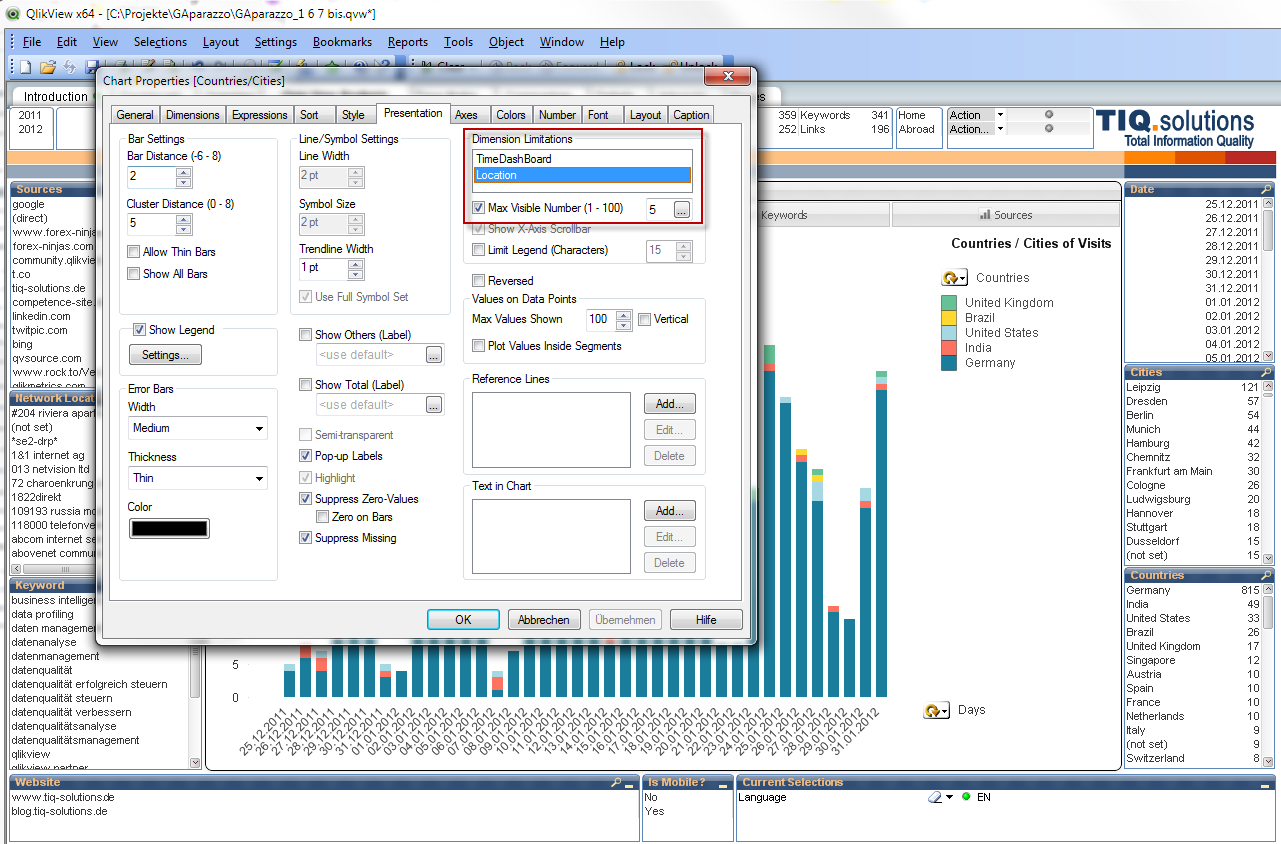
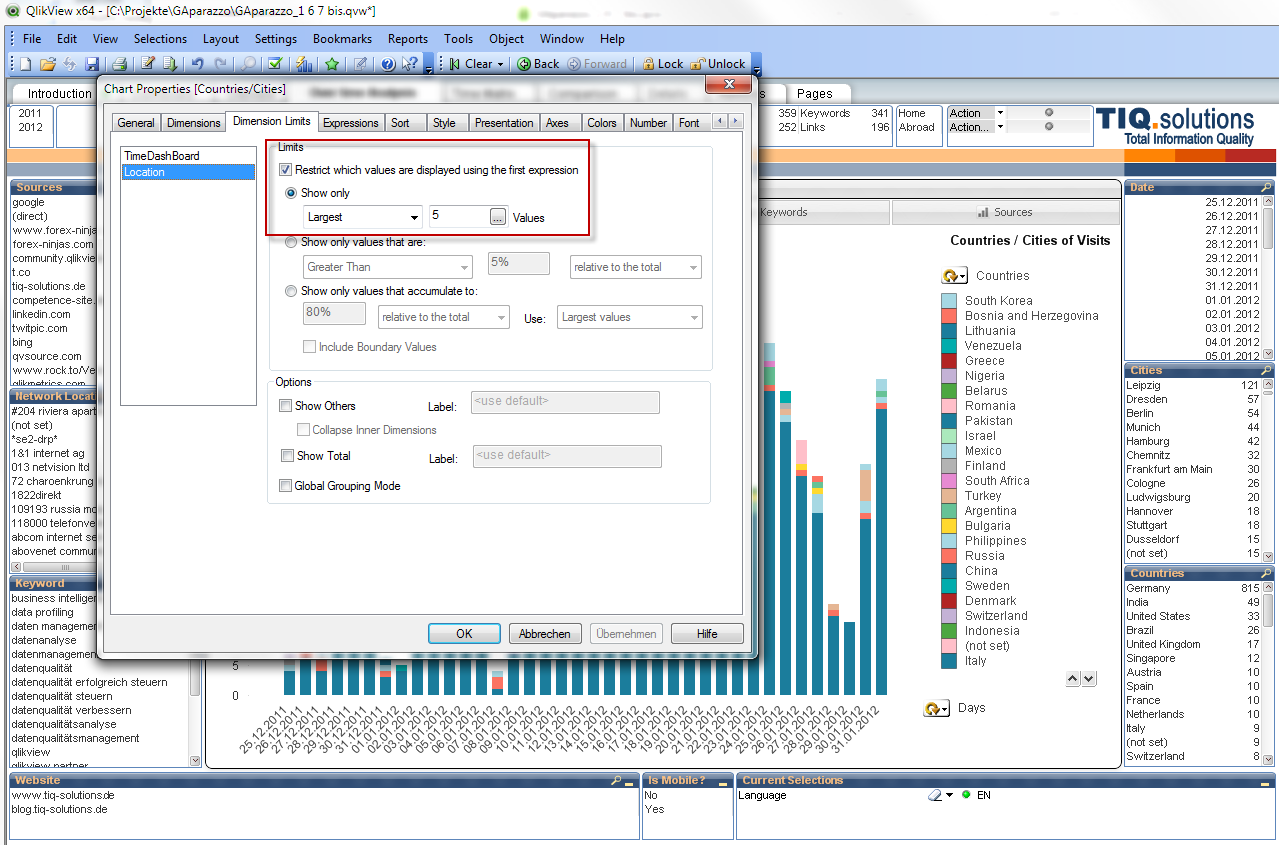
in the new version 11 we got the new Dimension Limits tab in Chart properties. The old way on version 10 "Max Visible Number (1-100)" in Presentation tab is gone! So, how to only display the overall Top-5 of the 2nd Dimension in version 11?
To give an example what is not possible anymore:
Version 10 - works great, only the Top-5 Locations are shown:
Version 11 - the Top-5 on every bar (on every Dimension 1 value) are shown, not what I expected:
Any suggestion how to build this on version 11?
- Ralf
Accepted Solutions

- Mark as New
- Bookmark
- Subscribe
- Mute
- Subscribe to RSS Feed
- Permalink
- Report Inappropriate Content
Hi Ralf!
Did you try the Global Grouping Mode? This takes your dimensions as a whole and limits to the top 5. Not sure if it will solve your issue, but worth a shot.
Thanks,
Aaron
- Mark as New
- Bookmark
- Subscribe
- Mute
- Subscribe to RSS Feed
- Permalink
- Report Inappropriate Content
Hi Ralf!
Did you try the Global Grouping Mode? This takes your dimensions as a whole and limits to the top 5. Not sure if it will solve your issue, but worth a shot.
Thanks,
Aaron
rbecher
- Mark as New
- Bookmark
- Subscribe
- Mute
- Subscribe to RSS Feed
- Permalink
- Report Inappropriate Content
Hi Aaron,
thanks, that easy! This should be checked per default if you open a QV10 app in QV11 with dimension limits..
- Ralf