Unlock a world of possibilities! Login now and discover the exclusive benefits awaiting you.

- Qlik Community
- :
- All Forums
- :
- QlikView
- :
- change NULL function to Zero in qlikview chart exp...
Options
- Subscribe to RSS Feed
- Mark Topic as New
- Mark Topic as Read
- Float this Topic for Current User
- Bookmark
- Subscribe
- Mute
- Printer Friendly Page
Turn on suggestions
Auto-suggest helps you quickly narrow down your search results by suggesting possible matches as you type.
Showing results for

 nazaninslp
Contributor III
2019-04-17
01:22 AM
- Mark as New
- Bookmark
- Subscribe
- Mute
- Subscribe to RSS Feed
- Permalink
- Report Inappropriate Content
change NULL function to Zero in qlikview chart expression
Dears
I have table that sometime some fields get NULL Value.
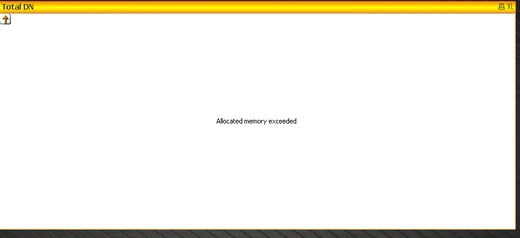
I want that NULL values change to zero and my chart doesn't get Error like following pic.
I have tried IsNull Function but didn't work,
would you please help me?
Dimension: DATE
Expression: =if(IsNull(sum({<DATE_KEY={"$(=Date(max(DATE_KEY),'YYYY-MM-DD'))"}TotalDownload))=0,0,sum({<DATE_KEY={"$(=Date(max(DATE_KEY),'YYYY-MM-DD'))"}TotalDownload))
- Tags:
- isnull
1,124 Views
2 Replies
 rick_hoorn
Contributor
2019-04-25
03:16 AM
- Mark as New
- Bookmark
- Subscribe
- Mute
- Subscribe to RSS Feed
- Permalink
- Report Inappropriate Content
Use the function ALT it can replace any NULL value with 0 (zero):
ALT(sum({<DATE_KEY={"$(=Date(max(DATE_KEY),'YYYY-MM-DD'))"}TotalDownload),0)
1,093 Views

 Vengatesh
Partner - Creator
2019-04-25
05:03 AM
- Mark as New
- Bookmark
- Subscribe
- Mute
- Subscribe to RSS Feed
- Permalink
- Report Inappropriate Content
Isnull function gives -1 if there is null value otherwise 0.
Refer the help page.
You Know What To Do.
1,083 Views
