Unlock a world of possibilities! Login now and discover the exclusive benefits awaiting you.

- Qlik Community
- :
- All Forums
- :
- QlikView
- :
- colors in scatter chart.
- Subscribe to RSS Feed
- Mark Topic as New
- Mark Topic as Read
- Float this Topic for Current User
- Bookmark
- Subscribe
- Mute
- Printer Friendly Page

- Mark as New
- Bookmark
- Subscribe
- Mute
- Subscribe to RSS Feed
- Permalink
- Report Inappropriate Content
colors in scatter chart.
hi ,
My file contains a scatter chart, in this i am adding the Trellis in Dimension.
Dimension Fields: Defect Name, MeasureKey,
Expression: Sum(PosX) , Sum(PosY).
And clicking Ok , it is generating the Chart with different colors for each Defect Name.
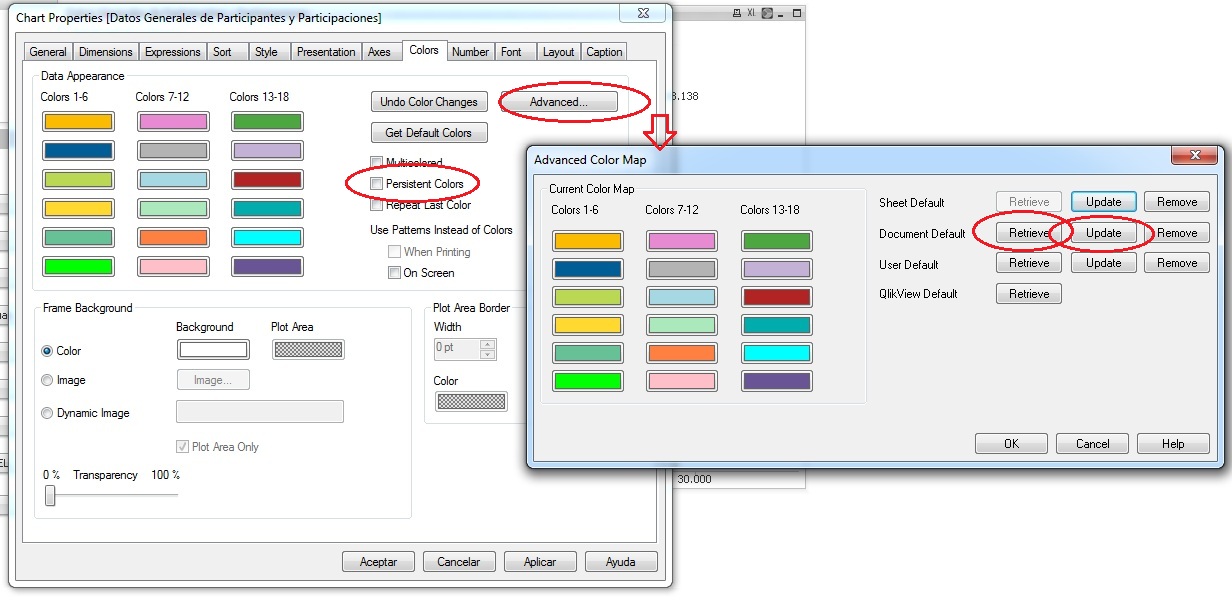
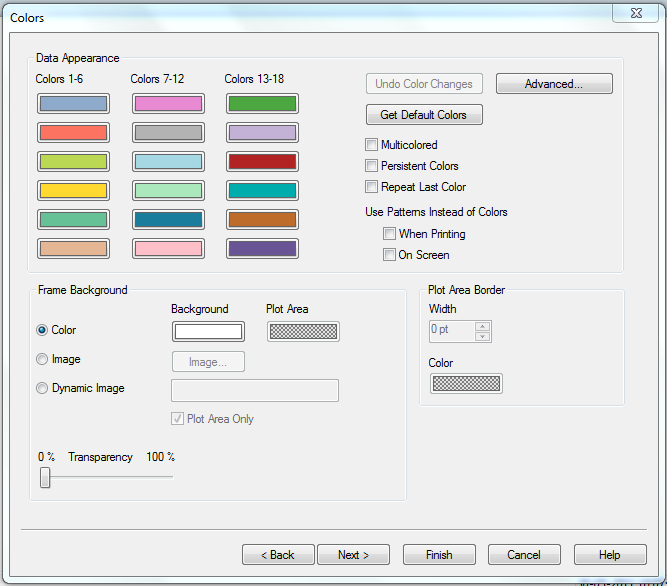
But my requirement is when we open the Colors tab in Scatter Chart, i need to get the colors according to the order what we having there.
For clear understanding pls see the screenshot below.
Is it possible to do, if yes pls share your knowledge on this.
Thnks in advance.

 christian77
- Mark as New
- Bookmark
- Subscribe
- Mute
- Subscribe to RSS Feed
- Permalink
- Report Inappropriate Content
Hi:
Order your dimension. If you order by some expression it won´t work as expected.
Check persistent colors.
In advance tab you can save your palette, click update. You can retrieve your palette, click retrieve.
Colors are sometimes capricious.
If they are more than 18 values, there’s nothing to do. Also, recognizing 18 different colors is difficult and not usual.
Once, one of my clients told me to have the same color for some dimension values all over the document with no mistake. The dimensions had only half a dozen of values. That was easy. Imagine you need to use a different color for every state in US. You just can’t make it true cause there will be about 52 things in front of your eyes. In this case is needed to filter.
Ok.