Unlock a world of possibilities! Login now and discover the exclusive benefits awaiting you.

- Qlik Community
- :
- All Forums
- :
- QlikView
- :
- date format
- Subscribe to RSS Feed
- Mark Topic as New
- Mark Topic as Read
- Float this Topic for Current User
- Bookmark
- Subscribe
- Mute
- Printer Friendly Page

- Mark as New
- Bookmark
- Subscribe
- Mute
- Subscribe to RSS Feed
- Permalink
- Report Inappropriate Content
date format
hello comunity,
I have an excel file and which consists a date column(YRMON) with too many records.
In excel initially it is in text format(As i attached snapshot).Here my question is once i load the data into qlikview then I want to change the other format to date format(ex:'YYYY-DD') instead of change the format in excel(manually it may take much time).
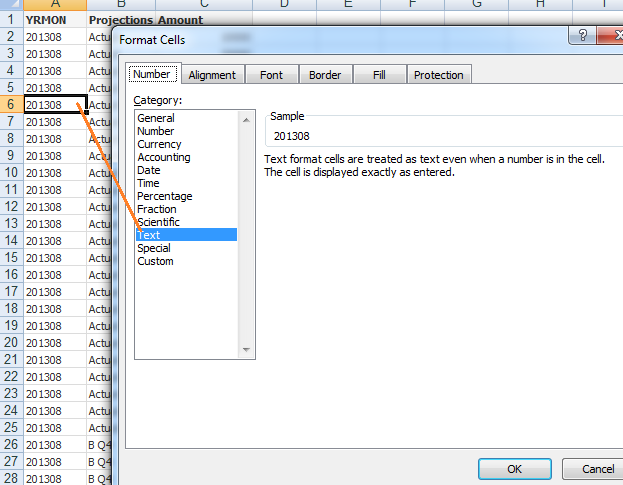
Please help me out in this.
- « Previous Replies
-
- 1
- 2
- Next Replies »

 robert_mika
- Mark as New
- Bookmark
- Subscribe
- Mute
- Subscribe to RSS Feed
- Permalink
- Report Inappropriate Content
All of Your YRMON data are in Number format but some of them has been written as so look like text(left adjustment)
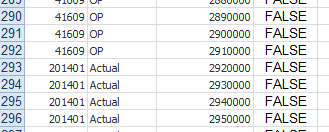
I have used formula in Excel ISTEXT() to check for format
This will work:
LOAD
if(YRMON>100000,date(makedate(left(YRMON,4), right(YRMON,2)),'YYYY-MM'),date(YRMON,'YYYY-MM')) as YRMON,
Projections,
Amount
The >100000 is more than enough to make sure that the return value is correct.
I would advise to see the data source to check why this has been formated/coming this way

- « Previous Replies
-
- 1
- 2
- Next Replies »