Unlock a world of possibilities! Login now and discover the exclusive benefits awaiting you.

- Qlik Community
- :
- All Forums
- :
- QlikView
- :
- expression ?
- Subscribe to RSS Feed
- Mark Topic as New
- Mark Topic as Read
- Float this Topic for Current User
- Bookmark
- Subscribe
- Mute
- Printer Friendly Page

- Mark as New
- Bookmark
- Subscribe
- Mute
- Subscribe to RSS Feed
- Permalink
- Report Inappropriate Content
expression ?
i have my hard disk space total is 658
here used space is 470
unused space is 188 like wise i am having many hard disk spaces
i am showing it in stacked bar chart while i am seeing in bar chart i am have like
used space is 470 and unused space is 188 ( single bar) (5 hdd i have here thats why 5 bars i have)
Here i want see the used space percentage and unused space percentage
if i check option in rightclick on barchart(enter in to properties)
)>number>show percentage> then it is showing like 470.2344.
Total space is 658 used space is 470 it means 70% of the space is used. here i want see instead of 470 - 70% ? 188 -30%?
how? pls tell me
- Tags:
- new_to_qlikview
- Mark as New
- Bookmark
- Subscribe
- Mute
- Subscribe to RSS Feed
- Permalink
- Report Inappropriate Content
in Expressions - change your expression definition to Free space = (Total space - Used space)/Total space.
Then change Used Space = Used Space/Total Space.
Under Number, tick show in Percent (%) for Used space and Free Space.
- Mark as New
- Bookmark
- Subscribe
- Mute
- Subscribe to RSS Feed
- Permalink
- Report Inappropriate Content
Dear Manoj,
In used expression use:- sum(Used)/sum(Total_Space))
In Unused expression use:- sum(Unused)/sum(Total_Space))
and after it Go To preoperties Number->Fixed to decimals(2)->Check on Show in Percent(%).
Thanks & REgards
Prince Anand

 jyothish8807
- Mark as New
- Bookmark
- Subscribe
- Mute
- Subscribe to RSS Feed
- Permalink
- Report Inappropriate Content
Hi manoj,
You have to use staked bar charts for this.
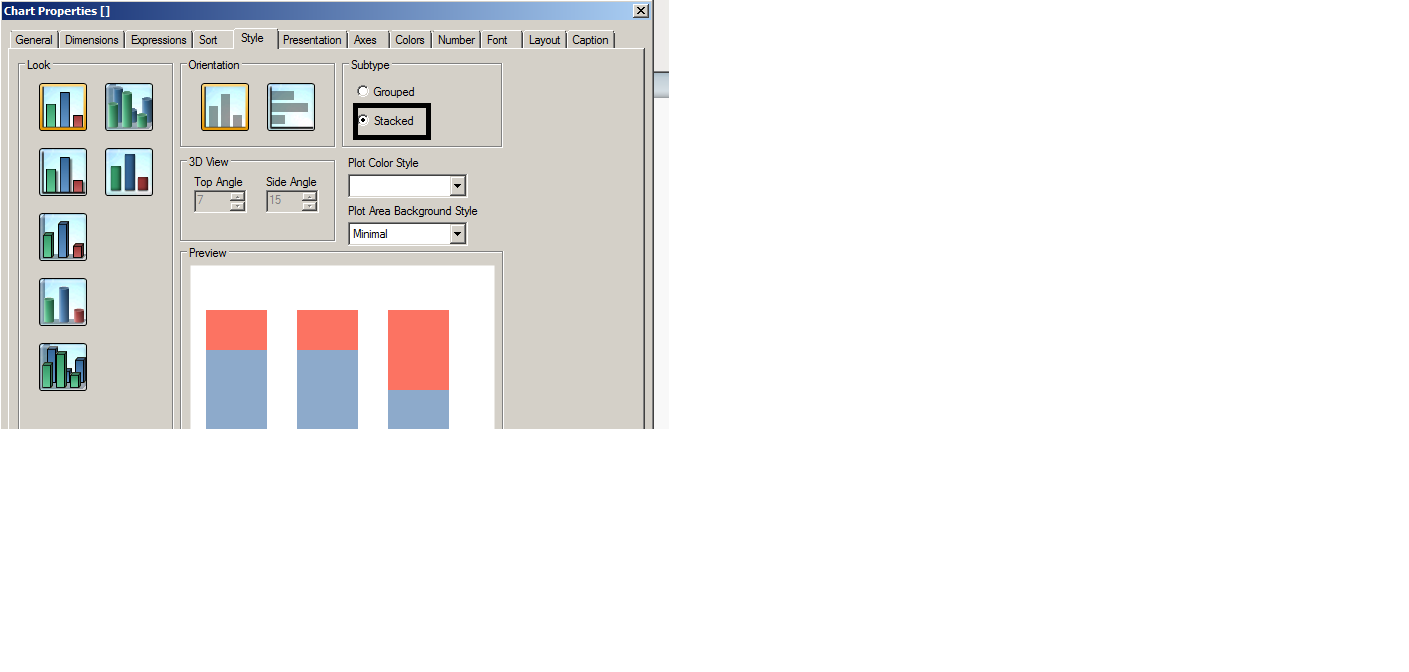
The option will enable if you have more than 1 expression.
Exp1: Sum(Used Space)/sum(Total Space)
Exp2:sum(Unused Space)/sum(Total space)
Dimension: as per your data
After that in numbers tab.
Select numbers or integer and tick the option show in percentage in the bottom.
Hope it helps.
Regards
KC
KC