Unlock a world of possibilities! Login now and discover the exclusive benefits awaiting you.

- Qlik Community
- :
- All Forums
- :
- QlikView
- :
- how to complete missing value pairs
- Subscribe to RSS Feed
- Mark Topic as New
- Mark Topic as Read
- Float this Topic for Current User
- Bookmark
- Subscribe
- Mute
- Printer Friendly Page

- Mark as New
- Bookmark
- Subscribe
- Mute
- Subscribe to RSS Feed
- Permalink
- Report Inappropriate Content
how to complete missing value pairs
Hi Community,
can someone give me a hint how I can complete the missing value pairs? Unfortunately, I can't continue the Periode (month), because they are not included in [Periode neu] see image.
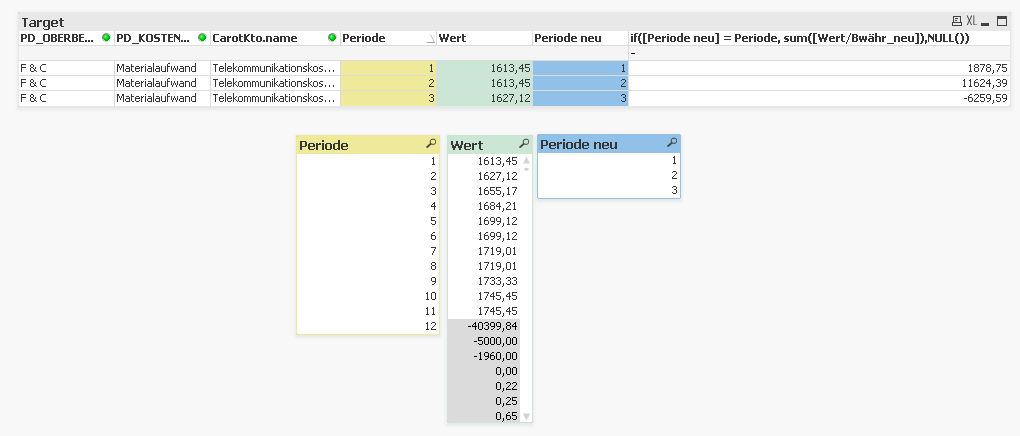
At the moment my diagram show only the months that correspond the same field to [Periode] and [Periode_neu].
How can I show the missing months? In addition, should the missing values
be filled with 0.00 like this. See image

Thank you very much.
Accepted Solutions

 swuehl
- Mark as New
- Bookmark
- Subscribe
- Mute
- Subscribe to RSS Feed
- Permalink
- Report Inappropriate Content
Hi,
remove the Periode neu from dimensions and use this as expression:
=sum(if([Periode neu] = Periode,[Wert/Bwähr_neu],0))
Please see also attached.
Regards,
Stefan
swuehl
- Mark as New
- Bookmark
- Subscribe
- Mute
- Subscribe to RSS Feed
- Permalink
- Report Inappropriate Content
Hi,
remove the Periode neu from dimensions and use this as expression:
=sum(if([Periode neu] = Periode,[Wert/Bwähr_neu],0))
Please see also attached.
Regards,
Stefan
- Mark as New
- Bookmark
- Subscribe
- Mute
- Subscribe to RSS Feed
- Permalink
- Report Inappropriate Content
Hi swuehl,
I did not think that it makes a difference between sum(...if () ) and if( sum() ) !
Thank you very much 