Unlock a world of possibilities! Login now and discover the exclusive benefits awaiting you.

- Qlik Community
- :
- All Forums
- :
- QlikView
- :
- loosely coupled tables
- Subscribe to RSS Feed
- Mark Topic as New
- Mark Topic as Read
- Float this Topic for Current User
- Bookmark
- Subscribe
- Mute
- Printer Friendly Page

- Mark as New
- Bookmark
- Subscribe
- Mute
- Subscribe to RSS Feed
- Permalink
- Report Inappropriate Content
loosely coupled tables
hi
i have understood what are loosely coupled tables, but i want to know how can we tackle them?? with an example....i am attaching a file with it where u can understand my scenario better.

 swuehl
- Mark as New
- Bookmark
- Subscribe
- Mute
- Subscribe to RSS Feed
- Permalink
- Report Inappropriate Content
I can't see your attached file, could you please double check?
Your loosely coupled table is probably due to a circular loop in your data model, QV will automatically break this detected loop by loosely coupling one table.
For example
ORDER:
LOAD
'A' as Customer,
'B' as SalesRep
AutoGenerate 1;
CUSTOMER:
LOAD
'A' as Customer,
'UK' as Country
AutoGenerate 1;
SALESREP:
LOAD
'DK' as Country,
'B' as SalesRep
AutoGenerate 1;
Here you can get from ORDER table to CUSTOMER table to SALESREP table to ORDER table again. QV will loosely couply one table to break the loop (just run the script to see).
If you want to cope with this issue, there are probably several approaches, and the best one depends on your data model and what you want to achieve.
For example, you just can rename one of the fields above, so QV won't automatically link these two tables and hence we break the loop.
Maybe you can live with having two separate fields for Country instead of one, one for Customer, one for SalesRep (this might be good in a way that we are able to select separately in these fields anyway, but this depends on your requirements).
Like:
ORDER:
LOAD
'A' as Customer,
'B' as SalesRep
AutoGenerate 1;
CUSTOMER:
LOAD
'A' as Customer,
'UK' as CustomerCountry
AutoGenerate 1;
SALESREP:
LOAD
'DK' as SalesRepCountry,
'B' as SalesRep
AutoGenerate 1;
Hope this helps,
Stefan
- Mark as New
- Bookmark
- Subscribe
- Mute
- Subscribe to RSS Feed
- Permalink
- Report Inappropriate Content
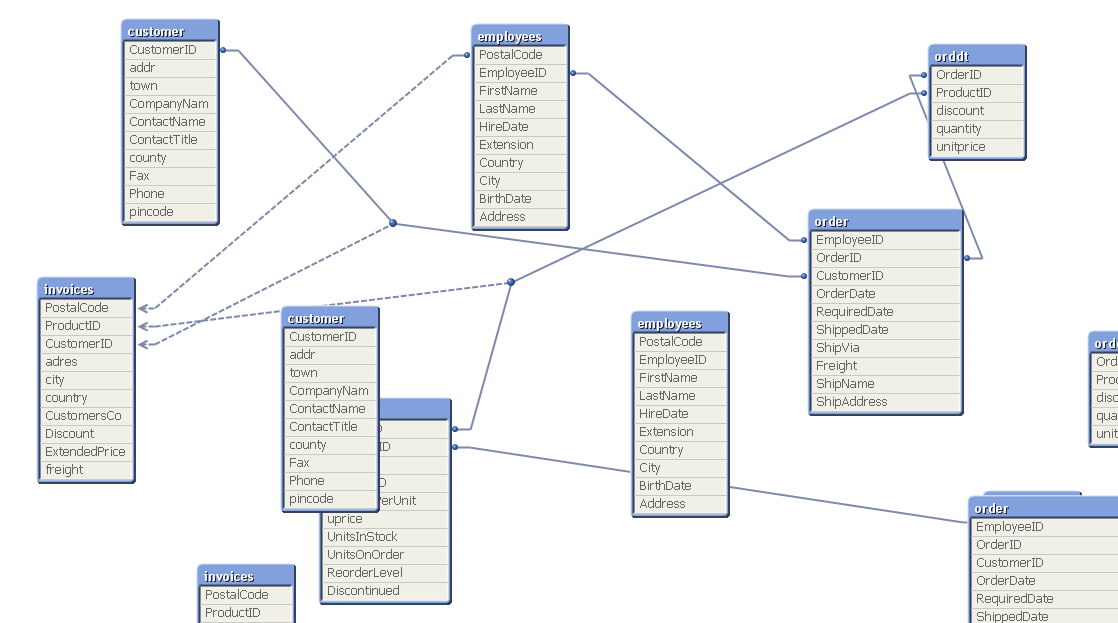 u canunderstand by seeing the images i have provided what i did to tackle the loosely coupled table.
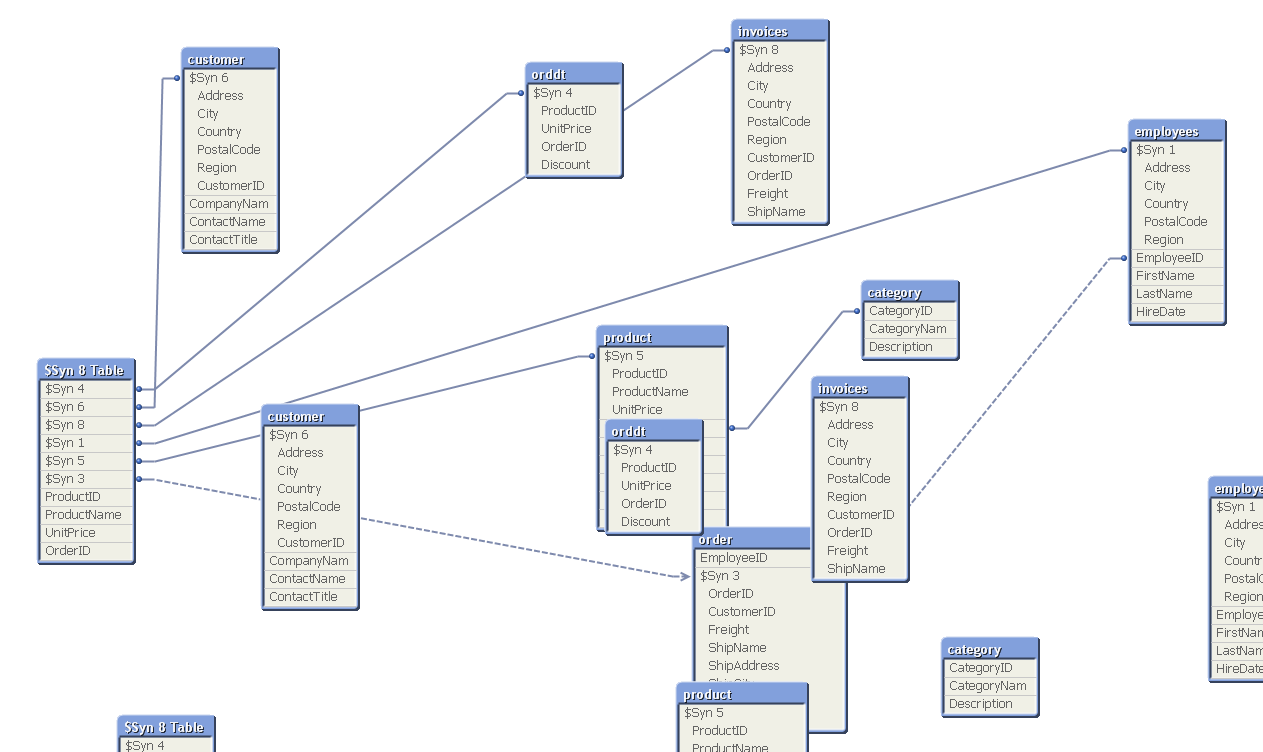
i have tackled the situation by changing the names of the fields.
if i had not done that then would qlikview have solved this situation while i wud have made a selection in a list box.
what is the best practice to tackle the it??/
we should do it manually or leave it to qlik view??
- Mark as New
- Bookmark
- Subscribe
- Mute
- Subscribe to RSS Feed
- Permalink
- Report Inappropriate Content
You have to do it otherwise inconsistancy will occur in your data.
You can also Qualify your table and then unqualify those fields which you want to map..
Regards,
Arun Goel

 CELAMBARASAN
- Mark as New
- Bookmark
- Subscribe
- Mute
- Subscribe to RSS Feed
- Permalink
- Report Inappropriate Content
Hi,
Use Qualify for postal code field which removes circular reference(loosely coupled).
Celambarasan