Unlock a world of possibilities! Login now and discover the exclusive benefits awaiting you.

- Qlik Community
- :
- All Forums
- :
- QlikView
- :
- one selected value only in a listbox
- Subscribe to RSS Feed
- Mark Topic as New
- Mark Topic as Read
- Float this Topic for Current User
- Bookmark
- Subscribe
- Mute
- Printer Friendly Page

- Mark as New
- Bookmark
- Subscribe
- Mute
- Subscribe to RSS Feed
- Permalink
- Report Inappropriate Content
one selected value only in a listbox
Hi experts,
is it possbile to modifiy the behaviour of a listbox concerning the "always one selected value" option ?
In my case, one user has to have this option activated, another user not.
Is it possible to realize it ?
Thanks for your help
- Tags:
- new_to_qlikview

 kumarnatarajan
- Mark as New
- Bookmark
- Subscribe
- Mute
- Subscribe to RSS Feed
- Permalink
- Report Inappropriate Content
Hi,
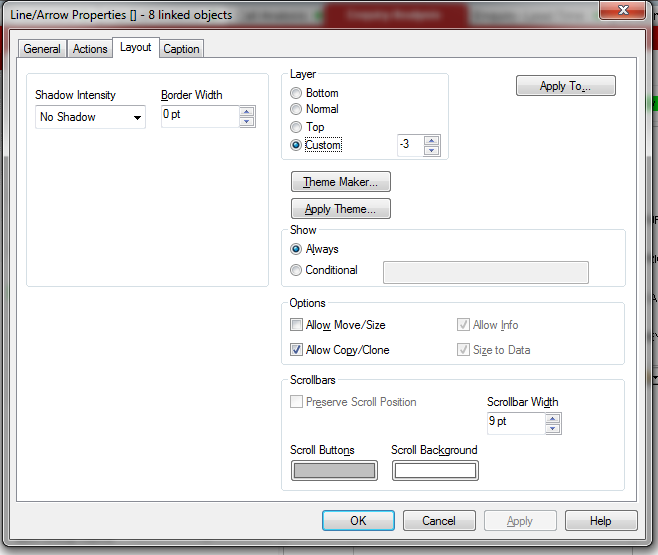
1. I think it is possible in List box layout Conditional option.
2. Use 2 list box for bassed on user type.
See below screen short
 Gysbert_Wassena
- Mark as New
- Bookmark
- Subscribe
- Mute
- Subscribe to RSS Feed
- Permalink
- Report Inappropriate Content
Not with only one listbox. You'll have to use two listboxes like Kumar says. Enable the Conditional option for the listboxes and enter and expressions like =if(OSUser()='John',1,0) for the listbox for John and =if(OSUser()='Jill',1,0) for Jill's listbox. If you're using section access the use QVUser() instead of OSUser() or you can add a flag field (for example FlagAlwaysOneSelectedValue) to the section access table and use that field instead in the conditional expression: =[FlagAlwaysOneSelectedValue].
talk is cheap, supply exceeds demand