Unlock a world of possibilities! Login now and discover the exclusive benefits awaiting you.

- Qlik Community
- :
- All Forums
- :
- QlikView
- :
- picture column-pls help
- Subscribe to RSS Feed
- Mark Topic as New
- Mark Topic as Read
- Float this Topic for Current User
- Bookmark
- Subscribe
- Mute
- Printer Friendly Page

- Mark as New
- Bookmark
- Subscribe
- Mute
- Subscribe to RSS Feed
- Permalink
- Report Inappropriate Content
picture column-pls help
hi,
i have to create a chart with picture column. folder path of picture folder is" E:\RoadShow-catelog\pics\". folder path of application folder is "E:\RoadShow-catelog\". I tried but the image field is not coming. pls help
- Tags:
- new_to_qlikview

 iktrayanov
- Mark as New
- Bookmark
- Subscribe
- Mute
- Subscribe to RSS Feed
- Permalink
- Report Inappropriate Content
There you go.
- Mark as New
- Bookmark
- Subscribe
- Mute
- Subscribe to RSS Feed
- Permalink
- Report Inappropriate Content
hi jagan I tried it but not successful to me. so i tried this
T:
load Item &'.jpg' as image, Item Resident road1;
Bundle load Item,'E:\Qlikview\RoadShow-catelog\pics\' & Item as Path Resident T;
is this wrong?

 Siva_Sankar
- Mark as New
- Bookmark
- Subscribe
- Mute
- Subscribe to RSS Feed
- Permalink
- Report Inappropriate Content
in the expression tab, under representation choose 'image'.
Regards.
Siva

 jagan
jagan
- Mark as New
- Bookmark
- Subscribe
- Mute
- Subscribe to RSS Feed
- Permalink
- Report Inappropriate Content
Hi,
Did you selected
Chart Properties -> Expression tab -> Select Expression and select Image in Representation listbox.
Regards,
Jagan.
- Mark as New
- Bookmark
- Subscribe
- Mute
- Subscribe to RSS Feed
- Permalink
- Report Inappropriate Content
hi ivan, this also only shows the path for me not the image. can u edit my application and send?
iktrayanov
- Mark as New
- Bookmark
- Subscribe
- Mute
- Subscribe to RSS Feed
- Permalink
- Report Inappropriate Content
I have only personal edition on this system so I can't open your file. But this is not the problem here (you don't have the pictures on the same location so it wont work). I suggest you replace the .xlsx file with your paths and images. Mine looks like this.

- Mark as New
- Bookmark
- Subscribe
- Mute
- Subscribe to RSS Feed
- Permalink
- Report Inappropriate Content
iktrayanov
- Mark as New
- Bookmark
- Subscribe
- Mute
- Subscribe to RSS Feed
- Permalink
- Report Inappropriate Content
Try this one.
- Mark as New
- Bookmark
- Subscribe
- Mute
- Subscribe to RSS Feed
- Permalink
- Report Inappropriate Content
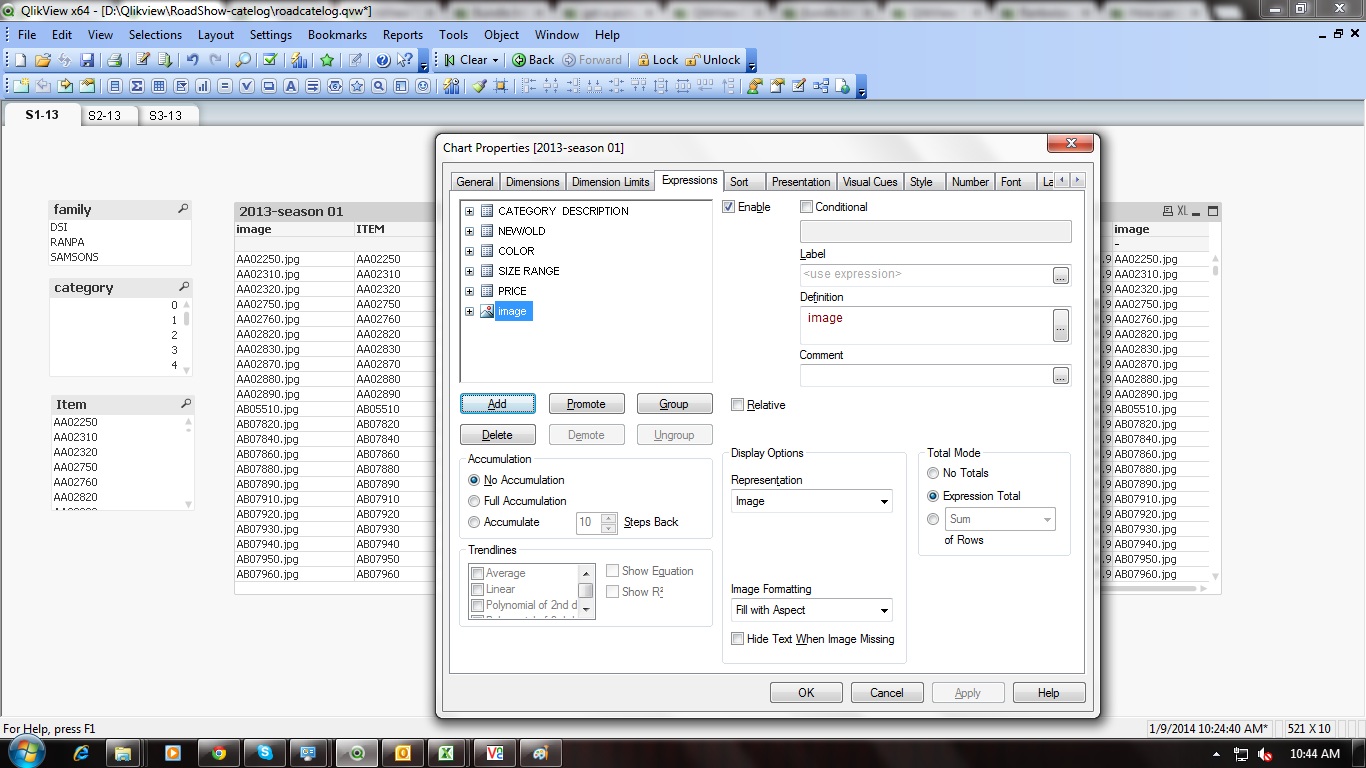
hi Jagan, I did it. but only comes the image name not the image preview. see the image. can u correct my sample pls
- Mark as New
- Bookmark
- Subscribe
- Mute
- Subscribe to RSS Feed
- Permalink
- Report Inappropriate Content
Hi
PFA
Hope this will help you