Unlock a world of possibilities! Login now and discover the exclusive benefits awaiting you.

- Qlik Community
- :
- Forums
- :
- Analytics & AI
- :
- Products & Topics
- :
- Visualization and Usability
- :
- Edit equation in KPI
- Subscribe to RSS Feed
- Mark Topic as New
- Mark Topic as Read
- Float this Topic for Current User
- Bookmark
- Subscribe
- Mute
- Printer Friendly Page

 michaelnoonan
- Mark as New
- Bookmark
- Subscribe
- Mute
- Subscribe to RSS Feed
- Permalink
- Report Inappropriate Content
Edit equation in KPI
In a KPI there is a ratio with equations for the numerator and denominator. How do you access the screen to edit the equations, which are on set expressions

 Frank_S
- Mark as New
- Bookmark
- Subscribe
- Mute
- Subscribe to RSS Feed
- Permalink
- Report Inappropriate Content
Hi
Can you clarify 'which' kpi exactly? It is the built in KPI tool or is it one of the visualization KPI's or possibly even a 3rd party KPI?
In any case the built in KPI doesn't have numerators and denominators. Perhaps you could also show a screenshot of this.
To enable set analysis from the interface however, simple
Make a selection in the filter pain (or create a bookmark).
Then open the measure and click on the orange (fx)
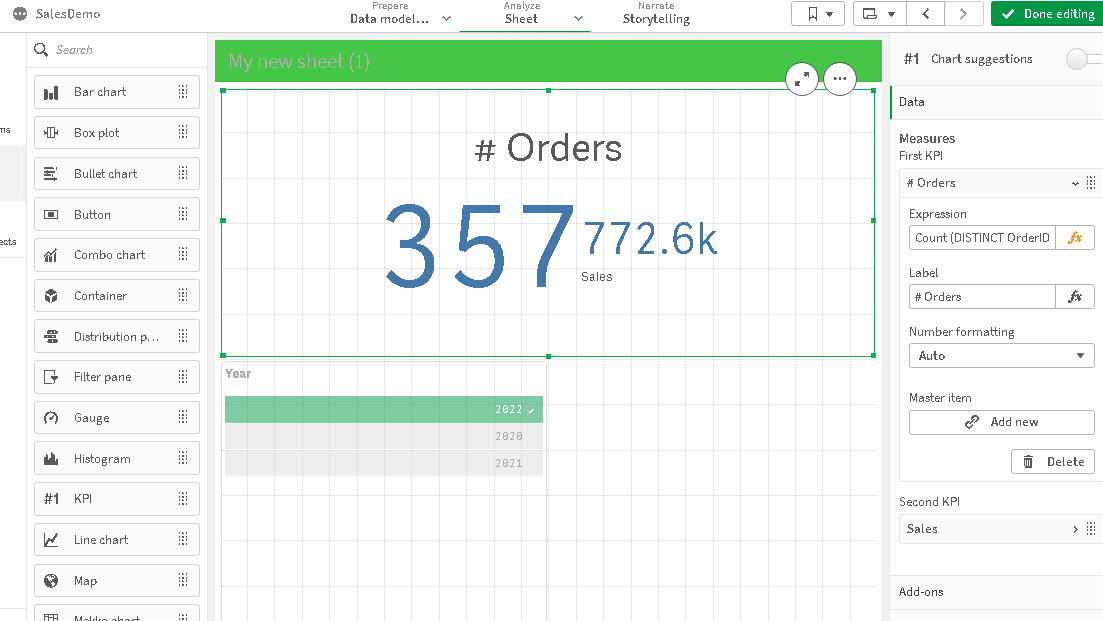
Then you can insert the set analysis statement for the current selection year 2022 as shown below:
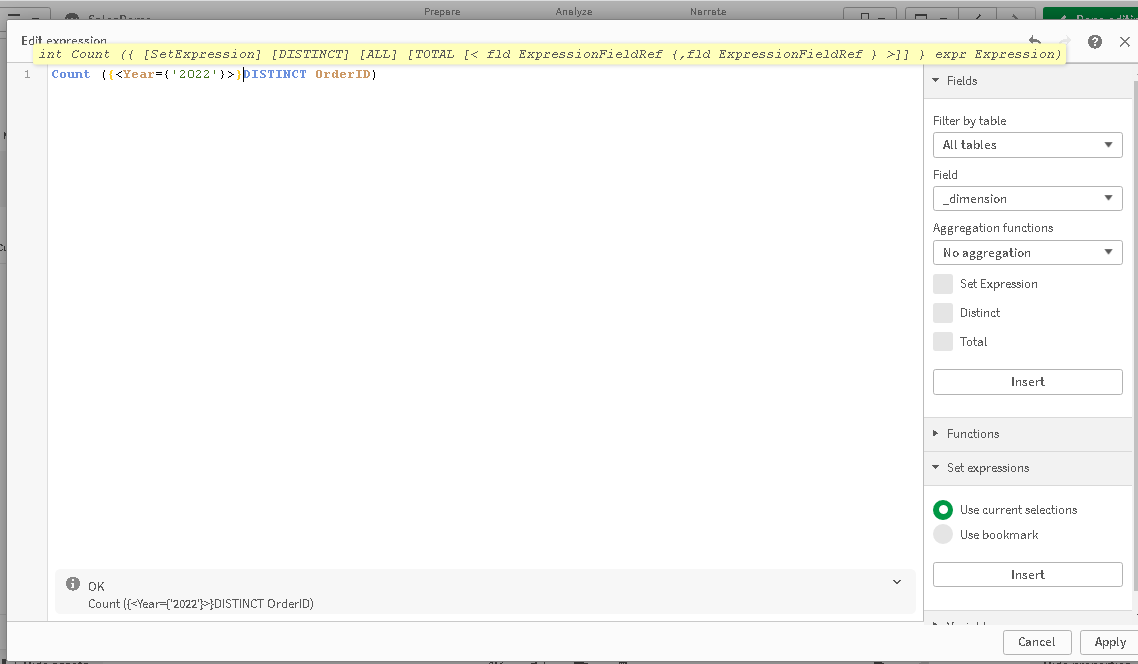
Not sure if you this answers your question but that's how to access the screen to edit the equations, which are on set expressions.
Kind regards...
