Unlock a world of possibilities! Login now and discover the exclusive benefits awaiting you.

Announcements
Share your agentic AI experience, learn from others, and earn a new badge: Put Agentic AI to Work
- Qlik Community
- :
- Forums
- :
- Analytics & AI
- :
- Products & Topics
- :
- Visualization and Usability
- :
- Label a Master Dimension
Options
- Subscribe to RSS Feed
- Mark Topic as New
- Mark Topic as Read
- Float this Topic for Current User
- Bookmark
- Subscribe
- Mute
- Printer Friendly Page
Turn on suggestions
Auto-suggest helps you quickly narrow down your search results by suggesting possible matches as you type.
Showing results for

 lrenwick
Contributor III
2019-10-09
05:24 AM
- Mark as New
- Bookmark
- Subscribe
- Mute
- Subscribe to RSS Feed
- Permalink
- Report Inappropriate Content
Label a Master Dimension
I have a Master Dimension which when selected displays the field name in the tab rather than the name defined in the Master Dimension. Is there a way to change this?
I've tried using the label expression included in the below screenshot along with
=if(GetSelectedCount([Manager_Belongs_To_Team])>0,'All')
but neither worked.
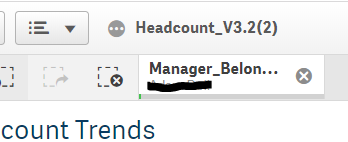
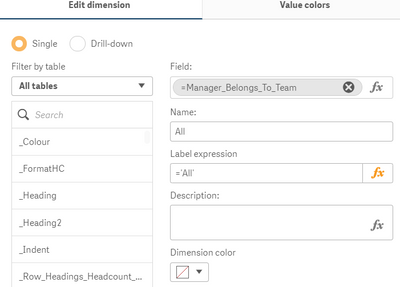
Am I missing something?
Thanks in advance for any help!
2,420 Views
1 Reply

.png "Former Employee") Wlad_Masi
Wlad_Masi
Former Employee
2020-02-12
05:40 PM
- Mark as New
- Bookmark
- Subscribe
- Mute
- Subscribe to RSS Feed
- Permalink
- Report Inappropriate Content
@lrenwick What version are you using?
I found these two articles:
Qlik Sense: Labels in objects are displaying expressions
Sense: Calculated dimension shows expression instead of label in selection bar
To help users find verified answers, please don't forget to mark a correct resolution or answer to your problem or question as correct.
2,327 Views
