Unlock a world of possibilities! Login now and discover the exclusive benefits awaiting you.

- Qlik Community
- :
- Forums
- :
- Analytics & AI
- :
- Products & Topics
- :
- Visualization and Usability
- :
- Qliksense Object level Access
- Subscribe to RSS Feed
- Mark Topic as New
- Mark Topic as Read
- Float this Topic for Current User
- Bookmark
- Subscribe
- Mute
- Printer Friendly Page

 sumanta12
- Mark as New
- Bookmark
- Subscribe
- Mute
- Subscribe to RSS Feed
- Permalink
- Report Inappropriate Content
Qliksense Object level Access
Hi All,
I am new to Qliksense.
Please guide me to set object level access to user in qliksense.
- « Previous Replies
-
- 1
- 2
- Next Replies »
sumanta12
- Mark as New
- Bookmark
- Subscribe
- Mute
- Subscribe to RSS Feed
- Permalink
- Report Inappropriate Content
Hi Andrea,
I have done this but still not getting result.
((resource.objectType="masterobject" and resource.name like "Sales Trend") or (resource.objectType="measure" and resource.name like "YTD Sales") or (resource.objectType="dimension" and resource.name like "Month"))

 agigliotti
- Mark as New
- Bookmark
- Subscribe
- Mute
- Subscribe to RSS Feed
- Permalink
- Report Inappropriate Content
could you copy and paste the security rule here?
Follow me on my LinkedIn | Know Gamma Informatica at gammainformatica.it
sumanta12
- Mark as New
- Bookmark
- Subscribe
- Mute
- Subscribe to RSS Feed
- Permalink
- Report Inappropriate Content
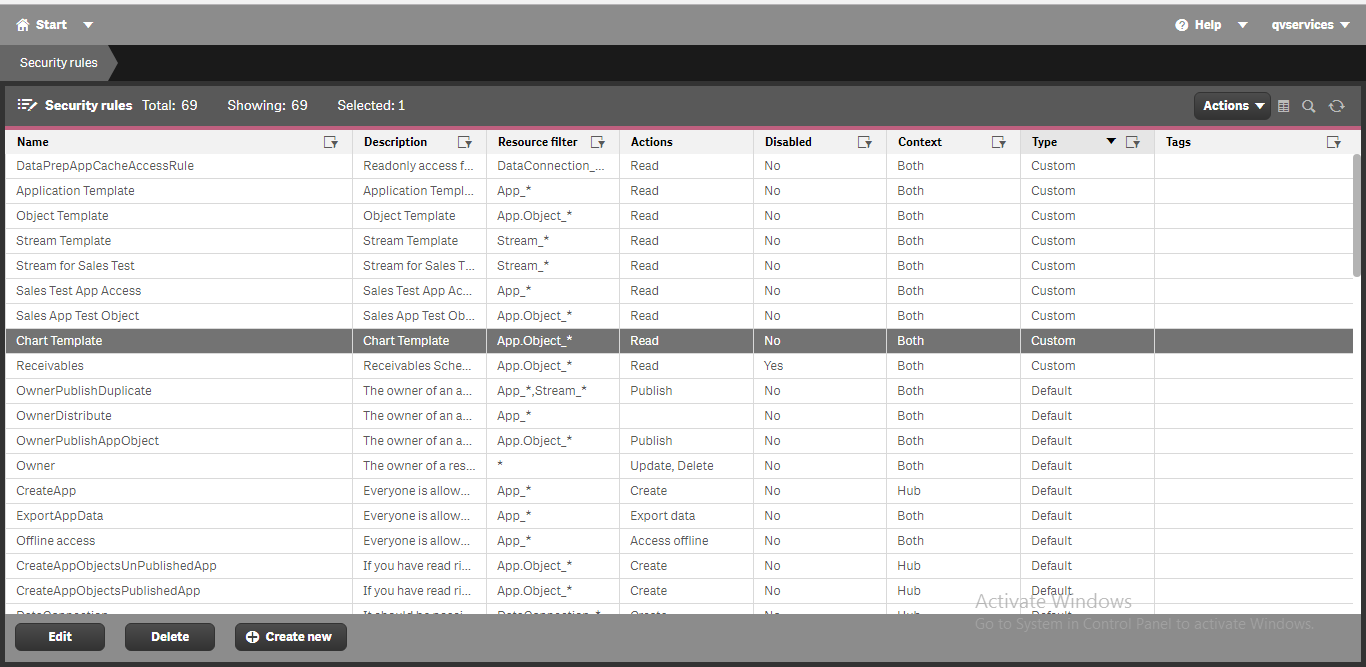
agigliotti
- Mark as New
- Bookmark
- Subscribe
- Mute
- Subscribe to RSS Feed
- Permalink
- Report Inappropriate Content
let's try changing it as below:
(
(resource.objectType="masterobject" and resource.name like "Sales Trend") and
(
(resource.objectType="measure" and resource.name like "YTD Sales") or (resource.objectType="dimension" and resource.name like "Month")
)
)
Follow me on my LinkedIn | Know Gamma Informatica at gammainformatica.it
sumanta12
- Mark as New
- Bookmark
- Subscribe
- Mute
- Subscribe to RSS Feed
- Permalink
- Report Inappropriate Content

Not getting expected result.
agigliotti
- Mark as New
- Bookmark
- Subscribe
- Mute
- Subscribe to RSS Feed
- Permalink
- Report Inappropriate Content
Did you have disabled the default security rule named "Stream" as attached ?
Follow me on my LinkedIn | Know Gamma Informatica at gammainformatica.it
 sumanta12
- Mark as New
- Bookmark
- Subscribe
- Mute
- Subscribe to RSS Feed
- Permalink
- Report Inappropriate Content
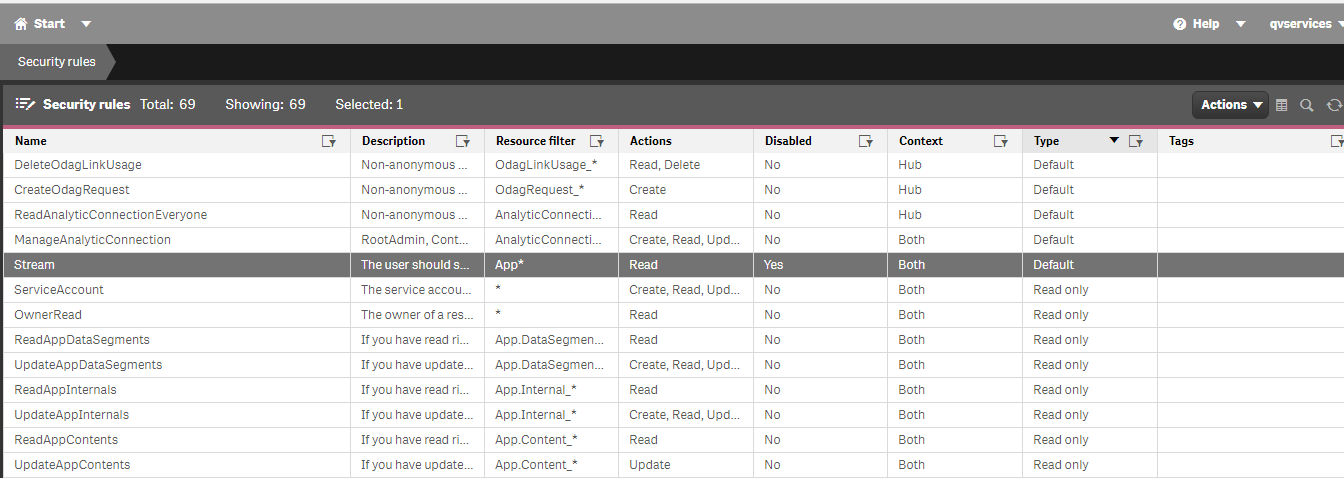
 seanbruton
- Mark as New
- Bookmark
- Subscribe
- Mute
- Subscribe to RSS Feed
- Permalink
- Report Inappropriate Content
I would go with this method. I am currently using it.

- « Previous Replies
-
- 1
- 2
- Next Replies »