Unlock a world of possibilities! Login now and discover the exclusive benefits awaiting you.

- Qlik Community
- :
- All Forums
- :
- QlikView
- :
- Mail Merge From Qlikview
- Subscribe to RSS Feed
- Mark Topic as New
- Mark Topic as Read
- Float this Topic for Current User
- Bookmark
- Subscribe
- Mute
- Printer Friendly Page

- Mark as New
- Bookmark
- Subscribe
- Mute
- Subscribe to RSS Feed
- Permalink
- Report Inappropriate Content
Mail Merge From Qlikview
Hi Qlik Community,
update: java script version code attached to bottom
I've basically created a way of doing a mail merge out of Qlikview and thought i'd best post it here for others, its totally rough and ready and have only just managed to get it working but i wanted somewhere to log what i got so far.
I've attached a .qvw with inline data so you can try it yourself.
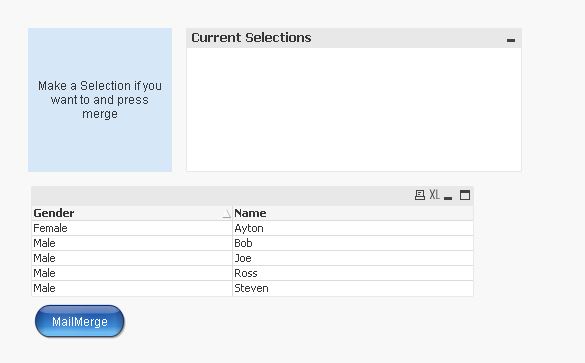
So on opening the qvw you'll be presented with a table of inline data:
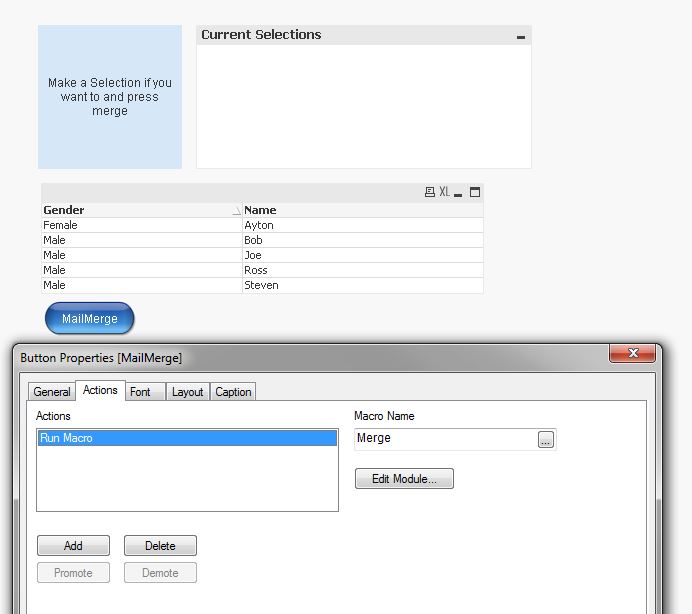
if you go to the properties of the MailMerge button you will see a macro under Actions:
if you click on edit module you will see:
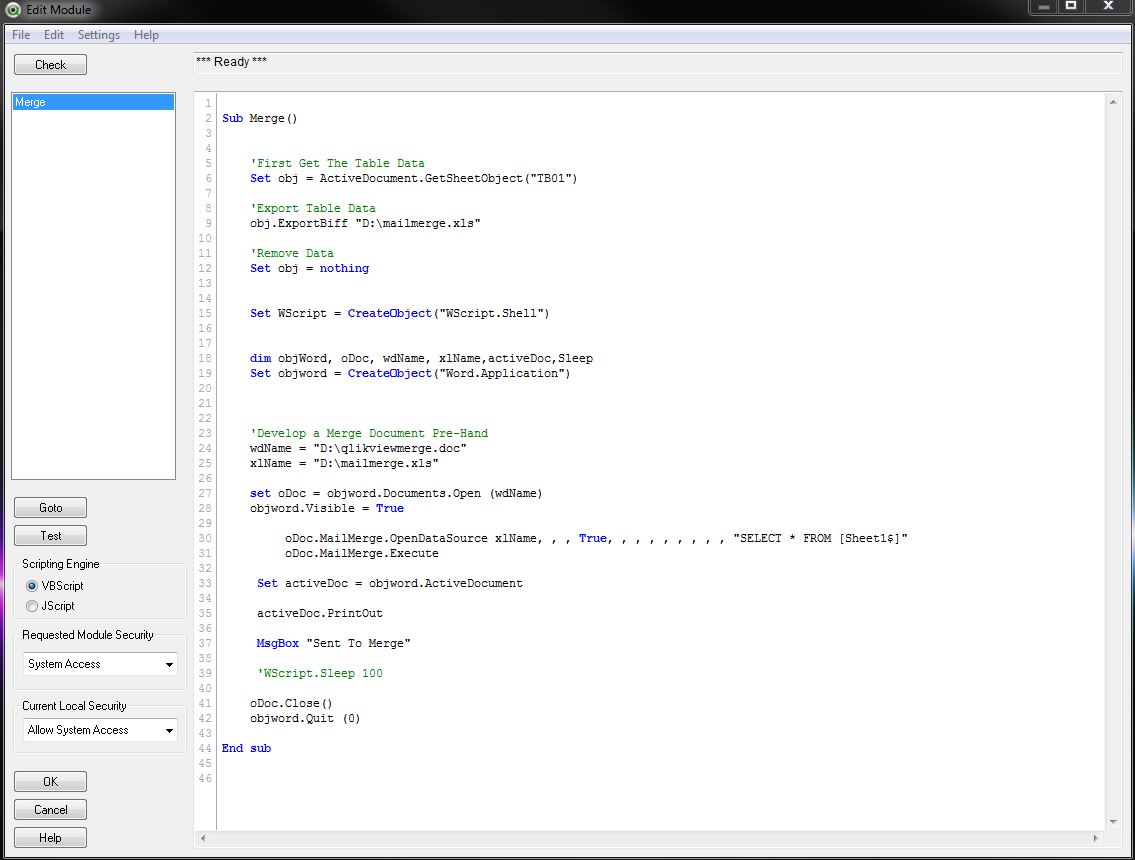
There is only one sub called merge and the process is basically export the table to excel, open word use the sheet1$ of the excel file to mail merge, print, pop up msg and exit.
you need to set request module security to system access and allow system access.
I'd already exported a mailmerge.xls to my D drive so i could create a mail merge document / layout / template
However if you are going to be testing remember to change the drives location to where you want in the script
e.g D:\mailmerge.xls to C:\mailmerge.xls and "D:\qlikviewmerge.doc" to "C:\qlikviewmerge.doc"
the objword.Visible = True can be commented out so you don't have to watch it open word but it nice to see until your happy with the procedure
save any changes and run.
you should see word open it runs the merge... and then prints......if you don't want it to print comment it out or set up a pdf printer for testing.
i have only tested this on 11.20.... but i shall get round
Sub Merge()


  'First Get The Table Data
  Set obj = ActiveDocument.GetSheetObject("TB01")

  'Export Table Data
  obj.ExportBiff "D:\mailmerge.xls"

  'Remove Data
  Set obj = nothing


    Set WScript = CreateObject("WScript.Shell")


  dim objWord, oDoc, wdName, xlName,activeDoc,Sleep
  Set objword = CreateObject("Word.Application")


  'Develop a Merge Document Pre-Hand
  wdName = "D:\qlikviewmerge.doc"
  xlName = "D:\mailmerge.xls"

  set oDoc = objword.Documents.Open (wdName)
  objword.Visible = True


  oDoc.MailMerge.OpenDataSource xlName, , , True, , , , , , , , , "SELECT * FROM [Sheet1$]"
  oDoc.MailMerge.Execute

  Set activeDoc = objword.ActiveDocument


  activeDoc.PrintOut

  MsgBox "Sent To Merge"

     'WScript.Sleep 100

  oDoc.Close()
  objword.Quit (0)

End sub
update:
java script version
function mergeWordDoc() {
  //Set Table
  var MyDoc = ActiveDocument.GetSheetObject("TB01");
  //Export Table
  MyDoc.ExportBiff ("d:\\mailmerge.xls");


    var pathToTemplateFile = 'd:\\qlikviewmerge.doc';
    var pathToDataSourceFile = 'd:\\mailmerge.txt';

      var objWordApp = new ActiveXObject("Word.Application");
        objWordApp.Visible = true; // Hide the Word process


        var objWordDoc = objWordApp.Documents.Open(pathToTemplateFile, false, true); // Open Template ReadOnly

        objWordDoc.MailMerge.OpenDataSource("d:\\mailmerge.xls","wdOpenFormatAuto",true,true,true,true,"","",true,"","","","SELECT * FROM [Sheet1$]" );
        objWordDoc.MailMerge.Execute();     // Execute the merge
        objWordDoc.Close(false); // Close the Template without any prompts


        objWordApp.Visible = true; // show the new merged file
        objWordApp.Activate();


        // Below is only if you want to print the document and close it
        objWordApp.PrintOut(false); // Send to printer, do not display any messages
        // Close Documents and Process
        objWordApp.Quit(false);
        objWordApp = null;

}
Voila
Ross

 ThornOfCrowns
- Mark as New
- Bookmark
- Subscribe
- Mute
- Subscribe to RSS Feed
- Permalink
- Report Inappropriate Content
Nice work, but what's the advantage in using QV?
You're just adding an extra layer to the inbuilt Excel / Work functionality by using *.Shell to active the external objects.
- Mark as New
- Bookmark
- Subscribe
- Mute
- Subscribe to RSS Feed
- Permalink
- Report Inappropriate Content
i wanted to see if it could be done... there is other things that i have planned of the back of this.