Unlock a world of possibilities! Login now and discover the exclusive benefits awaiting you.

- Qlik Community
- :
- Forums
- :
- Data Integration
- :
- Products & Topics
- :
- Administering and Monitoring
- :
- Re: Unable to delete data spaces
- Subscribe to RSS Feed
- Mark Topic as New
- Mark Topic as Read
- Float this Topic for Current User
- Bookmark
- Subscribe
- Mute
- Printer Friendly Page

 peterstalberg
- Mark as New
- Bookmark
- Subscribe
- Mute
- Subscribe to RSS Feed
- Permalink
- Report Inappropriate Content
Unable to delete data spaces
Hi,
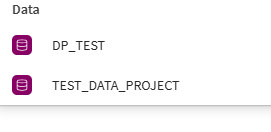
In the spaces listing we have two "Data" spaces. When opening any of them there is no option for deleting (only "Details" under "Space Options"). The spaces are completely empty and we like to remove them. How to do this?
Rgds//Peter
- « Previous Replies
-
- 1
- 2
- Next Replies »
 mallebes87
- Mark as New
- Bookmark
- Subscribe
- Mute
- Subscribe to RSS Feed
- Permalink
- Report Inappropriate Content
Unfortunately that does not work :(. I'm the tenant admin and the space is empty. I'm also the owner of the space and deleted all the other users from this space.

 DQ-Harun
- Mark as New
- Bookmark
- Subscribe
- Mute
- Subscribe to RSS Feed
- Permalink
- Report Inappropriate Content
The problem is not that we are unable to navigate to the delete button, the problem is that the button itself does not work! @Daniele_Purrone

 Daniele_Purrone
- Mark as New
- Bookmark
- Subscribe
- Mute
- Subscribe to RSS Feed
- Permalink
- Report Inappropriate Content
Hi @peterstalberg @mallebes87 @DQ-Harun ,
the easy fix here would be to use an automation with the Delete Space block. That will remove the space even in the presence of hidden content.
However, we would like to ask you not to that, as we have seen some situations like this in the past already and we would like to understand why this is happening.
So, I would ask you instead to reach out to support and request the creation of a new case. Please, make sure to mention both this discussion and SUPPORT-6987, so that we can investigate this further.
Make sure to provide screenshots and any relevant info (tenanted, spaceid, etc.)!
Thanks in advance!
If a post helps to resolve your issue, please accept it as a Solution.

 Nagaraju_KCS
- Mark as New
- Bookmark
- Subscribe
- Mute
- Subscribe to RSS Feed
- Permalink
- Report Inappropriate Content
Go to the space, navigate to the Data or Connections tabs, and delete all residual items. Once these are gone, the "Delete" option should appear under Space Options.
peterstalberg
- Mark as New
- Bookmark
- Subscribe
- Mute
- Subscribe to RSS Feed
- Permalink
- Report Inappropriate Content
Hi,
There are no residual items such as data connections or data files in the space 😞
Rgds//Peter
Daniele_Purrone
- Mark as New
- Bookmark
- Subscribe
- Mute
- Subscribe to RSS Feed
- Permalink
- Report Inappropriate Content
Yes @peterstalberg ,
in some scenarios there seems to be hidden items in data spaces, and we need to understand why. That's why it would be good if you could create a support case.
If a post helps to resolve your issue, please accept it as a Solution.

- « Previous Replies
-
- 1
- 2
- Next Replies »