Unlock a world of possibilities! Login now and discover the exclusive benefits awaiting you.

- Qlik Community
- :
- Forums
- :
- Analytics & AI
- :
- Products & Topics
- :
- App Development
- :
- Changing legends color
- Subscribe to RSS Feed
- Mark Topic as New
- Mark Topic as Read
- Float this Topic for Current User
- Bookmark
- Subscribe
- Mute
- Printer Friendly Page

 m_m_fr
- Mark as New
- Bookmark
- Subscribe
- Mute
- Subscribe to RSS Feed
- Permalink
- Report Inappropriate Content
Changing legends color
Hello everyone,
I am dealing with weird issue.
I have created a Qlik Sense app. I have updated it many times.
The last update I have made (adding data), the legends of my graphics have different colors now.
BEFORE :
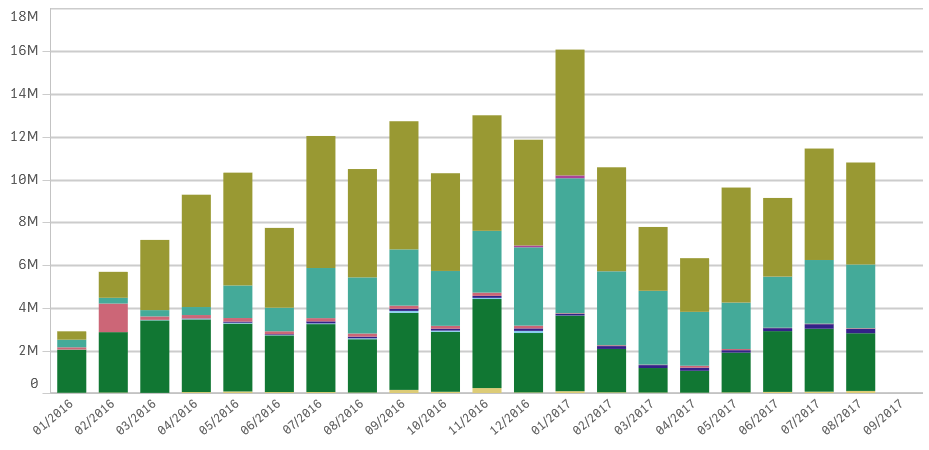
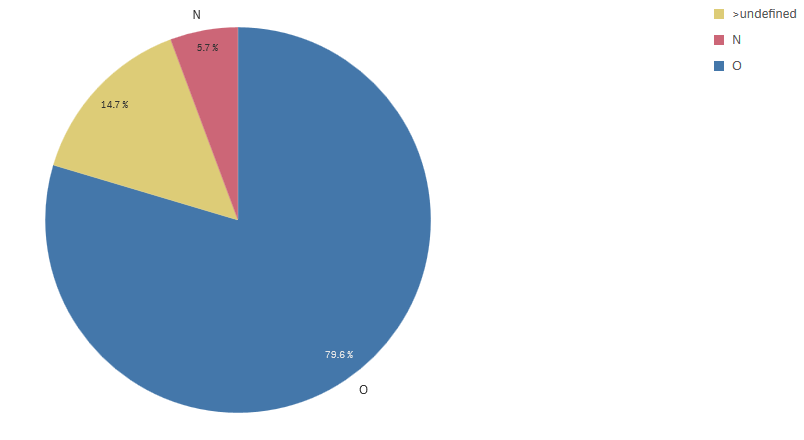
AFTER :


How to keep the same colors ?
Thank you for your answers.
Accepted Solutions
m_m_fr
- Mark as New
- Bookmark
- Subscribe
- Mute
- Subscribe to RSS Feed
- Permalink
- Report Inappropriate Content
It is impossible : Qlik Support told me that colors are generated randomly.
Thank your for your answers.

 Chanty4u
- Mark as New
- Bookmark
- Subscribe
- Mute
- Subscribe to RSS Feed
- Permalink
- Report Inappropriate Content
what is the colour expression you are using?
if not can you paste the colors and legend tab here
m_m_fr
- Mark as New
- Bookmark
- Subscribe
- Mute
- Subscribe to RSS Feed
- Permalink
- Report Inappropriate Content
I never used color expression.
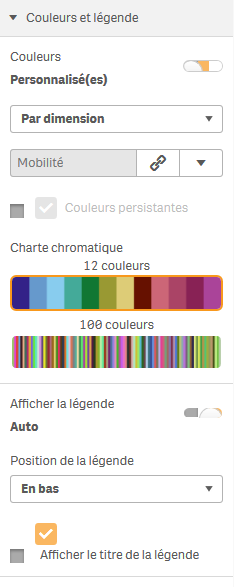
Here are the setting for colors :
BEFORE :
AFTER :
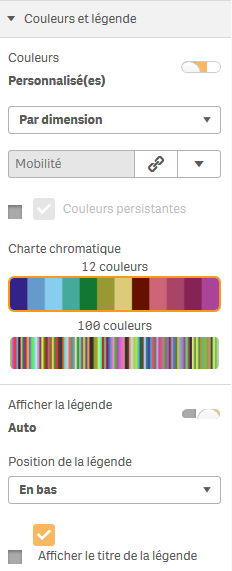
The settings are exactly the same.
Chanty4u
- Mark as New
- Bookmark
- Subscribe
- Mute
- Subscribe to RSS Feed
- Permalink
- Report Inappropriate Content
try this
by dimension and that dimension should be used in that chart 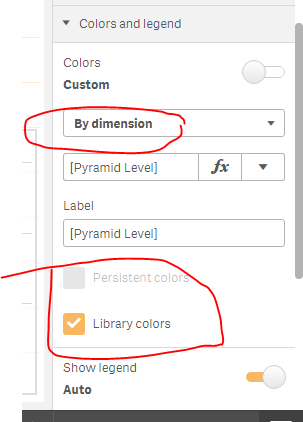
m_m_fr
- Mark as New
- Bookmark
- Subscribe
- Mute
- Subscribe to RSS Feed
- Permalink
- Report Inappropriate Content
Dear Chanty,
I do not have the option "Library Colors"
I only have : 12 colors or 100 colors options
and
I have done By Dimension, and that dimension is used in that chart
Chanty4u
- Mark as New
- Bookmark
- Subscribe
- Mute
- Subscribe to RSS Feed
- Permalink
- Report Inappropriate Content
ohh is it? which version you are using?
m_m_fr
- Mark as New
- Bookmark
- Subscribe
- Mute
- Subscribe to RSS Feed
- Permalink
- Report Inappropriate Content
Here it is :

I have always worked with this version and I had no problem, until now...
Chanty4u
- Mark as New
- Bookmark
- Subscribe
- Mute
- Subscribe to RSS Feed
- Permalink
- Report Inappropriate Content
am not sure am using june2017 version its available the option
m_m_fr
- Mark as New
- Bookmark
- Subscribe
- Mute
- Subscribe to RSS Feed
- Permalink
- Report Inappropriate Content
It is impossible : Qlik Support told me that colors are generated randomly.
Thank your for your answers.
