Unlock a world of possibilities! Login now and discover the exclusive benefits awaiting you.

- Qlik Community
- :
- Forums
- :
- Analytics & AI
- :
- Products & Topics
- :
- App Development
- :
- How to connect fake data to sum(Sales)
- Subscribe to RSS Feed
- Mark Topic as New
- Mark Topic as Read
- Float this Topic for Current User
- Bookmark
- Subscribe
- Mute
- Printer Friendly Page

- Mark as New
- Bookmark
- Subscribe
- Mute
- Subscribe to RSS Feed
- Permalink
- Report Inappropriate Content
How to connect fake data to sum(Sales)
Hello everyone,
I have a map in qlik sense where I'd like to connect test Postal codes (not from the customer) to sum(Sales). I've heard that you can do that, but I don't know how to. There's no option for me to use the customers real postal codes, hence trying to do it this way.
I heard you can use random function, but how? This is what my map looks like right now:
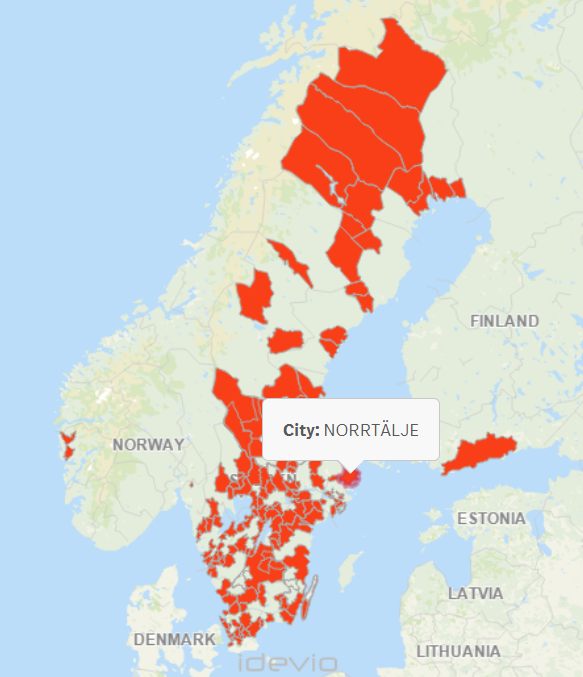
I would like to be able to be able to show sum(sales) per city. How do I go about this when the postal code is fake?
Sincerely,
Betty Habtemariam
- Tags:
- map
- postal codes

 sunny_talwar
- Mark as New
- Bookmark
- Subscribe
- Mute
- Subscribe to RSS Feed
- Permalink
- Report Inappropriate Content
May be create sales in the script like this:
LOAD OtherFieldNames,
Ceil(Rand() * 100) * 100 as Sales
FROM Source;
and then you can use Sum(Sales)