Unlock a world of possibilities! Login now and discover the exclusive benefits awaiting you.

- Qlik Community
- :
- Forums
- :
- Analytics & AI
- :
- Products & Topics
- :
- App Development
- :
- Qlik Sense Desktop - how can I filer by date?
- Subscribe to RSS Feed
- Mark Topic as New
- Mark Topic as Read
- Float this Topic for Current User
- Bookmark
- Subscribe
- Mute
- Printer Friendly Page

- Mark as New
- Bookmark
- Subscribe
- Mute
- Subscribe to RSS Feed
- Permalink
- Report Inappropriate Content
Qlik Sense Desktop - how can I filer by date?
I am very new to qlik.
I have a list of sales with order_date (format dd:mm:yyyy hh:mm). I would like to filter them by month. Any suggestions how can I do that in a simple way? I am not able to write complex script at the moment.
Cheers,
Alessandro
Accepted Solutions

.png "Former Employee") JonnyPoole
JonnyPoole
- Mark as New
- Bookmark
- Subscribe
- Mute
- Subscribe to RSS Feed
- Permalink
- Report Inappropriate Content
Try creating a dimension with the expression
Month( [order_date])
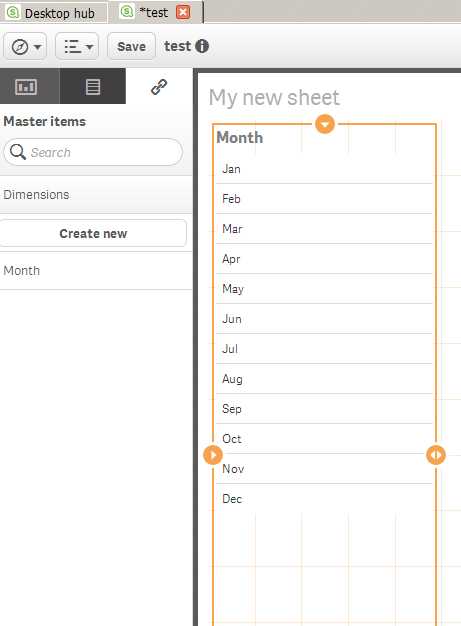
Then you can drag the dimension onto the grid and its ready for filtering
also consider
MonthName( [order_date])
for another dimension...in fact you can format the months however you wish.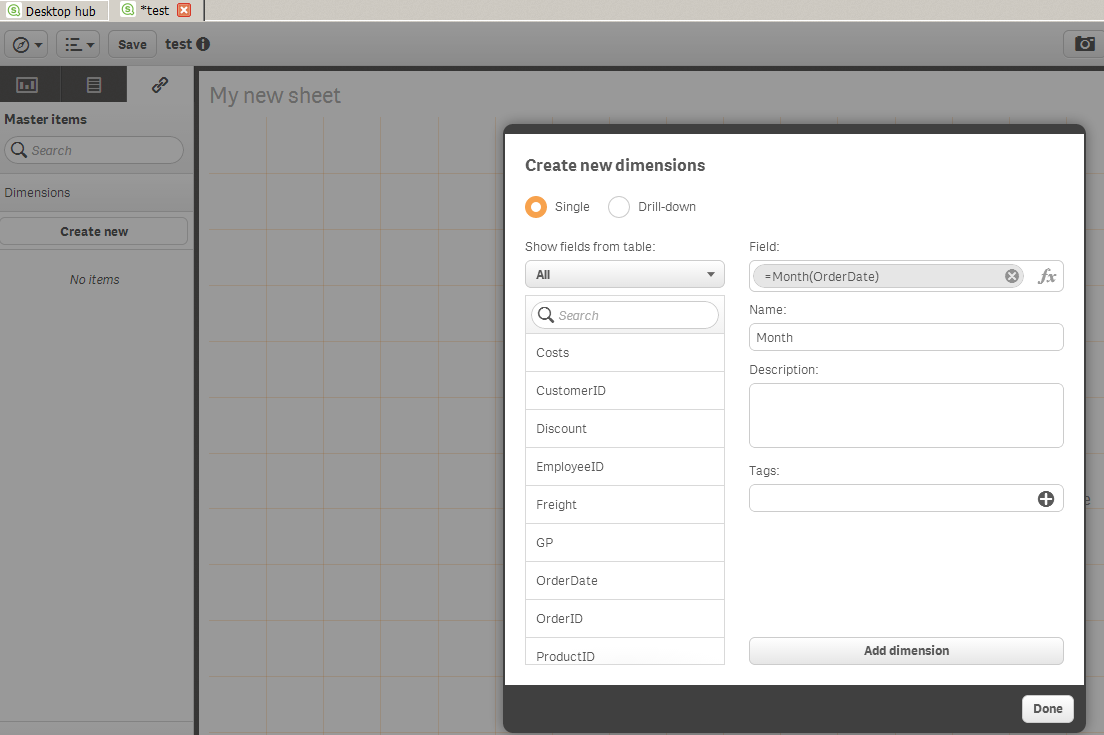
JonnyPoole
- Mark as New
- Bookmark
- Subscribe
- Mute
- Subscribe to RSS Feed
- Permalink
- Report Inappropriate Content
Try creating a dimension with the expression
Month( [order_date])
Then you can drag the dimension onto the grid and its ready for filtering
also consider
MonthName( [order_date])
for another dimension...in fact you can format the months however you wish.
- Mark as New
- Bookmark
- Subscribe
- Mute
- Subscribe to RSS Feed
- Permalink
- Report Inappropriate Content
Thanks! This was very useful. Do you have a list of all/similar functions to Month which I can use? For example it could be very useful for me to check also quarters or day of the week when orders happen. Perhaps there are functions ready for this 
JonnyPoole
- Mark as New
- Bookmark
- Subscribe
- Mute
- Subscribe to RSS Feed
- Permalink
- Report Inappropriate Content
There is a list of date functions in the Help file that lists all of them.
One function that is very helpful is the date() function . You can format the result for the screen how you wish..
ex:
date( [order_date] , 'YYYY-MMM') -> 2014-Apr etc...
date( [order_date], 'WWWW') -> Monday , Tuesday etc....