Unlock a world of possibilities! Login now and discover the exclusive benefits awaiting you.

- Qlik Community
- :
- Forums
- :
- Analytics & AI
- :
- Products & Topics
- :
- App Development
- :
- Re: Qlik Sense date calculated dimension filter pa...
- Subscribe to RSS Feed
- Mark Topic as New
- Mark Topic as Read
- Float this Topic for Current User
- Bookmark
- Subscribe
- Mute
- Printer Friendly Page

 nlr-biin_soluti
- Mark as New
- Bookmark
- Subscribe
- Mute
- Subscribe to RSS Feed
- Permalink
- Report Inappropriate Content
Qlik Sense date calculated dimension filter pane
Hi,
I'm trying to create a filter pane with a date calculated dimension in Qlik Sense based on another date field and I have an issue.
When I put if([User Date]>='27/10/2016',[User Date]) it works, but when I put if([User Date]>=Min([Order Confirmed Date]),[User Date]) it doesn't.
Anyone could help me to figure out why?
Thanks in advance for your help.
Best regards,
Nicolas
- « Previous Replies
-
- 1
- 2
- Next Replies »

 sunny_talwar
- Mark as New
- Bookmark
- Subscribe
- Mute
- Subscribe to RSS Feed
- Permalink
- Report Inappropriate Content
How about this:
Aggr(If([User Date]>=Min(TOTAL [Order Confirmed Date]), [User Date]), [User Date])
or
Aggr(If([User Date]>=Min(TOTAL [Order Confirmed Date]), [User Date]), [User Date], [Order Confirmed Date])
nlr-biin_soluti
- Mark as New
- Bookmark
- Subscribe
- Mute
- Subscribe to RSS Feed
- Permalink
- Report Inappropriate Content
Hello again Sunny,
It is really weird because when I put it in a table it works, but in a filter pane it seems emply.
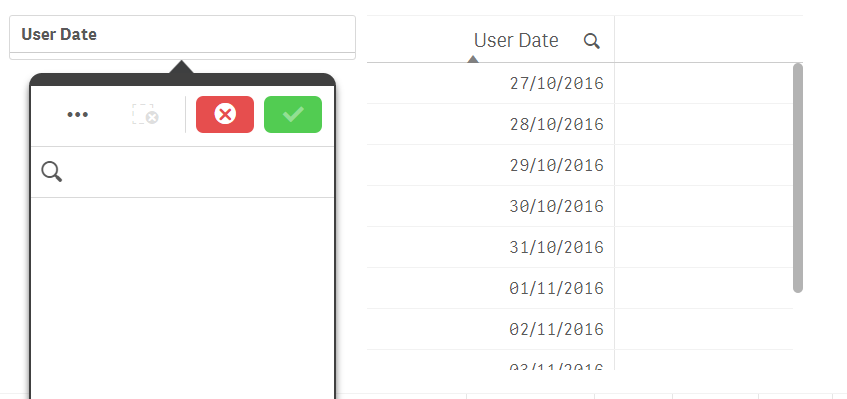
and if I click on "..." and select all, it selects me 42 values
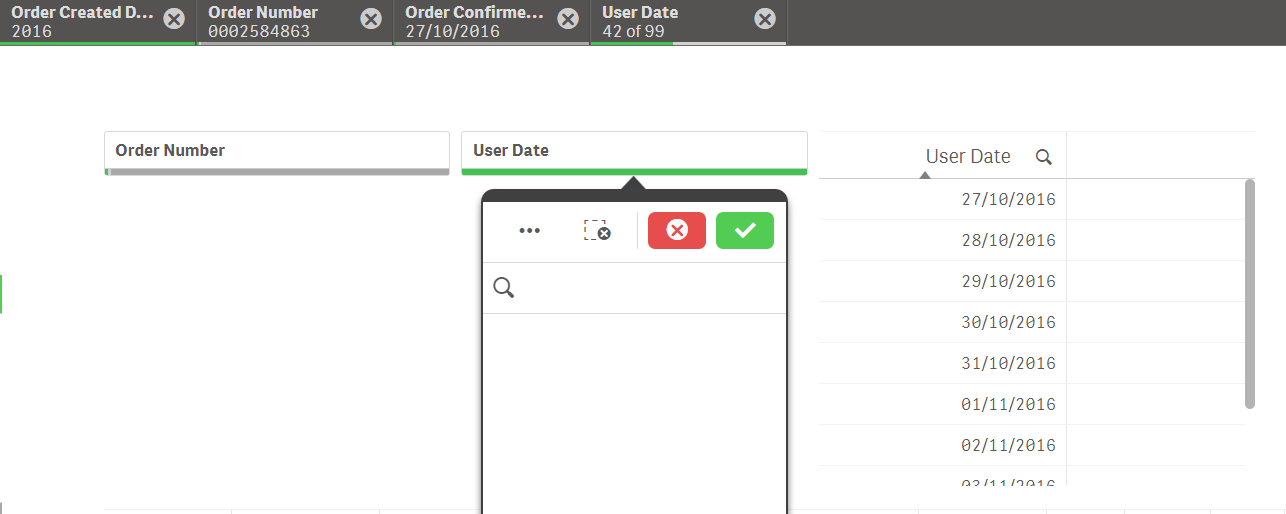
but it doesn't display it.
If I make it bigger like a list it works...
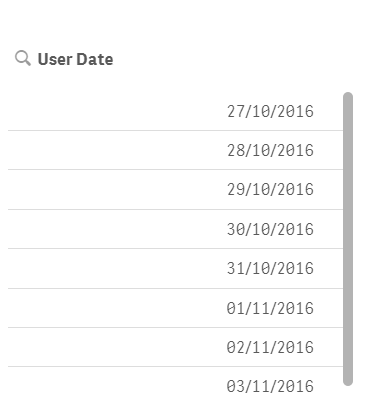
So maybe it is related to my Qlik Sense version?
Nicolas

 girirajsinh
- Mark as New
- Bookmark
- Subscribe
- Mute
- Subscribe to RSS Feed
- Permalink
- Report Inappropriate Content
Try
Date(Aggr(max({<[User Date]={">=$(=Min(Date(Date#([Order Confirmed Date],'DD/MM/YYYY'),'DD/MM/YYYY')))"}>}[User Date]), [User Date]))
sunny_talwar
- Mark as New
- Bookmark
- Subscribe
- Mute
- Subscribe to RSS Feed
- Permalink
- Report Inappropriate Content
That makes complete sense... I have heard some issues with calculated dimensions in filter pane....
nlr-biin_soluti
- Mark as New
- Bookmark
- Subscribe
- Mute
- Subscribe to RSS Feed
- Permalink
- Report Inappropriate Content
Hi Girirajsinh,
See my answer to Sunny.
It seems like a bug because when I make the filter pane bigger it works and when i put it like a listbox it doesn't.
I am going to try with another version of Qlik Sense desktop.
I am currently using Qlik Sense Desktop 3.1 SR4 (qliksensedesktop: 10.7.3)
Nicolas
nlr-biin_soluti
- Mark as New
- Bookmark
- Subscribe
- Mute
- Subscribe to RSS Feed
- Permalink
- Report Inappropriate Content
I am going to try with another version of Qlik Sense desktop.
I am currently using Qlik Sense Desktop 3.1 SR4 (qliksensedesktop: 10.7.3)
I'll keep you informed of the result as soon as possible.
Nicolas

- « Previous Replies
-
- 1
- 2
- Next Replies »