Unlock a world of possibilities! Login now and discover the exclusive benefits awaiting you.

- Qlik Community
- :
- Blogs
- :
- Technical
- :
- Design
- :
- Developer menu in Qlik Sense client

.png "Former Employee") Francis_Kabinof
Francis_Kabinof- Subscribe to RSS Feed
- Mark as New
- Mark as Read
- Bookmark
- Subscribe
- Printer Friendly Page
- Report Inappropriate Content
Did you know there's a secret developer menu in Qlik Sense? I'm going to let you in on the secret and show you how to access it and what it contains. Just remember, this isn't documented or officially supported, and is subject to change in the future.
To access the developer menu, follow the steps below:
- Open a sheet in a Qlik Sense app in your browser
- Add /options/developer to the url
- Right click on an object and choose "Developer"
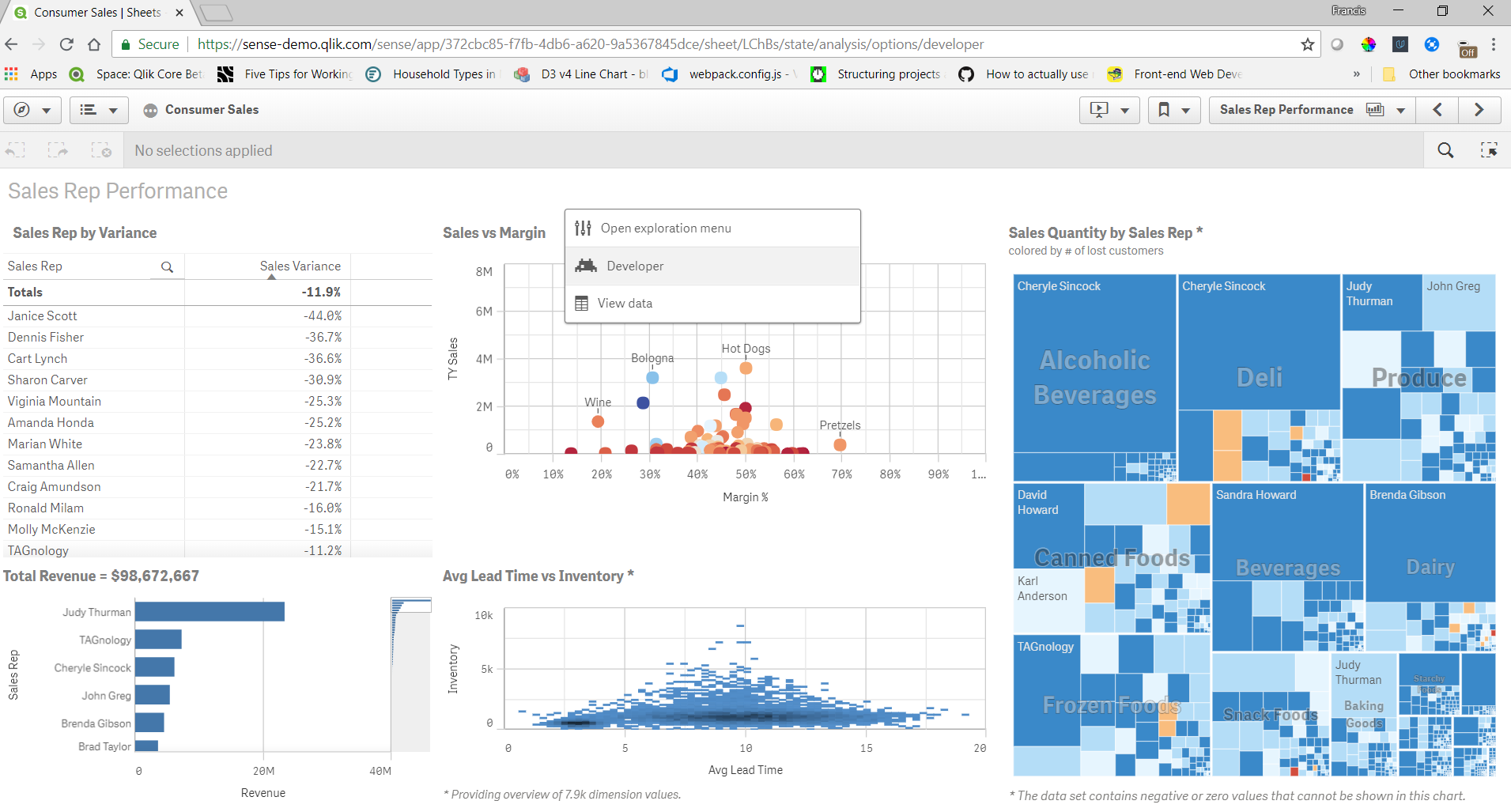
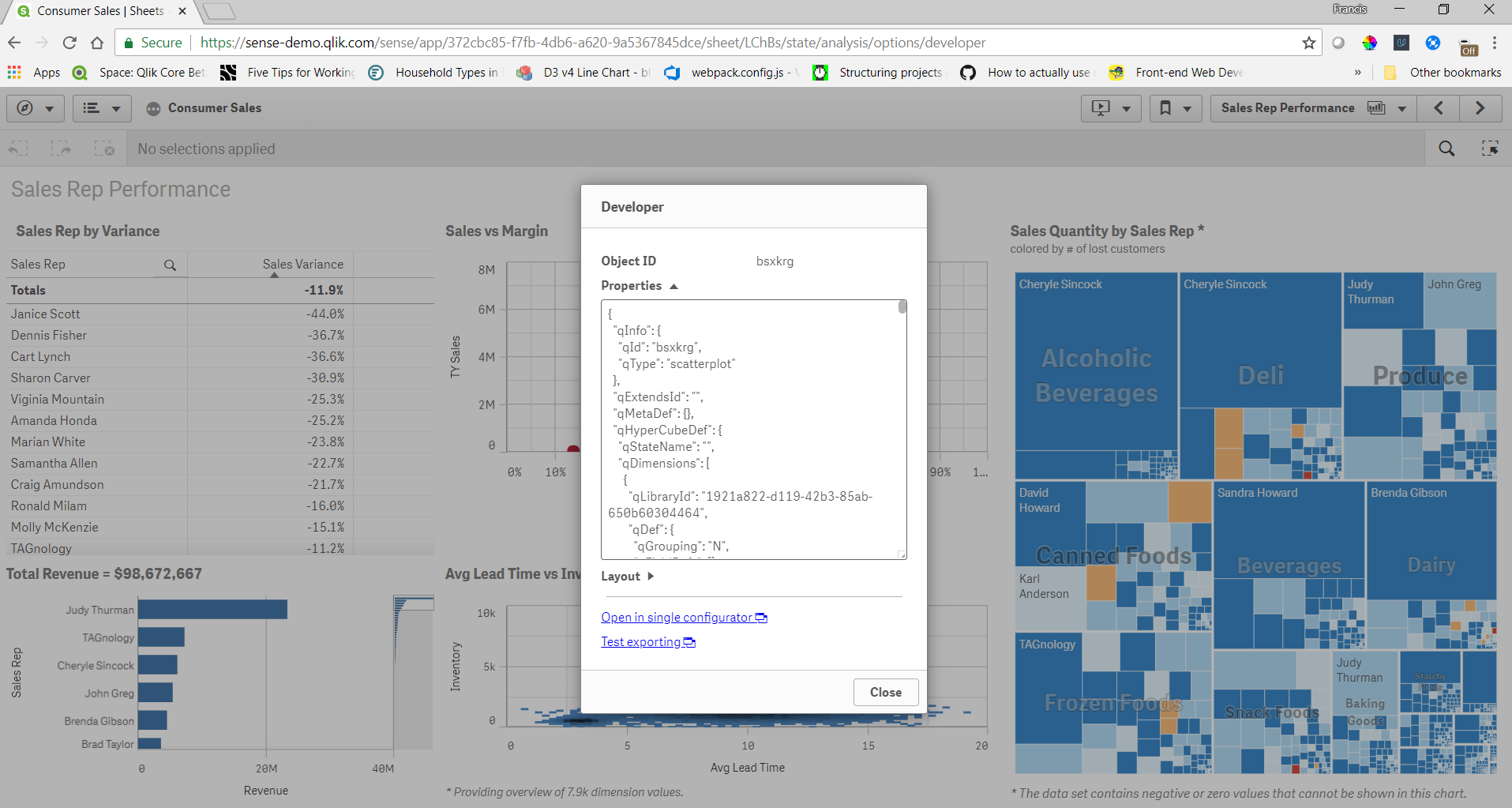
You can get the object id, properties, and layout of any object this way. There's also a link to open the object in single configurator, and test exporting. The object id's are useful for embedding visualizations. The properties are useful if you are creating your own objects and want to check the properties of an object in a Qlik Sense app for reference. In my opinion this is the most useful feature of the developer menu. Sometimes if I don't know the correct properties to set to achieve what I want I'll create a similar object in the Qlik Sense client just to check the properties. The layout shows what is returned by the engine for the layout of the object, and can be useful to see what the layout will look like before you actually create an object yourself. And the single configurator link is a handy way to get to the single configurator of an object directly from a sheet.
And now you know about the secret developer menu.
- « Previous
- Next »
You must be a registered user to add a comment. If you've already registered, sign in. Otherwise, register and sign in.