Unlock a world of possibilities! Login now and discover the exclusive benefits awaiting you.

- Qlik Community
- :
- Blogs
- :
- Technical
- :
- Design
- :
- New Qlik Sense Navigation Options

 Michael_Tarallo
- Subscribe to RSS Feed
- Mark as New
- Mark as Read
- Bookmark
- Subscribe
- Printer Friendly Page
- Report Inappropriate Content
As we continue to invest in capabilities and improve the user experience of Qlik Sense, I am pleased to introduce new navigation options in the Qlik Sense client.
Qlik Sense Cloud and Qlik Cloud Services were updated today to allow users to easily navigate between Data, Analysis, and Stories with just one click. We also have consolidated the list of actions and navigation options into one single menu on the top left-hand side of the client. The menu is now context aware so only the options which are applicable to the current space will show.
Navigation Tabs Across top

Combined Navigation and Action Menu
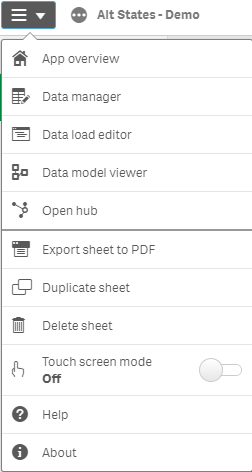
These are part of the single page application experience in which less page reloads in the client provides easier access to different spaces as well as reduces to move between spaces. These changes are now available in Qlik's cloud offerings and will be available in the Qlik Sense February 2019 release installation packages.
You must be a registered user to add a comment. If you've already registered, sign in. Otherwise, register and sign in.