Unlock a world of possibilities! Login now and discover the exclusive benefits awaiting you.

- Qlik Community
- :
- Forums
- :
- Analytics & AI
- :
- Products & Topics
- :
- Integration, Extension & APIs
- :
- PhantomJS truncates chart y-axis label on PDF expo...
- Subscribe to RSS Feed
- Mark Topic as New
- Mark Topic as Read
- Float this Topic for Current User
- Bookmark
- Subscribe
- Mute
- Printer Friendly Page

 sebastian_serva
- Mark as New
- Bookmark
- Subscribe
- Mute
- Subscribe to RSS Feed
- Permalink
- Report Inappropriate Content
PhantomJS truncates chart y-axis label on PDF export
Hi All,
I’m building an extension which integrates with a .NET API, which exposes a service to export a chart to PDF.
If I use Selenium and PhantomJS drivers, this is the result:
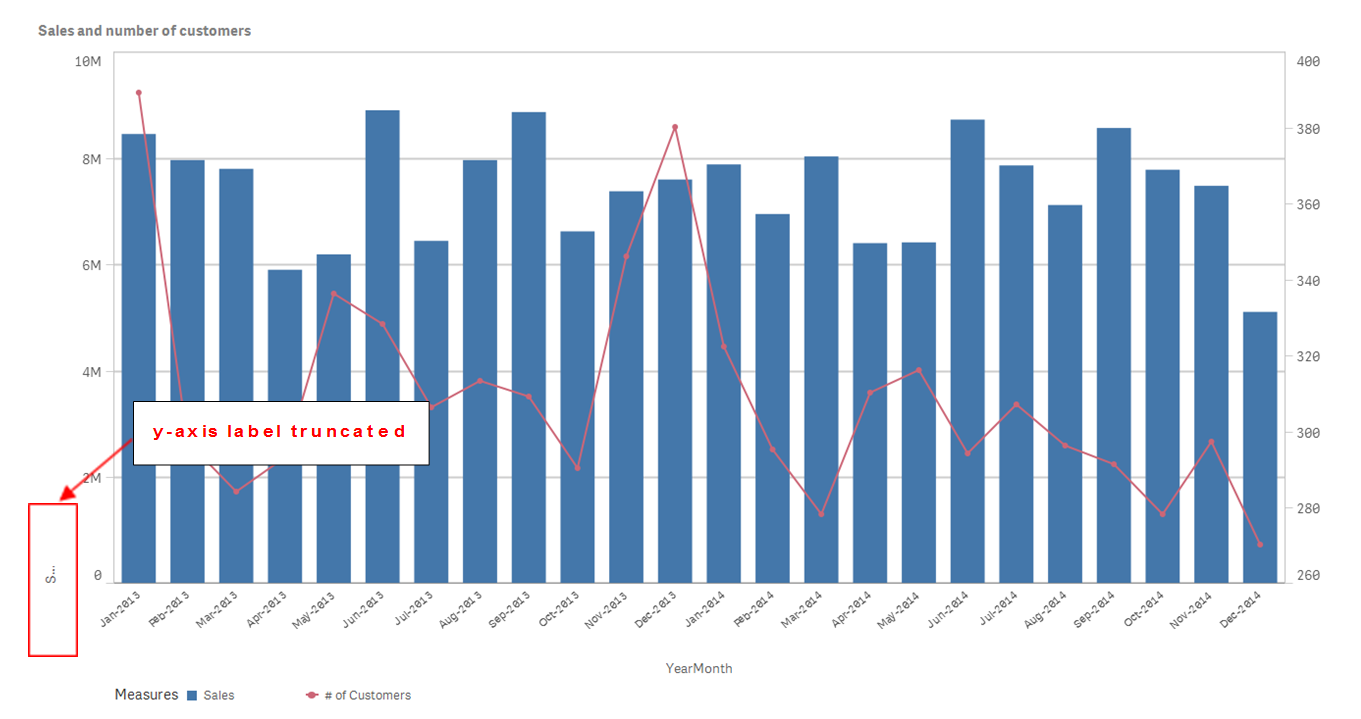
Code:
var driver = new PhantomJSDriver();
driver.Manage().Window.Maximize();
driver.Navigate().GoToUrl("http://localhost:4848/extensions/PhantomJS/PhantomJS.html");
System.Threading.Thread.Sleep(TimeSpan.FromSeconds(10));
driver.GetScreenshot().SaveAsFile("screenshot.png", ScreenshotImageFormat.Png);
driver.Quit();
If I use ChromeDriver instead, it outputs the expected result:
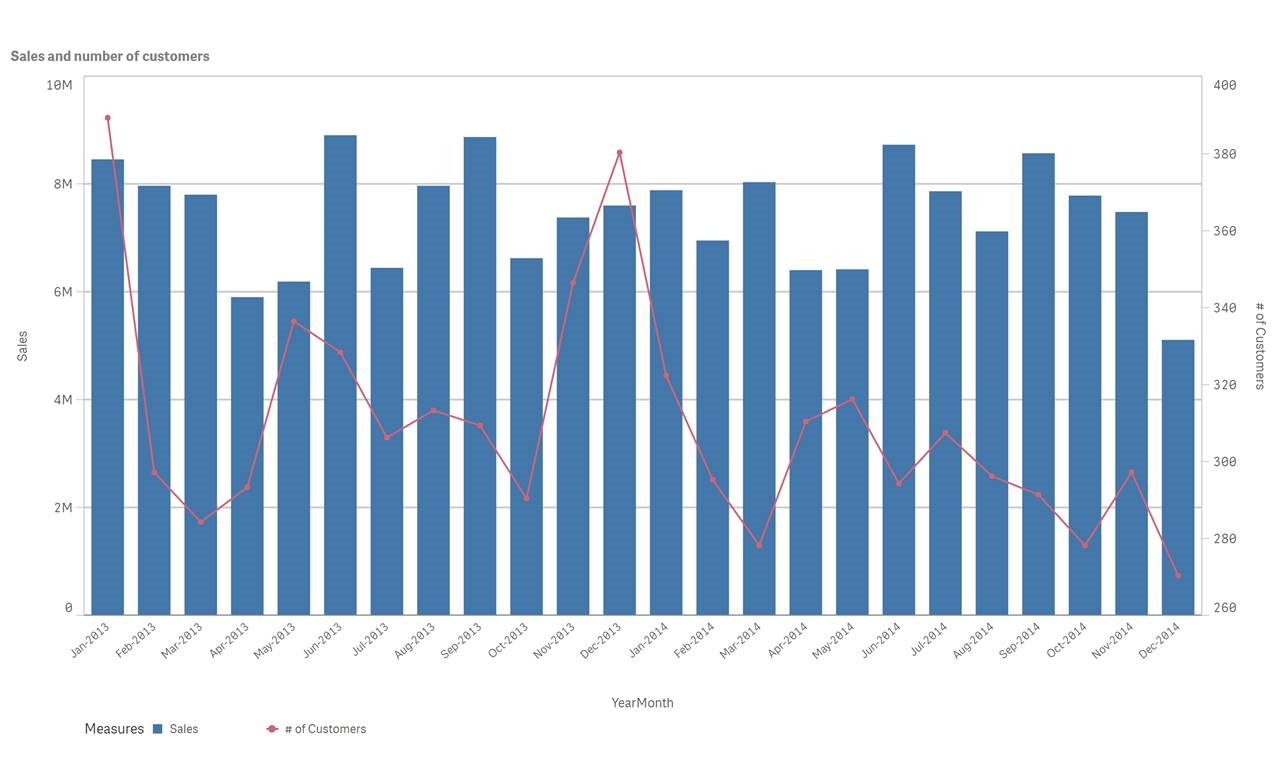
Code:
var driver = new ChromeDriver();
driver.Manage().Window.Maximize();
driver.Navigate().GoToUrl("http://localhost:4848/extensions/PhantomJS/PhantomJS.html");
System.Threading.Thread.Sleep(TimeSpan.FromSeconds(10));
driver.GetScreenshot().SaveAsFile("screenshot.png", ScreenshotImageFormat.Png);
driver.Quit();
Has anyone come across any similar issues before with PhantomJS and Sense?
Any help, much appreciated.
Thanks,
Seb
