Reserved URL Conflict: Access to required URL space denied
Error: System.Net.HttpListenerException (0x80004005): Access is denied
Verify that the user account running Qlik Web Connectors has full access to the folder including the Qlik Web Connector files.
If the problem persists, right-click on the QlikWebConnectors.exe and selecting 'Run as administrator' to see if this fixes the problem (however note that you should not need administrator rights to run Qlik Web Connectors).
Should this resolve the issue, permissions for the account need to be investigated by your local IT team as it may have access restrictions applied.
If none of the above has resolved the issue, another application has reserved the required URL space.
Open Powershell and run:
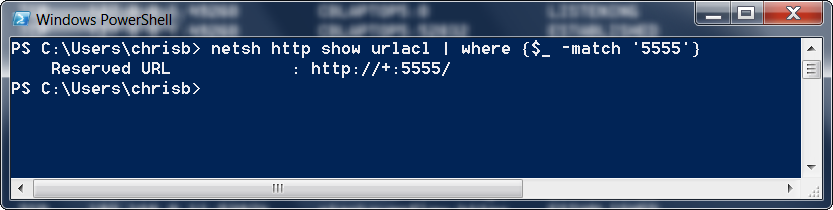
netsh http show urlacl | where {$_ -match '5555'}
In our example we see that something has reserved the URL:
If we know that this can be safely removed then you can run the following command in Powershell (note that you might need to run Powershell in admin mode to do this):
netsh http delete urlacl url=http://+:5555/
And here we see a confirmation that the URL has been removed:
Alternatively, you can configure Qlik Web Connectors to run on a different port as explained here.