In the Qlik Community navigational banner, click (a) Support, then click (b) Licenses & Archived cases and (c) View Licenses and Archived cases.
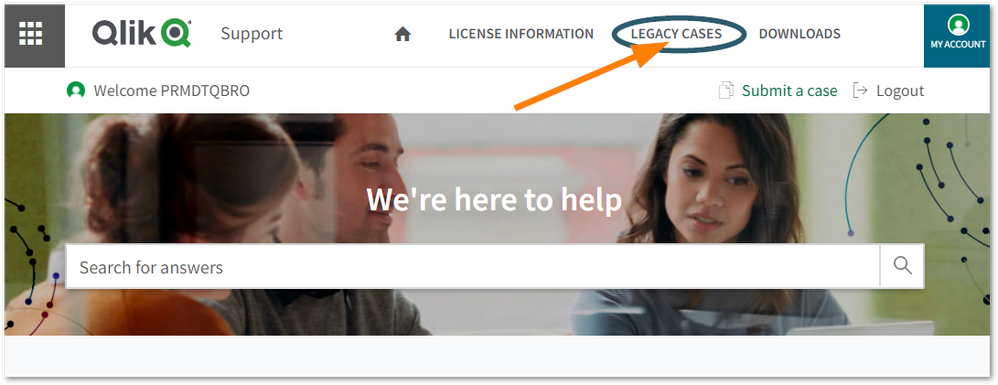
Click Legacy Cases in the banner menu.
Click the Closed tab
Filter your cases based on licenses or case ownership.
You can review cases individually from the provided list.
How to request a Case Data Export
If you require a data export of your archived cases closed prior to our October 4, 2021 Case Portal migration, you can log a ticket/submit a case. You can request data by opening a case in www.qlik.com/community-support-cases.
Fill out the case form as follows, editing the indicated details (See Fig 1.):
Case Title/Subject: Closed Case Data Request_[Company Name]
Case Description:I would like a data export of our organization’s closed cases between[DD/MM/YYY] – 03/10/2021. #ClosedCaseDateExport #SupportPortalMigration - Please add additional information as needed.