Unlock a world of possibilities! Login now and discover the exclusive benefits awaiting you.

- Qlik Community
- :
- Support
- :
- Support
- :
- Knowledge
- :
- Support Articles
- :
- Qlik NPrinting: Conditionally display a label base...
- Subscribe to RSS Feed
- Mark as New
- Mark as Read
- Bookmark
- Subscribe
- Printer Friendly Page
- Report Inappropriate Content
Qlik NPrinting: Conditionally display a label based on the number of rows in a PixelPerfect report

 Ruggero_Piccoli
- Mark as New
- Bookmark
- Subscribe
- Mute
- Subscribe to RSS Feed
- Permalink
- Report Inappropriate Content
Qlik NPrinting: Conditionally display a label based on the number of rows in a PixelPerfect report
Apr 19, 2022 4:38:02 AM
Nov 21, 2019 9:41:22 AM
Reading this tutorial you will learn how to create a label in a PixelPerfect template that will be conditionally displayed based on the number of rows in a table. This is useful, for example, when you want to display a word when the table contains a single row, and the same word in plural when the table contains many rows.
Environment:
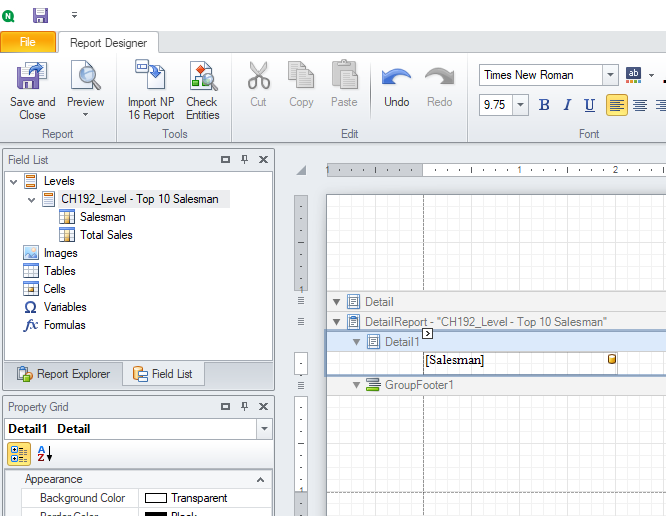
- Create a PixelPerfect template as usual and add the details band of a table in it.
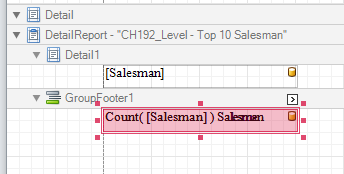
- Add the Group Footer.
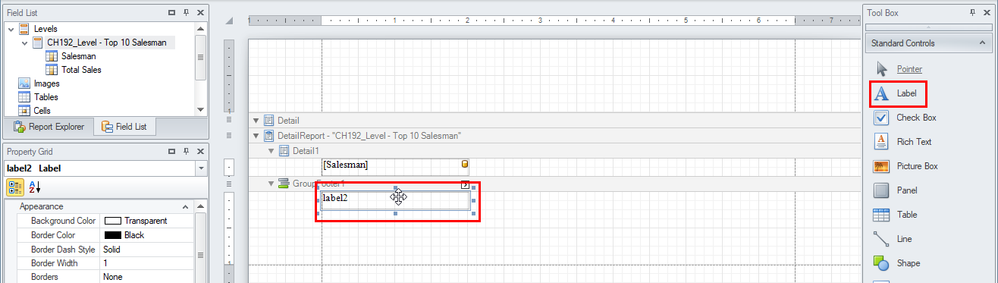
- Drag and drop a Label from the right toolbar into the Group Footer band and align it with the column. This label will display the number of Salesmen (so when the table contains more than one row).
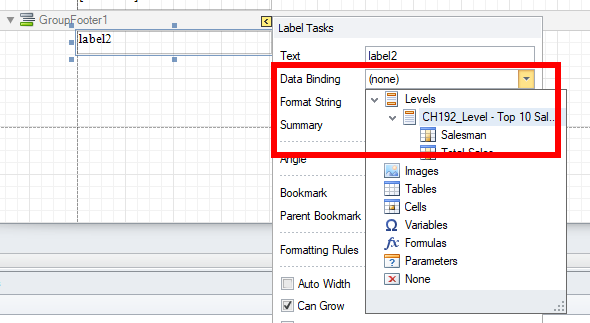
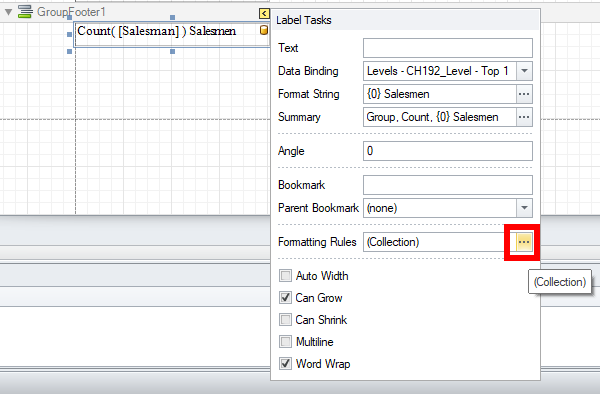
- Open the smart tag of the label by clicking on the upper right corner arrow.
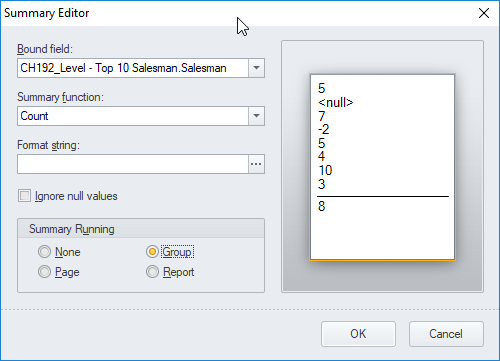
- Expand the Data Binding drop-down menu and select the column Salesman. Then click on the three dots on the right of Summary to open the related window.
- In the Summary function select Count and in the Summary running radio button select Group.
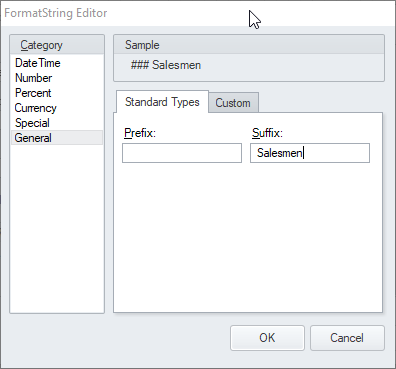
- Click on the three dots on the right of the Format string. In the General Category enter " Salesmen" in the Suffix form. Note the space at the beginning of the string. Then confirm with OK two times.
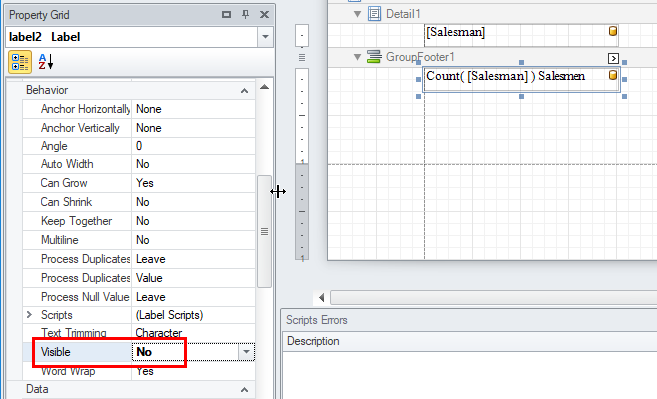
- Scroll down the label property grid and set Visible to No
With this setting, the label is created but it is invisible. - Now we will create a formatting rule that makes the label visible only when there are more than one row in the table. Open the formatting rules editor by clicking on the dots.
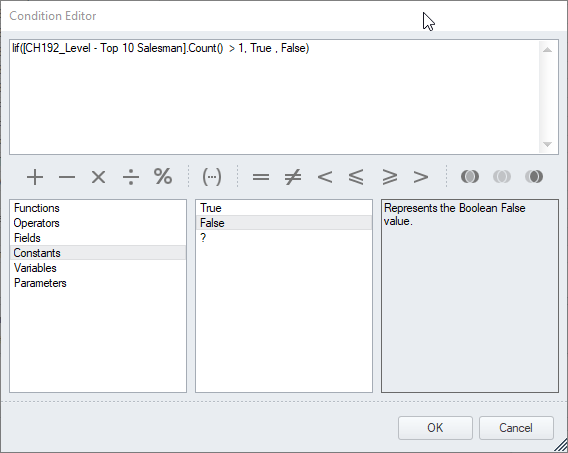
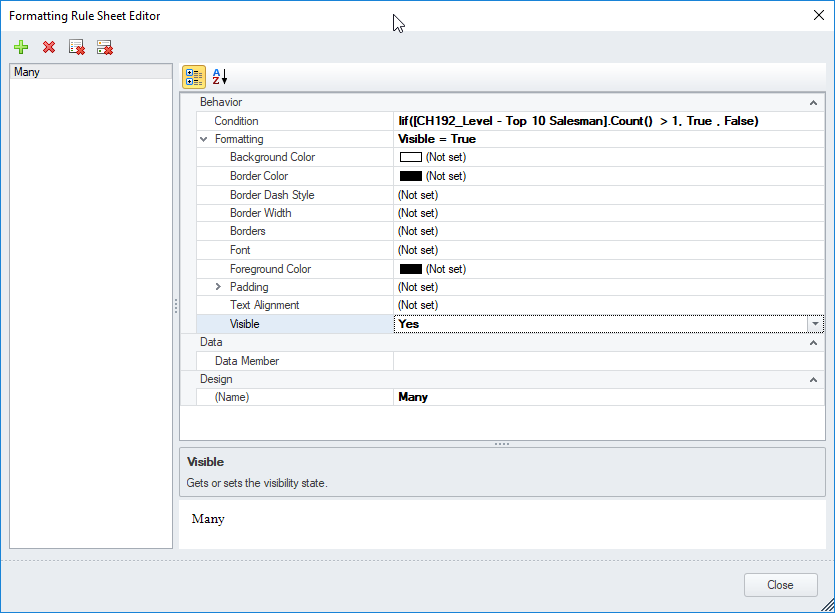
- Click Edit Rule Sheet then click on the green plus button to open a new rule in the editor. Give a meaningful name to the rule, like Many. Then open the Condition Editor and insert the formula:
Iif([CH192_Level - Top 10 Salesman].Count() > 1, True , False)
It returns the boolean True only when the table has more than 1 row. - Confirm with OK.
- Set the Visible parameter to YES. So when the condition is met it will return true and the formatting rule applied. The formatting rule makes the label visible.
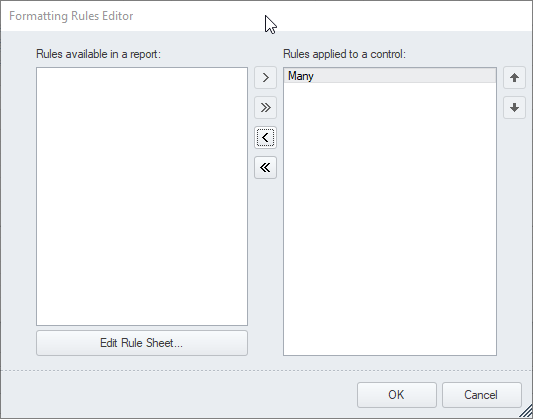
- Click on Close and associate the formatting rule with the label by selecting it and pressing the > button. Then click on OK.
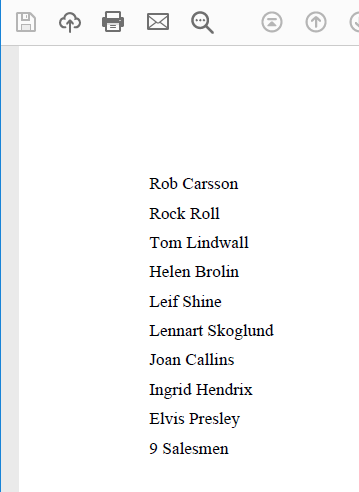
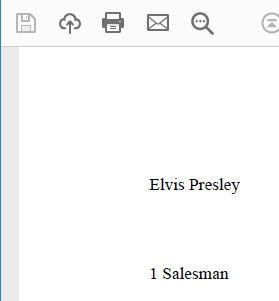
- Run a report Preview in a case with many lines and the label is visible.
- Add a filter to the report in order to select a single table row and run a new report preview. The label disappears.
- Use copy and paste to create a new copy of the same label, then open the smart tag of the new label. Change the format string to Salesman directly in the form. Then open the Formatting Rules editor by clicking on its dots. Remove the Many formatting rule by clicking on the < arrow and create a new rule.
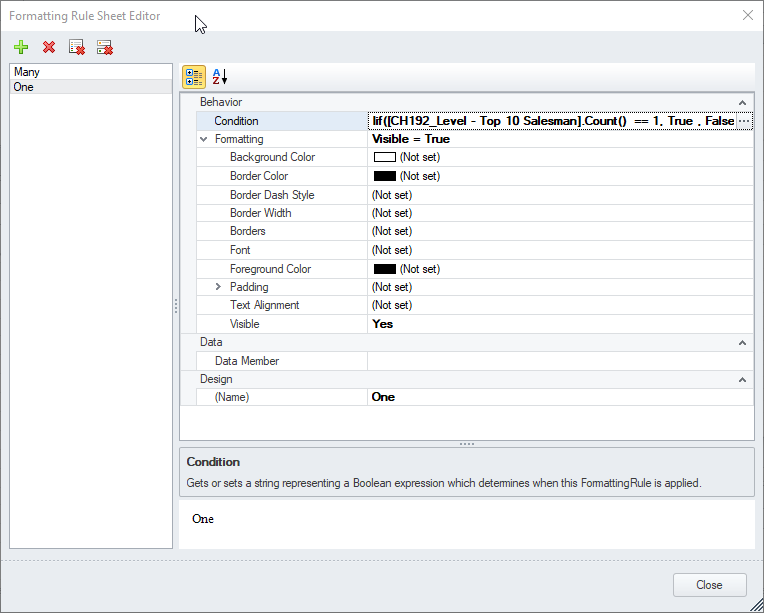
- Call the new rule One, set Visible to Yes and insert the Condition formula:
It is the same as before a part the equal symbol ==. It returns true when the table has a single row.Iif([CH192_Level - Top 10 Salesman].Count() == 1, True , False) - Close the editor and apply the new One rule to the label. Confirm with OK. Run a report preview. You will see the second created label.
- Now you have two labels, one appears when there is a single row in the table and the second appears when the tables has many rows. Overlap the two labels so the will appear always in the same position in the generated reports.
- Now generated reports will have the correct string based on table rows number.




 nandraja
- Mark as Read
- Mark as New
- Bookmark
- Permalink
- Report Inappropriate Content
Hi Ruggero,
Thanks for reply. The above solution is working in PDF but my output file is in XLSx it is not showing suffix.
Can you please suggest is there anything other setting i need to do in xls for suffix.
Thanks in advance.
Ruggero_Piccoli
- Mark as Read
- Mark as New
- Bookmark
- Permalink
- Report Inappropriate Content
Hi,
If you need and output in Excel, I suggest you to develop and Excel template, not a PixelPerfect. Then please open a specific question in the community.
Best Regards,
Ruggero
 Richard3
- Mark as Read
- Mark as New
- Bookmark
- Permalink
- Report Inappropriate Content
Tengo una duda a la hora de hacer los condicionales en pixel perfect, quiero usar los condicionales para mostrar si un valor es menor que otro en rojo y si es mayor en verde, pero en pixel perfect no se toma la condición, sería algo así: if($(=vBookingsTYear1) < $(=vBookingsTYear2), 'Red'), pero no me funciona, y no sé cómo aplicar los condicionales con las variables que traigo de Qlik Sense.
 Sonja_Bauernfei
- Mark as Read
- Mark as New
- Bookmark
- Permalink
- Report Inappropriate Content
Hola, por favor publique sobre su consulta en nuestro Qlik NPrinting foro.
