Unlock a world of possibilities! Login now and discover the exclusive benefits awaiting you.

Announcements
Share your agentic AI experience, learn from others, and earn a new badge: Put Agentic AI to Work
- Qlik Community
- :
- Forums
- :
- Analytics & AI
- :
- Products & Topics
- :
- Management & Governance
- :
- Qlik Sense Server installation
Options
- Subscribe to RSS Feed
- Mark Topic as New
- Mark Topic as Read
- Float this Topic for Current User
- Bookmark
- Subscribe
- Mute
- Printer Friendly Page
Turn on suggestions
Auto-suggest helps you quickly narrow down your search results by suggesting possible matches as you type.
Showing results for

Anonymous
Not applicable
2018-09-20
11:49 AM
- Mark as New
- Bookmark
- Subscribe
- Mute
- Subscribe to RSS Feed
- Permalink
- Report Inappropriate Content
Qlik Sense Server installation
Hello!
I have a problem with installation Qlik Sense Server (Version September 2018). After running QMC, IE show that "This page can't be displayed.
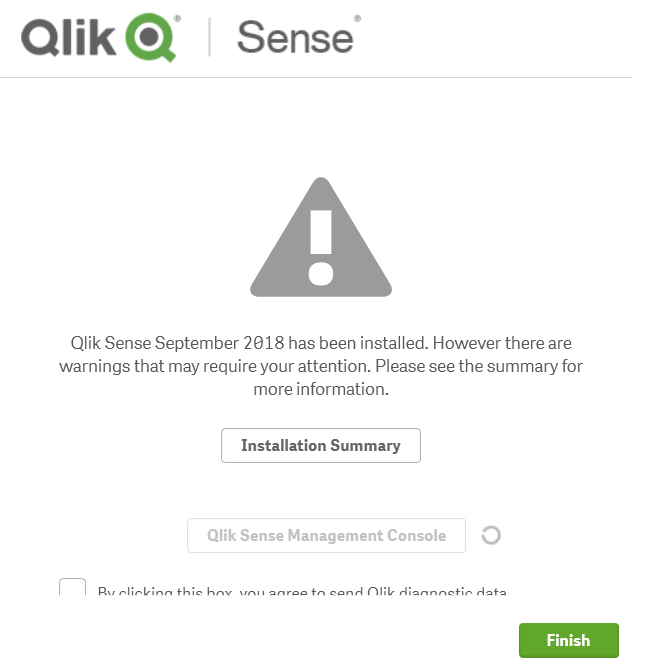
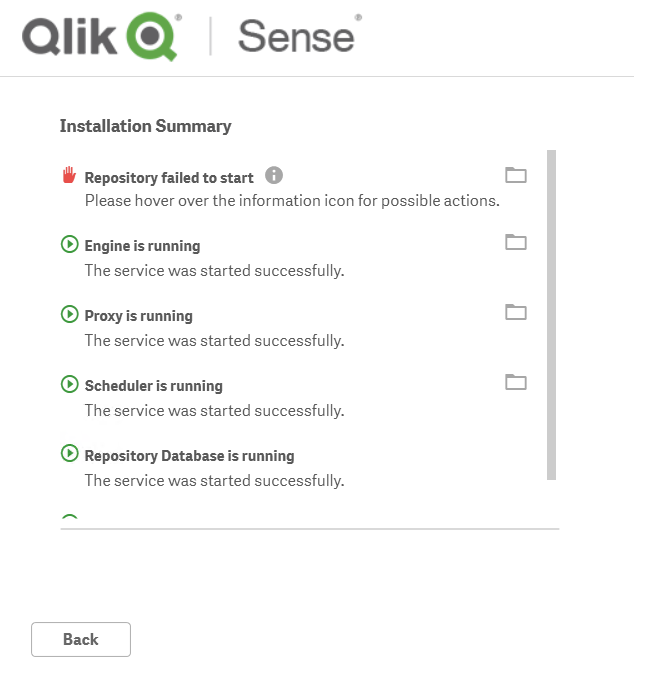

Can somebody help with this problem?
Thanks,
Kristina
- Tags:
- qlik sense
1,441 Views
2 Replies

 Gysbert_Wassena
Partner - Champion III
2018-09-20
12:22 PM
- Mark as New
- Bookmark
- Subscribe
- Mute
- Subscribe to RSS Feed
- Permalink
- Report Inappropriate Content
Check the logs for information about why the Repository Service is not running. You can find the Qlik Sense logs in %ProgramData%\Qlik\Sense\Log. And perhaps you can also find some information in the Windows Event logs.
talk is cheap, supply exceeds demand
1,338 Views
 kevinalvino
Partner - Creator
2018-10-01
12:02 AM
- Mark as New
- Bookmark
- Subscribe
- Mute
- Subscribe to RSS Feed
- Permalink
- Report Inappropriate Content
Hi Kristina,
Please make sure that the Qlik Sense Services are running.
You can try to restart all the Qlik Sense services and try again.
If it still failed, as mention by Gysbert, do look up in the log for information.
Thanks,
Kevin
1,338 Views