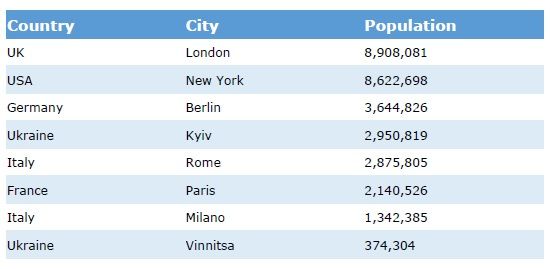
In this article I will describe the steps which allow you to create striped table in the PixelPerfect report.
1. Create a straight table in the QlikSense, e.g. Population table
2. Add expression as a last column:
Even(Row(Total))
Row(Total) adds number to each row, even function shows if the number is even or not.
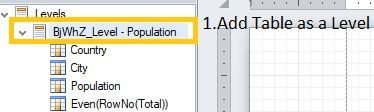
3. Add Table as a level in the Nprinting report
4. Create a table
Add Group Header and change background to preferred color, for instance 91; 155; 213
Change Font color to white
Add all columns from table into Detail
Apply necessary formatting
Reduce the size of Even column to 10 and change its font color to Transparent. Even column should be hidden from user, we will use it only in the formatting condition
Reduce the size of "Population" column by 10. After this all the visible columns will look the same in the report.
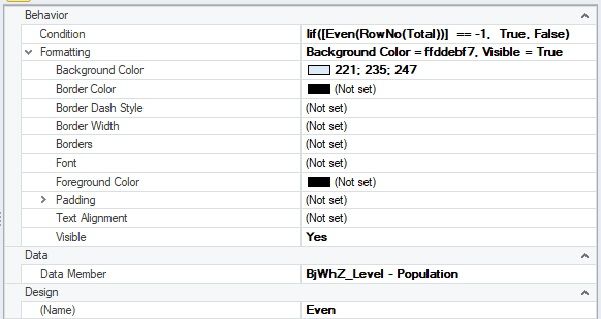
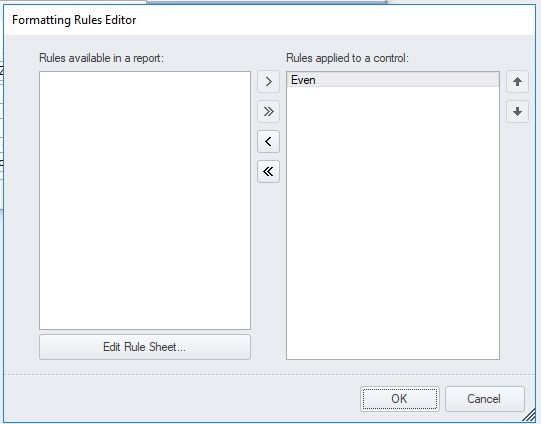
5. Create a formatting rule with the following settings: