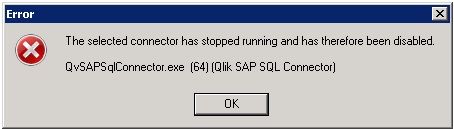
1. The machine on which QlikView Desktop Client is installed has an Antivirus. In such a situation an exception for the Connector has to be added to the Antivirus. 2. Second option is to either modify the Connector config file or the .Net Framework's machine.config file : 3. Customer may see "An error occurred generating the QVX file: Result: QVX_OK Error activating sesion logger"
if attempting same connection directly in the REST connector. (Outside of QlikView desktop)
Option 1(Recommend): Editing the config file for the Connector
1. Open the config file in the connector folder in C:\Program Files\Common Files\QlikTech\Custom Data\ConnectorFolder
2. Add the following values before the closing </configuration> tag:
Reason for adding above is; The Connector executables are cryptography signed for authenticity verification. The .NET Framework's verification procedure when launching an executable includes checking OCSP and Certificate Revocation List information, which means fetching it online if the system doesn't have a fresh cached copy locally. The connector will try to connect Internet to initialize and verify even without using it.
Option 2: Editing the .Net Framework's machine.config file 1. Edit C:\Windows\Microsoft.NET\Framework64\v4.0.30319\config\machine.config a) If there is a <runtime/> tag, change it to