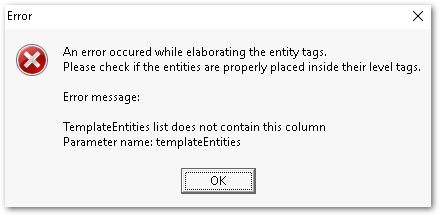
Previewing Qlik NPrinting report templates in the Qlik NPrinting Designer leads to the error:
An error occurred while elaborating the entity tags. Please check if the entities are properly placed inside their level tags. Error message: TemplateEntities list does not contain this column Parameter name: templateEntities
Information on this defect is given as is at the time of documenting. For up-to-date information, please review the most recent Release Notes with the ID OP-95892 for reference.
Workaround:
Replace the current Qlik.Reporting.Adapters.dll file in C:\Program Files (x86)\NPrinting\Designer\libs.
For this workaround to function, the installed Qlik NPrinting designer version must be May 2023 SR1.
Take a backup of the current Qlik.Reporting.Adapters.dll file
Download the attached Qlik.Reporting.Adapters.zip file
1. Install NPrinting Designer May 2023 release on your local PC and also install any further release SR1 on your local PC and work from your local PC. 2. Once you install Nprinting Designer on your local PC, go to C:\Program Files (x86)\NPrinting\Designer\libs and replace the "Qlik.Reporting.Adapters.dll" on your local PC. 3. Once you replace the DLL file, restart your PC. 4. Open Nprinting web console in your PC browser --> go to report --> Edit template and work from your local PC itself. You do not have to install anything on your NPrinting server.