Most SQL compliant database server (e.g. Microsoft SQL Server, Oracle, Microsoft Access) allow connections over OLEDB. This however requires that there are OLEDB drivers available for the database server software.
Prerequisites
Download OLEDB drivers from the database server vendor
Install OLEDB drivers on the machine where QlikView will reload
Make sure the OLEDB installation is availabel for the user accessing QlikView
Set up OLEDB connection in QlikView
Open QlikView desktop client
Access document that should load from OLEDB source
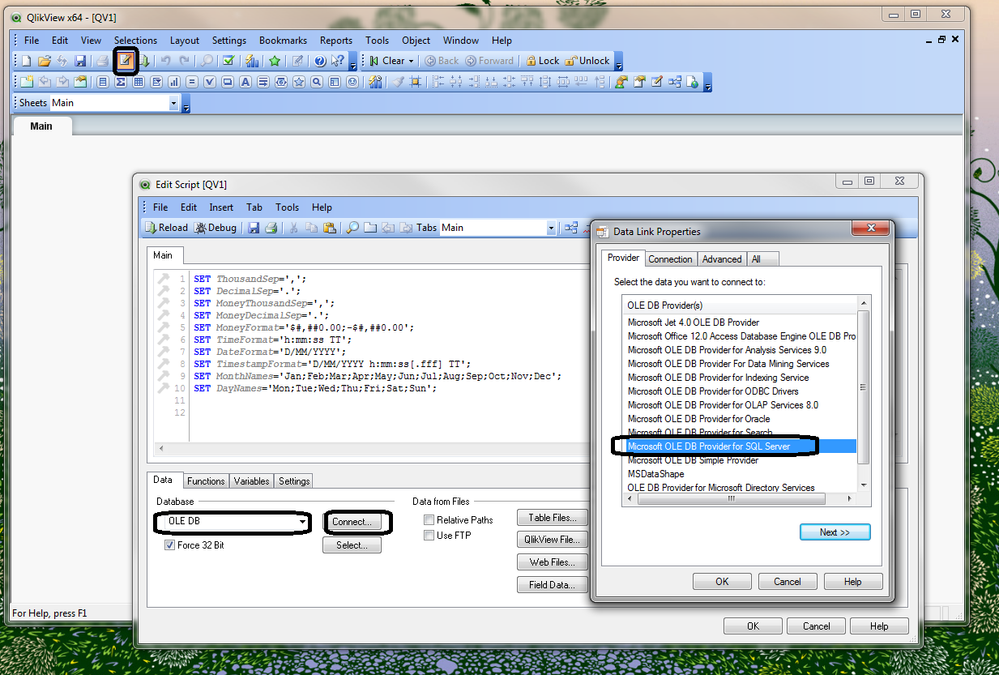
Go to Script Editor (Ctrl + E)
Go to Data tab
Under Database select OLEDB
Click Connect...
Select the preferred database driver
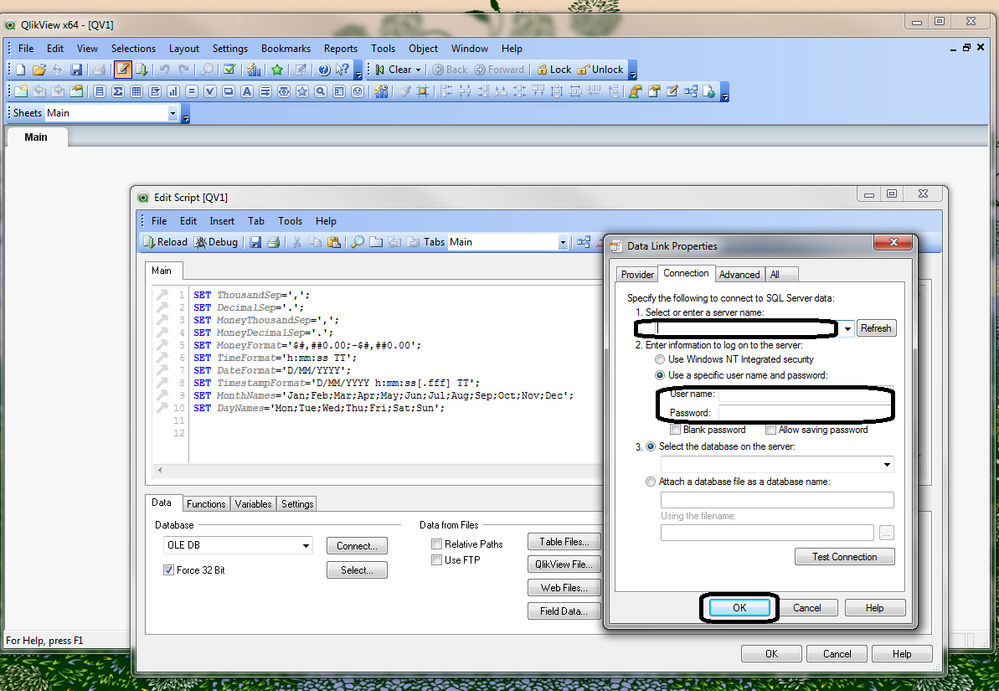
Fill in the database access credentials and details. Contact database server administrator for details, if you do not know what to fill in.
Click OK
CONNECT string is added to the script
Reload (Ctrl + R) application to confirm correct settings
QlikView accessed database correctly if reload finished without any errors. Else repeat steps above and validate that connection details are accurate.