Do not input private or sensitive data. View Qlik Privacy & Cookie Policy.
Skip to main content

Announcements
ALERT: QlikView server communication interruptions following Microsoft Windows Domain Controller security updates

Qlik Sense SAML Cryptography Errors with CryptographicException in Proxy Trace Audit log

No ratings
cancel
Showing results for 
Search instead for 
Did you mean: 
Sonja_Bauernfeind
Digital Support
Digital Support

Qlik Sense SAML Cryptography Errors with CryptographicException in Proxy Trace Audit log

Last Update:

Mar 10, 2026 7:28:26 AM

Updated By:

Sonja_Bauernfeind

Created date:

Jul 17, 2017 6:25:26 PM

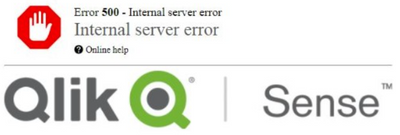
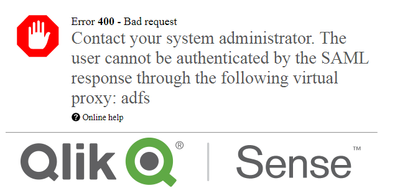
When setting up SAML with Qlik Sense, a 400 or 500 error appears. The setup for the QMC Virtual Proxy and 3rd Party Setup is correct.


Error 500 - Internal server error


Error 500 Internal Server Error.png

Error 400 - Bad Request

Error 400 Bad Request.png


The Proxy Trace Audit log shows the following errors:

Unanticipated System.Security.Cryptography.CryptographicException occurred for connection


Environment

Qlik Sense Enterprise on Windows


Resolution

This suggests a need to change the Cryptographic Security Provider (CSP) to use the Microsoft Enhanced RSA and AES Cryptographic Provider.

To resolve this, we'll use Microsoft's CertUtil tool to remove the certificate from the MMC certificate store and then import the PFX file with the correct CSP.

  1. Use CertUtil to remove the certificate from the MMC certificate store
  2. In an elevated command prompt, run:

    certutil -f -csp "Microsoft Enhanced RSA and AES Cryptographic Provider" -importPFX C:\certificate.pfx

    Replace C:\certificate.pfx with the correct path and file name to the PFX you are using.

  3. You have imported the PFX with the correct CSP
Contributors
Version history
Last update:
‎2026-03-10 07:28 AM
Updated by: