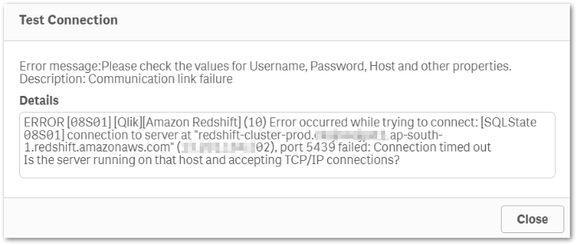
When connecting to Amazon Redshift, the following error may occur on Qlik Cloud:
Error occurred while trying to connect: [SQLState 08S01] connection to server at "redshift-cluster-prod.qlikserver1.ap-south-1.redshift.amazonaws.com" (127.1.1.1), port 5439 failed: Connection timed out Is the server running on that host and accepting TCP/IP connections?
Resolution
Make sure port 5439 is open.
Add an allow list rule to the Amazon EC2 security group attached to your Amazon Redshift cluster to allow inbound traffic from the IP addresses used by Qlik Cloud when connecting to data sources.
For more information about Amazon EC2 security group rules, see Security group rules.
Disclaimer: The above link takes you outside of Qlik. Although we make every effort to ensure links to external websites are accurate, up-to-date, and relevant, Qlik cannot take responsibility for the accuracy or freshness of pages maintained by external providers. Contact the external site for answers to questions regarding its content.
If your Amazon Redshift Cluster has been moved to a Virtual Private Cloud (VPC), Qlik recommends using Qlik Data Gateways. For more information about the Qlik Data Gateways, see Data Gateways.
Cause
Port 5439 is not open.
The IP addresses used by Qlik Cloud when connecting to data sources have not been granted inbound access to the Amazon Redshift cluster.
Amazon Redshift Cluster has been relocated to a Virtual Private Cloud (VPC)