Replicating data from Oracle SQL views (with few fields defaulted to NULL explicitly) into snowflake fails to create table in Snowflake.
Environment
Qlik Replicate
Resolution
The work around below converts all the string (0) to string (10 or the number you specified). It is important to specify the scope under advanced options to convert only string (0) to string (10).
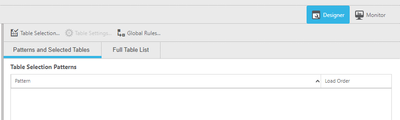
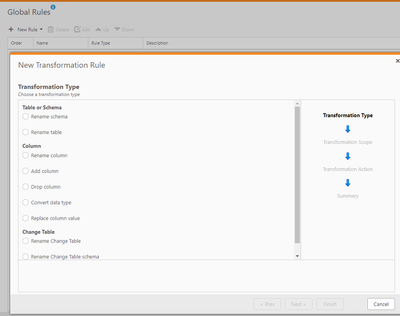
From Global Rules window, click on “New Rule” and select Transformation.
Select “Convert data type” and click Next
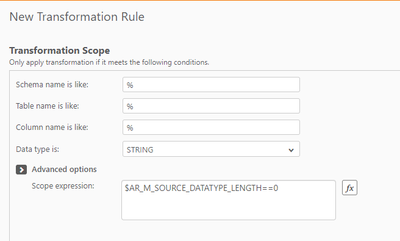
Select “STRING” in the data type dropdown. Under advanced options, enter expression “$AR_M_SOURCE_DATATYPE_LENGTH==0” without quotes and click next:
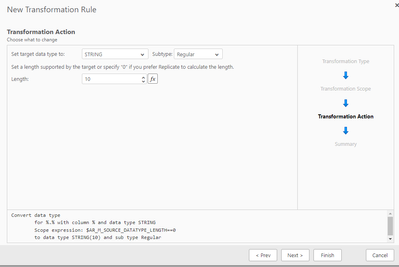
Change the length to 10 or desired number and click Finish.
Cause:
NULL columns are not supported and Oracle SQL views with fields defaulted to NULL explicitly, creates fields with data type string (0).