Unlock a world of possibilities! Login now and discover the exclusive benefits awaiting you.

- Qlik Community
- :
- All Forums
- :
- QlikView App Dev
- :
- Re: Hide a row of data
- Subscribe to RSS Feed
- Mark Topic as New
- Mark Topic as Read
- Float this Topic for Current User
- Bookmark
- Subscribe
- Mute
- Printer Friendly Page

 sgrice
- Mark as New
- Bookmark
- Subscribe
- Mute
- Subscribe to RSS Feed
- Permalink
- Report Inappropriate Content
Hide a row of data
Is it possible to hide a row of data.
I need a row of data for Above Below but do not want it to show.
So HIDE for ROW. just like HIDE for COLUMN/EXPRESSION

 senpradip007
- Mark as New
- Bookmark
- Subscribe
- Mute
- Subscribe to RSS Feed
- Permalink
- Report Inappropriate Content
If you are deal with bar / line / combo chart, "invisible" option is there by the help of this you can hide the column.
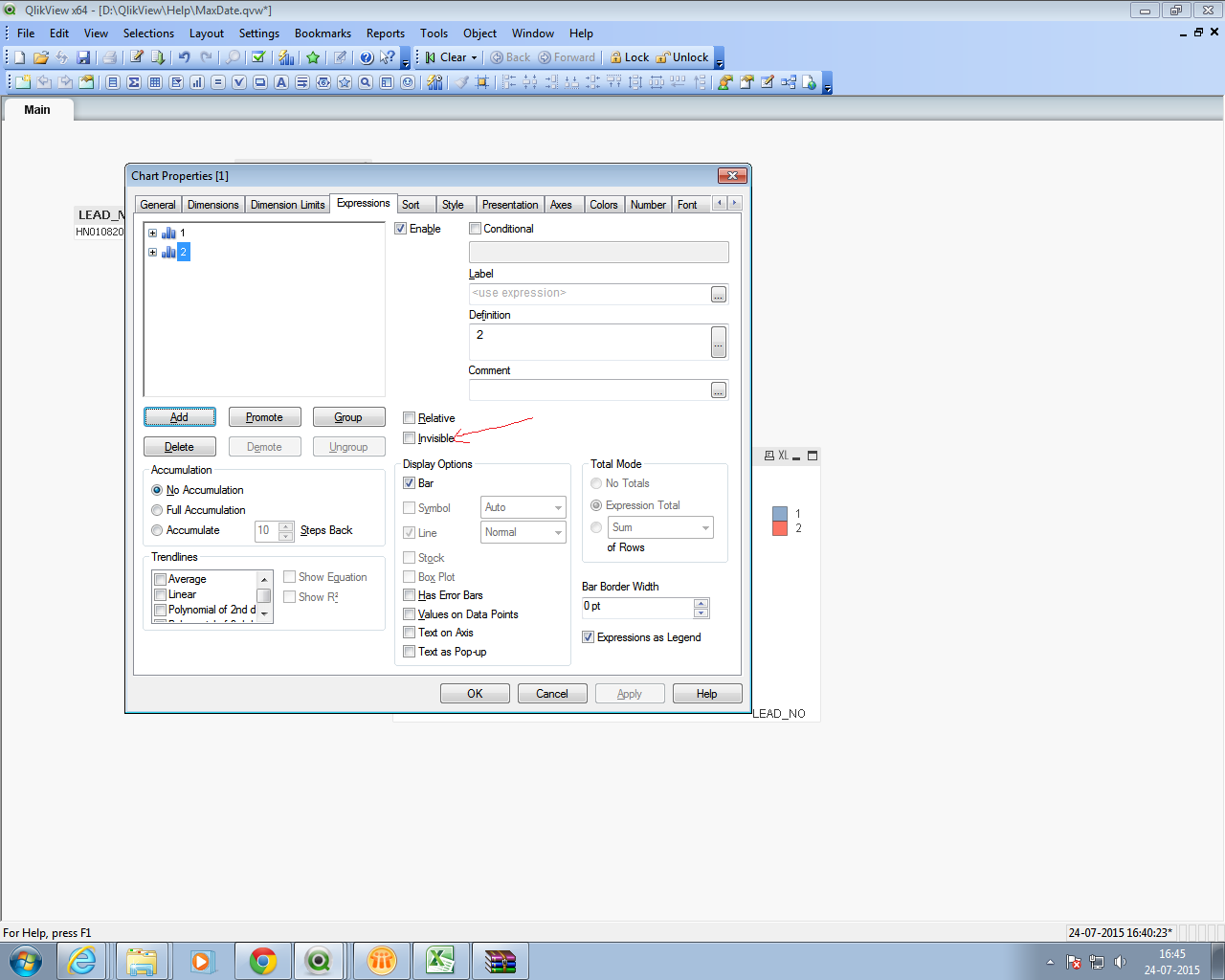
sgrice
- Mark as New
- Bookmark
- Subscribe
- Mute
- Subscribe to RSS Feed
- Permalink
- Report Inappropriate Content
Thanks but was after just hiding one line of data
 jonathandienst
- Mark as New
- Bookmark
- Subscribe
- Mute
- Subscribe to RSS Feed
- Permalink
- Report Inappropriate Content
To hide a row, make sure that all expressions return 0 or null and make sure that the suppress nulls option is checked. To force an expression to return null if another is 0 (lets say expression 1 for example) use this construct:
=If(Column(1) <> 0, <your expression here>)
Adapt the if condition to your requirements.
senpradip007
- Mark as New
- Bookmark
- Subscribe
- Mute
- Subscribe to RSS Feed
- Permalink
- Report Inappropriate Content
Can you come up with sample data and expected output ?

 tresesco
- Mark as New
- Bookmark
- Subscribe
- Mute
- Subscribe to RSS Feed
- Permalink
- Report Inappropriate Content
If you are trying to create something like rolling report that uses above()/Below() and need to refer a row beyond your range, you could probably use aggr() in combination with set analysis as shown here: Calculating rolling n-period totals, averages or other aggregations and that would not require a hiding of a row. The important expression in the post:
sum(aggr(rangesum(above(total sum({<Month=>}Amount),0,3)),Month))
where you should concentrate I believe.
