Unlock a world of possibilities! Login now and discover the exclusive benefits awaiting you.

- Qlik Community
- :
- All Forums
- :
- QlikView App Dev
- :
- Pie Chart '%' symbol not displaying when decrease ...
- Subscribe to RSS Feed
- Mark Topic as New
- Mark Topic as Read
- Float this Topic for Current User
- Bookmark
- Subscribe
- Mute
- Printer Friendly Page

- Mark as New
- Bookmark
- Subscribe
- Mute
- Subscribe to RSS Feed
- Permalink
- Report Inappropriate Content
Pie Chart '%' symbol not displaying when decrease legend font
Hi all,
I noticed that when I have a Pie Chart that displays the relative percentages (Chart Properties > Expressions > Relative checkbox and Values on Data Points checkbox), and I decrease the legend font size (Chart Properties > Presentation > Settings > Font), the '%' symbol disappears. Sometimes, the numbers and the '%' symbol disappear all together.
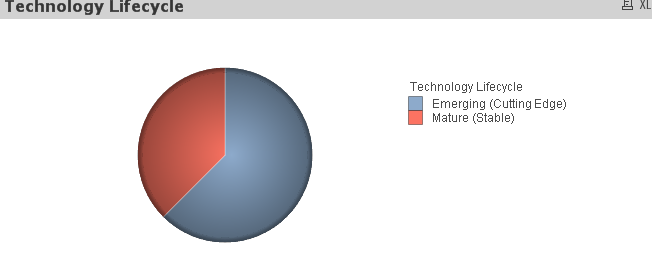
I have found a temporary work-around in which I set the font to 'Tahoma' and one font size smaller than I actually want, then increase the font size, and I will have the right display and legend font size. However, this doesn't work for say, Arial.
Is there a direct fix?
Thanks!
- Tags:
- new_to_qlikview
- « Previous Replies
-
- 1
- 2
- Next Replies »
- Mark as New
- Bookmark
- Subscribe
- Mute
- Subscribe to RSS Feed
- Permalink
- Report Inappropriate Content
Did you try recreating? I went down to Font size 6, still it show Number and %. I am not sure what is missing, Don't reduce from presentation and Legend setting, just try reducing Font size from Font tab.
- Mark as New
- Bookmark
- Subscribe
- Mute
- Subscribe to RSS Feed
- Permalink
- Report Inappropriate Content
just try to keep same fonts and font size in legend setting and font tab.
it works
and which qlikview version are you using.

 rustyfishbones
- Mark as New
- Bookmark
- Subscribe
- Mute
- Subscribe to RSS Feed
- Permalink
- Report Inappropriate Content
Hi Irene,
Here is your file, I checked the box to show number in Legend and I also Changed to Expression instead of using relative.
Is this what you need
Regards
Alan
- Mark as New
- Bookmark
- Subscribe
- Mute
- Subscribe to RSS Feed
- Permalink
- Report Inappropriate Content
Hi Alan,
Thanks for taking a look at the file. This is a great example. So, if we take your updated file, and I want everything to look the same except the legend font to be size 8 instead of default size 9, I go to Presentation > Settings > Font and select size 8. Now the '%' symbol will still disappear from the chart. How do I prevent the '%' from disappearing when I do this?
Alternatively, as Devang suggested, I change the font size from the Font tab, however you will see that the legend font size does not change, only the font size of the chart labels.
To Nandkishor's point, if I have both locations be size 8, the '%' still does not appear.
Thanks,
Irene
rustyfishbones
- Mark as New
- Bookmark
- Subscribe
- Mute
- Subscribe to RSS Feed
- Permalink
- Report Inappropriate Content
Hmmmmm..... I see what you mean
It's a tricky one, maybe it's a bug you have found in which case you can report it to Qlikview
But before you do, let me take another look
- « Previous Replies
-
- 1
- 2
- Next Replies »