Unlock a world of possibilities! Login now and discover the exclusive benefits awaiting you.

- Qlik Community
- :
- All Forums
- :
- QlikView App Dev
- :
- change months from German to English
- Subscribe to RSS Feed
- Mark Topic as New
- Mark Topic as Read
- Float this Topic for Current User
- Bookmark
- Subscribe
- Mute
- Printer Friendly Page

 felcar2013
- Mark as New
- Bookmark
- Subscribe
- Mute
- Subscribe to RSS Feed
- Permalink
- Report Inappropriate Content
change months from German to English
Hi , i used this script line to Change a month from this Format YYMM (like 1401) to this "MMM.YYYY" but the Format is appearing as a German short form of a month and not an English one (instead of Mar it appears Mrz) date(Date#(%month__ID,'YYMM'),'MMM. YYYY') as month how can i Change it? thanks felipe

 shane_spencer
- Mark as New
- Bookmark
- Subscribe
- Mute
- Subscribe to RSS Feed
- Permalink
- Report Inappropriate Content
Do you need to set the month names at the beginning of the script?
i.e.
SET MonthNames='Jan;Feb;Mar;Apr;May;Jun;Jul;Aug;Sep;Oct;Nov;Dec';
felcar2013
- Mark as New
- Bookmark
- Subscribe
- Mute
- Subscribe to RSS Feed
- Permalink
- Report Inappropriate Content
hi
they are set, that is the strange thing
this happens when i use the binary load. where can i set the month variables? before the binary load is not possible. After that i merge this qv document (via binary) with a second document. In this new application is where the English month Format is lost
i am using a German key board
best

- Mark as New
- Bookmark
- Subscribe
- Mute
- Subscribe to RSS Feed
- Permalink
- Report Inappropriate Content
Hi Felipe,
what is your system date format.
Regards
Jeba
felcar2013
- Mark as New
- Bookmark
- Subscribe
- Mute
- Subscribe to RSS Feed
- Permalink
- Report Inappropriate Content
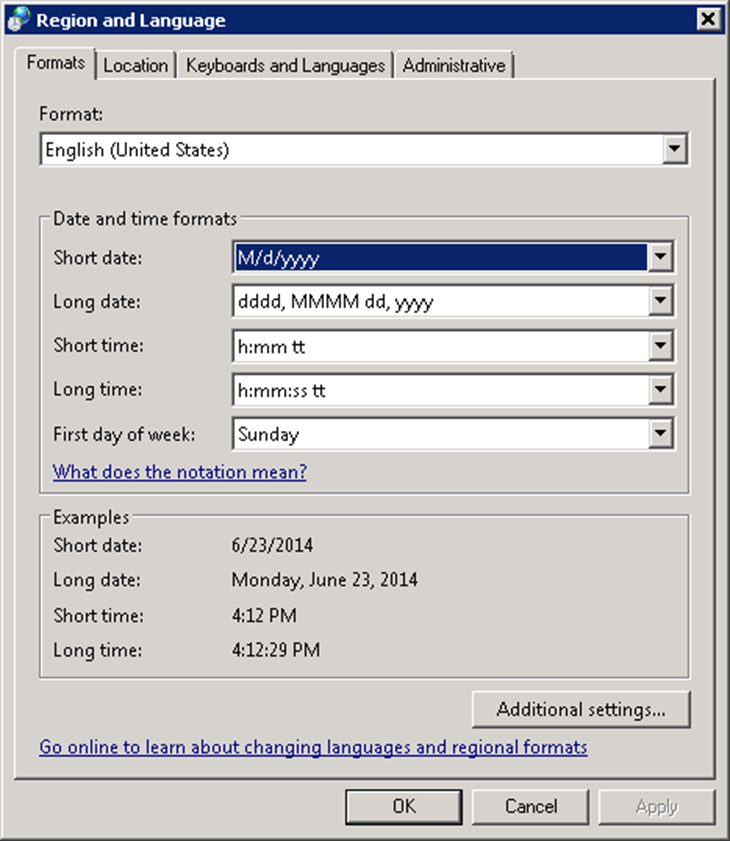 hi Jeba
is like this
felcar2013
- Mark as New
- Bookmark
- Subscribe
- Mute
- Subscribe to RSS Feed
- Permalink
- Report Inappropriate Content
Hi Jeba
is like in the Picture attached
my first qv document recognizes the English Format correctly, but when i load the same document as binary, it does not recognizes it

.png "Former Employee") hic
hic
- Mark as New
- Bookmark
- Subscribe
- Mute
- Subscribe to RSS Feed
- Permalink
- Report Inappropriate Content
The problem is the binary load. The file you load from contains the german month names. So you need to open this file and re-run the script using an English Set statement.
HIC
- Mark as New
- Bookmark
- Subscribe
- Mute
- Subscribe to RSS Feed
- Permalink
- Report Inappropriate Content
can you try as per Henric's advice and confirm
felcar2013
- Mark as New
- Bookmark
- Subscribe
- Mute
- Subscribe to RSS Feed
- Permalink
- Report Inappropriate Content
hi, thanks
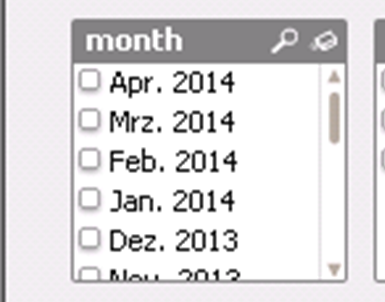
the file contains English names, see the list box.
when i load the document as binary into a second document, it changes to
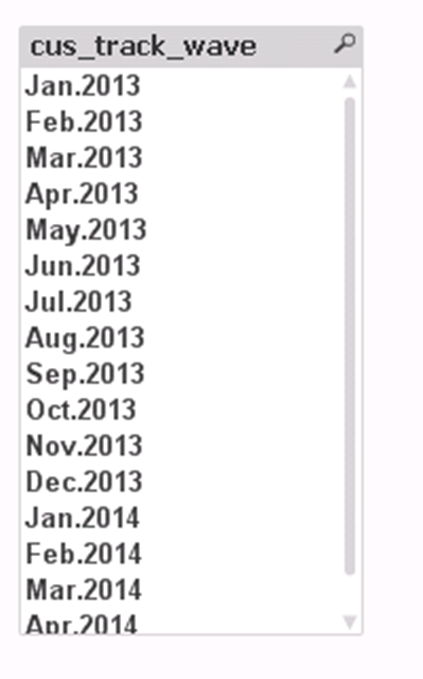
this one