Unlock a world of possibilities! Login now and discover the exclusive benefits awaiting you.

- Qlik Community
- :
- All Forums
- :
- QlikView App Dev
- :
- circular key
- Subscribe to RSS Feed
- Mark Topic as New
- Mark Topic as Read
- Float this Topic for Current User
- Bookmark
- Subscribe
- Mute
- Printer Friendly Page

- Mark as New
- Bookmark
- Subscribe
- Mute
- Subscribe to RSS Feed
- Permalink
- Report Inappropriate Content
circular key
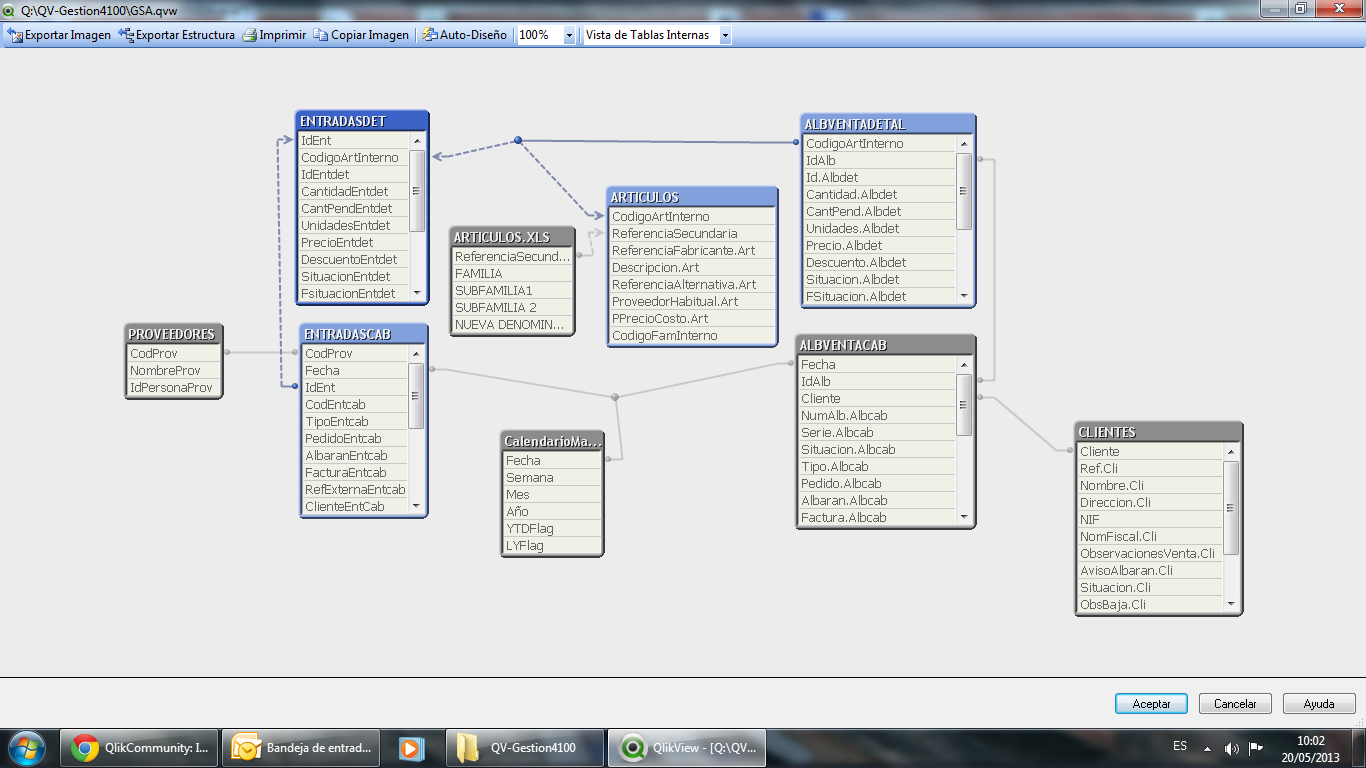
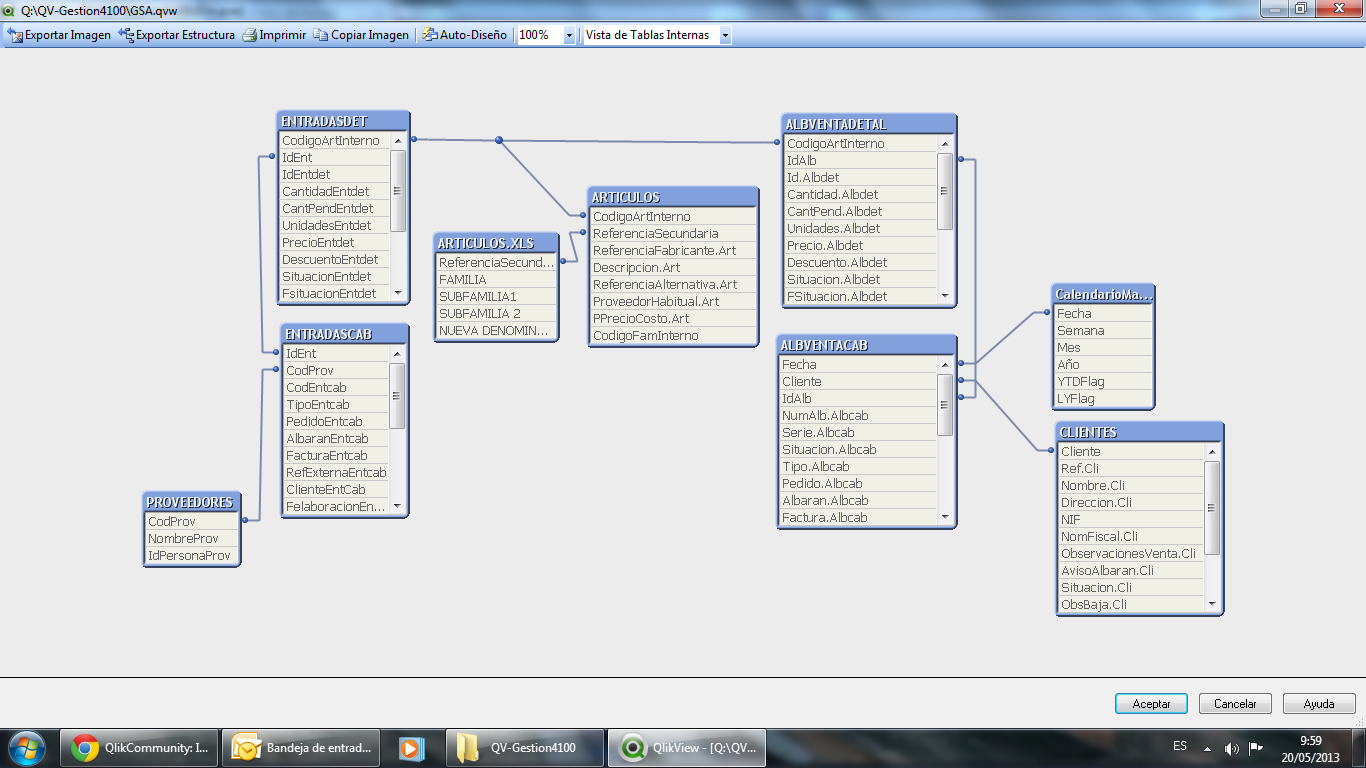
I need to present the profit margin per item, to link the purchase documents with the calendar does not offer true results, and to make script recharge occurs circular key the article and date code. Not as out of here, please need help.
I present the structure of tables
- Tags:
- new_to_qlikview

 nizamsha
- Mark as New
- Bookmark
- Subscribe
- Mute
- Subscribe to RSS Feed
- Permalink
- Report Inappropriate Content
most of the time i will rename any one of the field it will work u can try it and check the result.

 vikasmahajan
- Mark as New
- Bookmark
- Subscribe
- Mute
- Subscribe to RSS Feed
- Permalink
- Report Inappropriate Content
This is due to some common fields in your data model , try to rename as per Mr.Nizmsha suggested and additional you can joins tables fields as per your requirements to avoid common fields.
Vikas
If the issue is solved please mark the answer with Accept as Solution & like it.
If you want to go quickly, go alone. If you want to go far, go together.

 er_mohit
- Mark as New
- Bookmark
- Subscribe
- Mute
- Subscribe to RSS Feed
- Permalink
- Report Inappropriate Content
use qualifier *; before table loaded
or you can use Qualifier A,B ; as wirte those fields which are common in both table
like
TestA:
load A,
B,
C from ......;
qualifier B,C;
TestB:
load A,
B,
C ,
D
from .......;
Doing this,it gives you primary link with A field name and remove the circular key
hope it helps
- Mark as New
- Bookmark
- Subscribe
- Mute
- Subscribe to RSS Feed
- Permalink
- Report Inappropriate Content
Thanks for the replies.
These solutions and had in mind, the problem is that if I link sales or purchases with the calendar not take well to date, and if the articles I link to is exactly the same, do not pick the item up.
regards