Unlock a world of possibilities! Login now and discover the exclusive benefits awaiting you.

- Qlik Community
- :
- All Forums
- :
- QlikView App Dev
- :
- Re: field values assign variable
- Subscribe to RSS Feed
- Mark Topic as New
- Mark Topic as Read
- Float this Topic for Current User
- Bookmark
- Subscribe
- Mute
- Printer Friendly Page

- Mark as New
- Bookmark
- Subscribe
- Mute
- Subscribe to RSS Feed
- Permalink
- Report Inappropriate Content
field values assign variable
Hi,
i have loaded a table into my script
LOAD VariableName,
VariableValue,
VariableType,
VariableFormat
FROM
(ooxml, embedded labels, table is [Color Settings]);
i Need to create variable with these field names.
can somebody please help me
- Tags:
- new_to_qlikview

 amit_saini
- Mark as New
- Bookmark
- Subscribe
- Mute
- Subscribe to RSS Feed
- Permalink
- Report Inappropriate Content
Could you please share you application.
Thanks,
AS
- Mark as New
- Bookmark
- Subscribe
- Mute
- Subscribe to RSS Feed
- Permalink
- Report Inappropriate Content
I can not find the attachment symbol to attach Application
amit_saini
- Mark as New
- Bookmark
- Subscribe
- Mute
- Subscribe to RSS Feed
- Permalink
- Report Inappropriate Content
Hi ,
See below at the top there is a option right top side "Use Advanced editor" click this and you will be having attachment option.
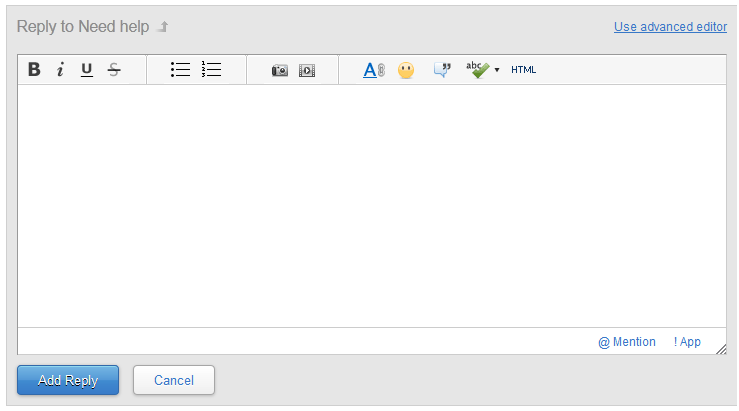
Thanks,
AS
- Mark as New
- Bookmark
- Subscribe
- Mute
- Subscribe to RSS Feed
- Permalink
- Report Inappropriate Content
have you got a table "Tab" with values in?
- Mark as New
- Bookmark
- Subscribe
- Mute
- Subscribe to RSS Feed
- Permalink
- Report Inappropriate Content
Hi i attached the value in the table please give me solution how can i get those values using variable
- Mark as New
- Bookmark
- Subscribe
- Mute
- Subscribe to RSS Feed
- Permalink
- Report Inappropriate Content
I add the let statement, it's just to be able to set the variable in the script.
For the interface: =If(Count(VariableName)=1,VariableName)
- Mark as New
- Bookmark
- Subscribe
- Mute
- Subscribe to RSS Feed
- Permalink
- Report Inappropriate Content
That is fine but if i use the variable in charts & text boxes the data is not coming
- Mark as New
- Bookmark
- Subscribe
- Mute
- Subscribe to RSS Feed
- Permalink
- Report Inappropriate Content
What's about that?
- Mark as New
- Bookmark
- Subscribe
- Mute
- Subscribe to RSS Feed
- Permalink
- Report Inappropriate Content
Hi, Need help 
Try something like this:
test:
LOAD *,RowNo() as ID
Resident [Color Settings];
DROP Table [Color Settings];
tempRowsNum:
First 1 LOAD ID as RowsNum
Resident test
Order By ID desc;
LET vRowsNum = Peek('RowsNum',0,'tempRowsNum');
DROP Table tempRowsNum;
FOR vRow = 1 to $(vRowsNum)
LET vName = Peek('VariableName',$(vRow),'test');
LET vExpr = Peek('VariableValue',$(vRow),'test');
SET $(vName) = $(vExpr);
NEXT vRow;
amit_saini
- Mark as New
- Bookmark
- Subscribe
- Mute
- Subscribe to RSS Feed
- Permalink
- Report Inappropriate Content
Hi ,
I'm not sure what you are trying to achieve here , you already having filed which you can use in your calculation. I 'm not sure if this is possible which you are trying to do by using variables here.
Thanks,
AS