Unlock a world of possibilities! Login now and discover the exclusive benefits awaiting you.

- Qlik Community
- :
- All Forums
- :
- QlikView Integrations
- :
- Extensions not working in Server
- Subscribe to RSS Feed
- Mark Topic as New
- Mark Topic as Read
- Float this Topic for Current User
- Bookmark
- Subscribe
- Mute
- Printer Friendly Page

- Mark as New
- Bookmark
- Subscribe
- Mute
- Subscribe to RSS Feed
- Permalink
- Report Inappropriate Content
Extensions not working in Server
Hi!
I have been reading about extensions in server (Qlik Tips: Beginners Guide to QlikView Extension Objects : Part 1). I have started by the classic 'Hello World'. I have located the extensions in the server and created mine in there. I can see my extension to insert it, but when I create my extension in the qlikview document it's only an empty box. I have tried to insert one extension from the qlikview examples, the Web Page Viewer, and it works.
Can anybody help me?
This is what I see when I insert my extension and I should see a 'Hello world' sentence
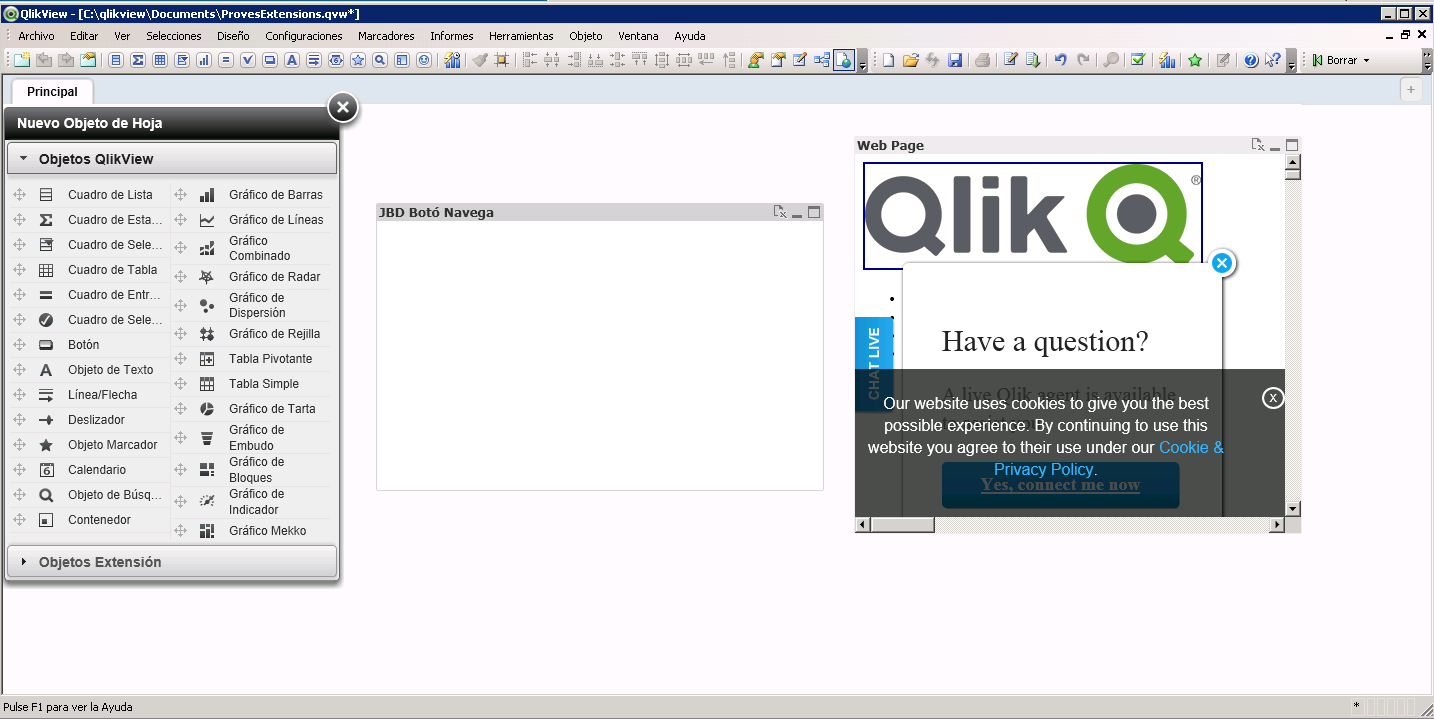
I have also attached my Definition.xml, and Script.js files.
- Tags:
- qlikview_extensions
- Mark as New
- Bookmark
- Subscribe
- Mute
- Subscribe to RSS Feed
- Permalink
- Report Inappropriate Content
Hi Ismael,
The new extension object folder which you are creating should be placed in should
AppData\Local\QlikTech\QlikView\Extensions\Objects\[Your Object Name].
And in the script.js, it should'nt be
Qva.AddExtension('QlikView/Examples/GraficaJBD'
but it should be
Qva.AddExtension('Extensions/GraficaJBD'
Thanks,
Niharika