Unlock a world of possibilities! Login now and discover the exclusive benefits awaiting you.

- Qlik Community
- :
- All Forums
- :
- QlikView
- :
- Re: Creating Textbox according to if statement (co...
- Subscribe to RSS Feed
- Mark Topic as New
- Mark Topic as Read
- Float this Topic for Current User
- Bookmark
- Subscribe
- Mute
- Printer Friendly Page

- Mark as New
- Bookmark
- Subscribe
- Mute
- Subscribe to RSS Feed
- Permalink
- Report Inappropriate Content
Creating Textbox according to if statement (condition)
Hello together,
I need some help. It is very easy to create a Textbox using a if Condition to display text.
But it only works if I select a Value.
Textbox condition:
=if(columnA='example',(if(columnB>1,'TEST')))
This wokrs fine if I select emaple wtihin the tabelchart (diagram).
Is it posible to get a result within the Textbox without a selection using if statement (condition)?
Thanks Thomas

 offjunior
- Mark as New
- Bookmark
- Subscribe
- Mute
- Subscribe to RSS Feed
- Permalink
- Report Inappropriate Content
Try it!
Sum(If(SpalteA = 'a' and SpalteB = 2, SpalteB,
If(SpalteA = 'c' and SpalteB = 1, SpalteB, 'Tabelle zeigt nichts')
)
)
- Mark as New
- Bookmark
- Subscribe
- Mute
- Subscribe to RSS Feed
- Permalink
- Report Inappropriate Content
Hi,
In generally i need:
If SpalteA = 'ä' and SpalteB = 2 or
If SpalteA = 'b' and SpalteB = 1 or
If SpalteA = 'c' and SpalteB= 1 or
if .......or
if.......
then show 'Tabelle zeigt nichts' in Textbox else 'Tabelle zeigt Text'
If I use two If Statements it will work If I try to add a third it's not working
Thanks Thomas

 swuehl
- Mark as New
- Bookmark
- Subscribe
- Mute
- Subscribe to RSS Feed
- Permalink
- Report Inappropriate Content
If ( // condition
( SpalteA = 'ä' and SpalteB = 2)
or
(SpalteA = 'b' and SpalteB = 1)
or
(SpalteA = 'c' and SpalteB= 1)
,'Tabelle zeigt nichts' // then
,'Tabelle zeigt Text' // else
)
offjunior
- Mark as New
- Bookmark
- Subscribe
- Mute
- Subscribe to RSS Feed
- Permalink
- Report Inappropriate Content
Try it:
Create two variables, each of them with the text you want to display, then assign the rule in the text box I'm sending you.
Attached hereto a document qvw bout what you need working.
= MaxString(If((SpalteA = 'a' and SpalteB = 2) or (SpalteA = 'b' and SpalteB = 1) or (SpalteA = 'c' and SpalteB = 1), vTextThen, vTextElse))
or
= MaxString(If((SpalteA = 'a' and SpalteB = 2) or (SpalteA = 'b' and SpalteB = 1) or (SpalteA = 'c' and SpalteB = 1), 'Tabelle zeigt nichts', 'Tabelle zeigt Text'))
Hug!
- Mark as New
- Bookmark
- Subscribe
- Mute
- Subscribe to RSS Feed
- Permalink
- Report Inappropriate Content
Hallo,
thanks for answer.
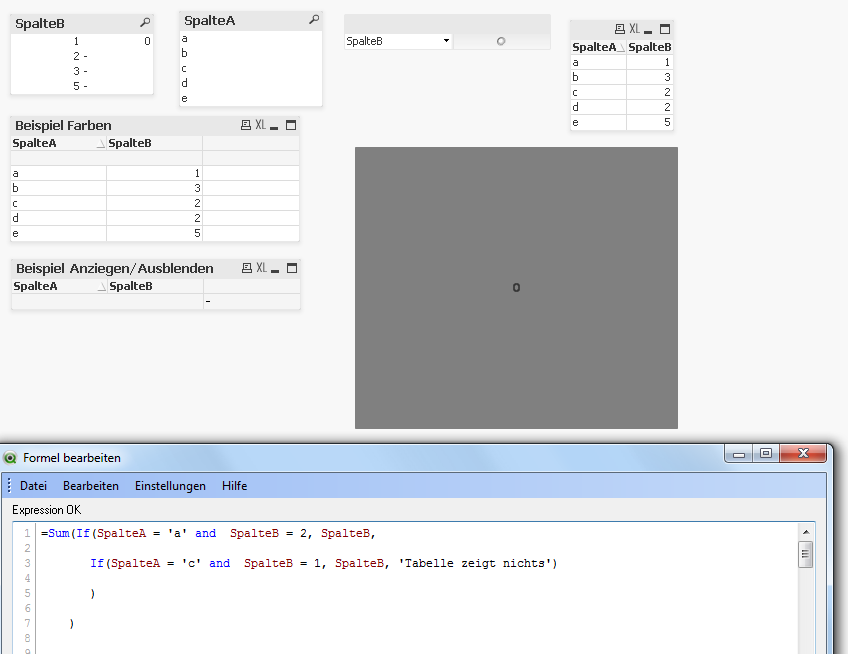
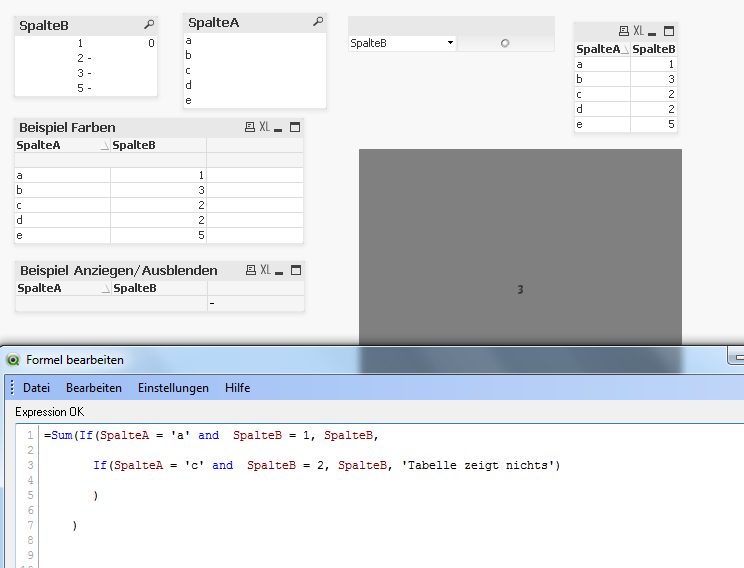
offjunior
- Mark as New
- Bookmark
- Subscribe
- Mute
- Subscribe to RSS Feed
- Permalink
- Report Inappropriate Content
= MaxString(If((SpalteA = 'a' and SpalteB = 2) or (SpalteA = 'b' and SpalteB = 1) or (SpalteA = 'c' and SpalteB = 1), 'Tabelle zeigt nichts', 'Tabelle zeigt Text'))
- Mark as New
- Bookmark
- Subscribe
- Mute
- Subscribe to RSS Feed
- Permalink
- Report Inappropriate Content
Hello,
next try,
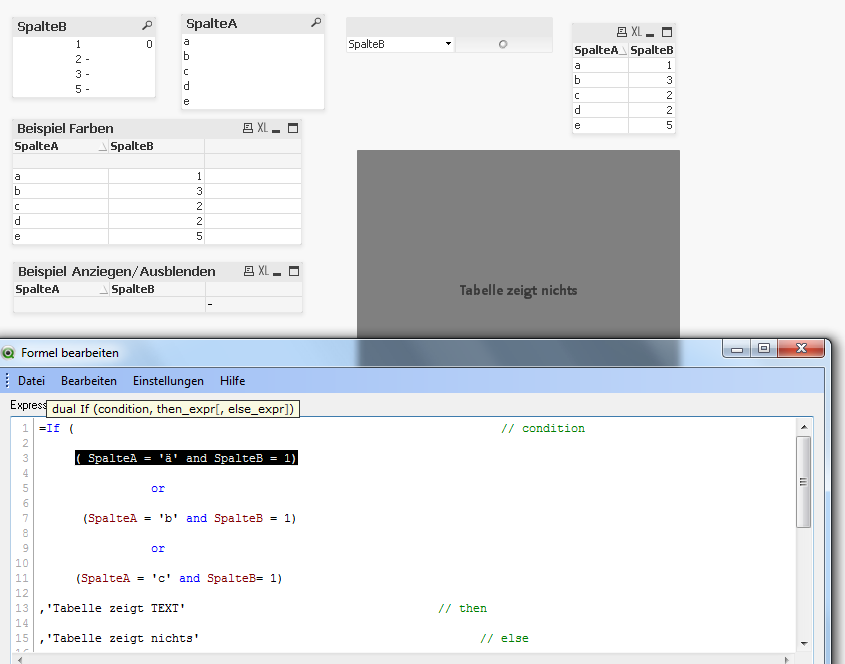
- Mark as New
- Bookmark
- Subscribe
- Mute
- Subscribe to RSS Feed
- Permalink
- Report Inappropriate Content
Hello,
sorry I can't see any attechment. The extended Editor doesn't working.
Thanks Thomas
offjunior
- Mark as New
- Bookmark
- Subscribe
- Mute
- Subscribe to RSS Feed
- Permalink
- Report Inappropriate Content
Try it:
= MaxString(If((SpalteA = 'a' and SpalteB = 2) or (SpalteA = 'b' and SpalteB = 1) or (SpalteA = 'c' and SpalteB = 1), 'Tabelle zeigt nichts', 'Tabelle zeigt Text'))
- Mark as New
- Bookmark
- Subscribe
- Mute
- Subscribe to RSS Feed
- Permalink
- Report Inappropriate Content
Hello,
It seems to work, Thanks a lot. Could I ask you something else.
Could you please have look at following Discusion: Higlight a tap (Worksheet) accroding to a condition
Is it possible to do it in the same way?
Thanks Thomas